Ana içeriğe geç
Onarım Topluluğuna Katılın - Hesap Oluşturun

Sony VAIO VPCEE26FX Optical Drive Replacement

Neye ihtiyacın var

    1. Sony VAIO VPCEE26FX Optical Drive Replacement, Battery: adım 1, 2 resimden 1. Sony VAIO VPCEE26FX Optical Drive Replacement, Battery: adım 1, 2 resimden 2.
      • Ensure that the laptop is powered off before disconnecting the battery.

      • Flip the laptop over so the underside of the laptop is facing up.

      FixBot'a Sor

      Yorum Ekle

    2. Sony VAIO VPCEE26FX Optical Drive Replacement: adım 2, 2 resimden 1. Sony VAIO VPCEE26FX Optical Drive Replacement: adım 2, 2 resimden 2.
      • Slide the two tabs towards each other until the battery disconnects slightly from its position.

      • Carefully lift the battery out of its position away from the laptop.

      • The battery is not pictured here, since it is missing from this particular device.

      FixBot'a Sor

      Yorum Ekle

    1. Sony VAIO VPCEE26FX Optical Drive Replacement, Optical Drive: adım 3, 1 resimden 1.
      • Use a JIS #0 screwdriver to remove the 4mm screw from its place.

      FixBot'a Sor

      Yorum Ekle

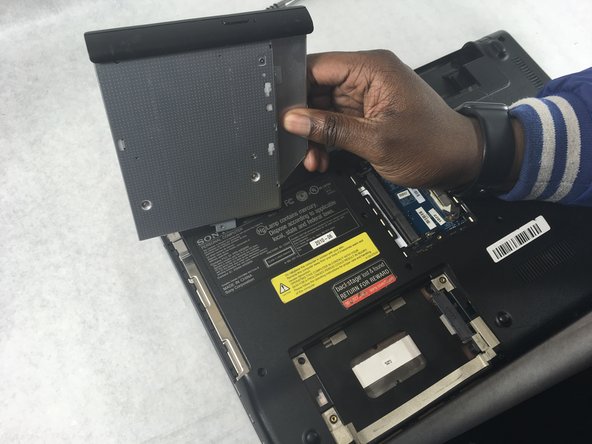
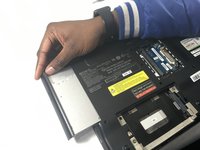
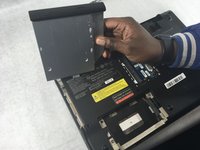
    2. Sony VAIO VPCEE26FX Optical Drive Replacement: adım 4, 2 resimden 1. Sony VAIO VPCEE26FX Optical Drive Replacement: adım 4, 2 resimden 2.
      • Remove the optical drive gently away from its holder on the laptop.

      FixBot'a Sor

      Yorum Ekle

Sonuç

To reassemble your device, follow these instructions in reverse order.

İptal et: Bu kılavuzu tamamlamadım.

Christopher Hover

Üyelik tarihi: 03/21/19

679 İtibar

5 adet Kılavuz yazıldı

Ekip

UMass Dartmouth, Team S2-G3, Bailey Spring 2019 UMass Dartmouth, Team S2-G3, Bailey Spring 2019 üyesi

UMASSD-BAILEY-S19S2G3

3 Üyeler

45 adet Kılavuz yazıldı

0Kılavuz Yorumları

Yorum Ekle

İstatistikleri Görüntüle:

Son 24 Saat: 1

Son 7 gün: 8

Son 30 gün: 36

Her zaman: 845