Ana içeriğe geç
Onarım Topluluğuna Katılın - Hesap Oluşturun

Sony Vaio VPCCW17FX LCD Screen Replacement

Neye ihtiyacın var

    1. Sony Vaio VPCCW17FX LCD Screen Replacement, LCD Screen: adım 1, 1 resimden 1.
      • Turn the laptop over and orient it as shown.

      FixBot'a Sor

      Yorum Ekle

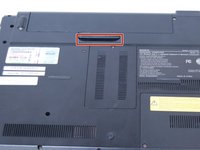
    2. Sony Vaio VPCCW17FX LCD Screen Replacement: adım 2, 1 resimden 1.
      • Slide both latches towards the center of the battery to release.

      FixBot'a Sor

      Yorum Ekle

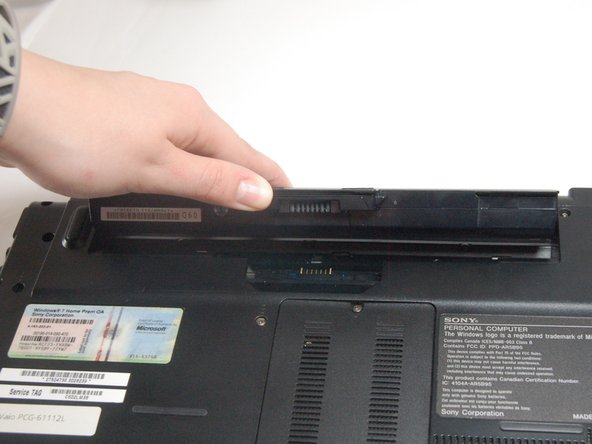
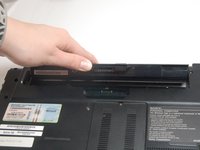
    3. Sony Vaio VPCCW17FX LCD Screen Replacement: adım 3, 2 resimden 1. Sony Vaio VPCCW17FX LCD Screen Replacement: adım 3, 2 resimden 2.
      • Use your fingernail or a plastic tool to lift the battery. Rotate the battery up and away to remove from the laptop.

      FixBot'a Sor

      Yorum Ekle

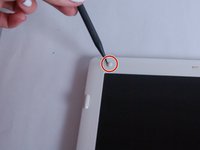
    4. Sony Vaio VPCCW17FX LCD Screen Replacement: adım 4, 2 resimden 1. Sony Vaio VPCCW17FX LCD Screen Replacement: adım 4, 2 resimden 2.
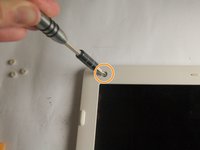
      • Remove the rubber pads on all four corners of the screen bezel using the spudger.

      • Remove the four screws (Length: 7.7 mm) using the Phillips #0 screwdriver.

      FixBot'a Sor

      Yorum Ekle

    5. Sony Vaio VPCCW17FX LCD Screen Replacement: adım 5, 1 resimden 1.
      • Remove the screen's plastic bezel.

      • You need to use slight pressure to release the clips.

      FixBot'a Sor

      Yorum Ekle

    6. Sony Vaio VPCCW17FX LCD Screen Replacement: adım 6, 2 resimden 1. Sony Vaio VPCCW17FX LCD Screen Replacement: adım 6, 2 resimden 2.
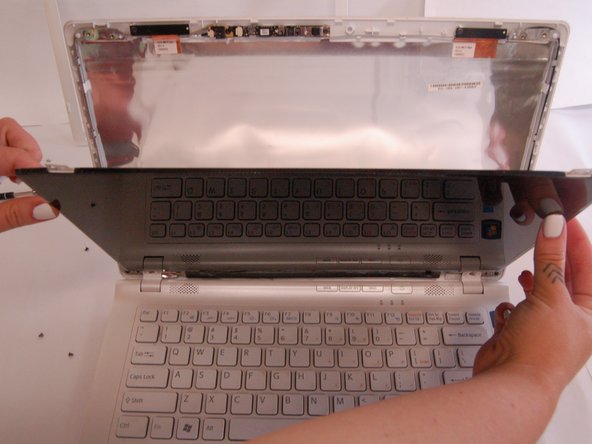
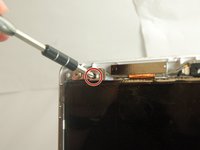
      • Remove all four screws (Length: 7.7 mm) using a Phillips #0 screwdriver. Make sure to hold the screen while removing the screws so it doesn't fall.

      • Using your thumb, carefully lower the glass and place it on the keyboard.

      • Do this slowly to avoid damaging the screen.

      FixBot'a Sor

      Yorum Ekle

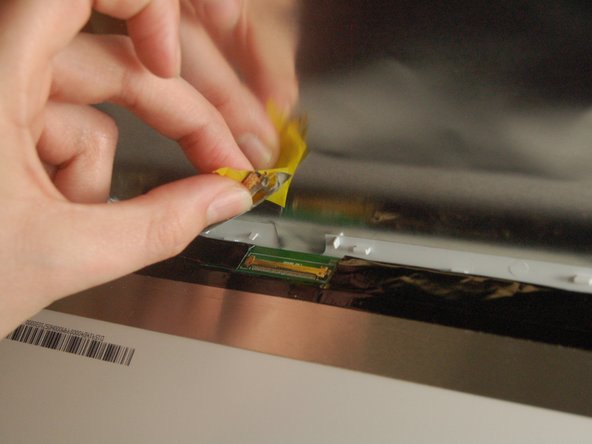
    7. Sony Vaio VPCCW17FX LCD Screen Replacement: adım 7, 2 resimden 1. Sony Vaio VPCCW17FX LCD Screen Replacement: adım 7, 2 resimden 2.
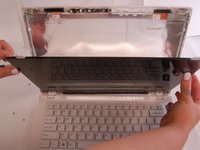
      • Pull off the tape and disconnect the display cable connector by gently sliding up to remove it from its socket.

      FixBot'a Sor

      Yorum Ekle

    8. Sony Vaio VPCCW17FX LCD Screen Replacement: adım 8, 1 resimden 1.
      • The screen can now be removed.

      FixBot'a Sor

      Yorum Ekle

Sonuç

To reassemble your device, follow these instructions in reverse order.

İptal et: Bu kılavuzu tamamlamadım.

Bir başkası bu kılavuzu tamamladı.

Seowon Song

Üyelik tarihi: 03/20/17

113 İtibar

1 Kılavuz yazıldı

Ekip

Texas Tech, Team S8-G5, Bennett Spring 2017 Texas Tech, Team S8-G5, Bennett Spring 2017 üyesi

TTU-BENNETT-S17S8G5

4 Üyeler

20 adet Kılavuz yazıldı

0Kılavuz Yorumları

Yorum Ekle

İstatistikleri Görüntüle:

Son 24 Saat: 2

Son 7 gün: 5

Son 30 gün: 29

Her zaman: 1,510