Giriş
Replacing the battery requires opening up the speaker and unscrewing the bottom and upper part of the speaker. You will need a Phillips screw driver, blue plastic opening tool and a new battery.
Neye ihtiyacın var
-
-
-
Place the speaker on a flat surface.
-
Take your blue plastic opening tool and remove the outside cover.
 FixBot'a Sor
-
-
-
Reorient the speaker so the black panel is facing up.
-
Remove the 4, 0.9 cm screws from the back panel using a Phillips PH1 screwdriver.
-
Now remove the plate.
-
-
-
-
Reorient the speaker so the bottom is facing up.
-
Remove the 4, 0.9cm screws from the bottom using a Phillips PH0 screw driver.
-
Now open the plate.
-
-
-
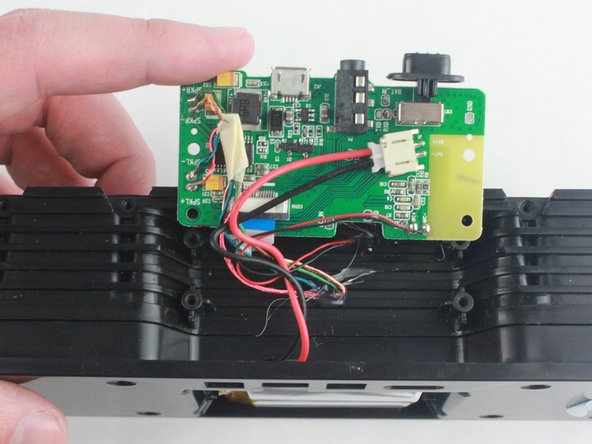
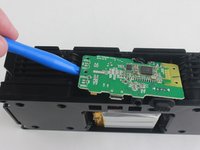
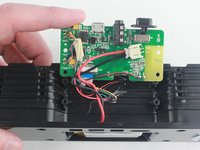
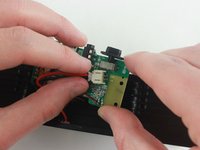
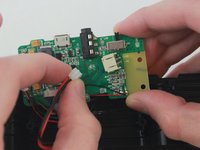
With the bottom plate removed now use the blue plastic opening tool to lift up the circuit board from the device.
-
-
-
Reorient the speaker so the back side is facing up.
-
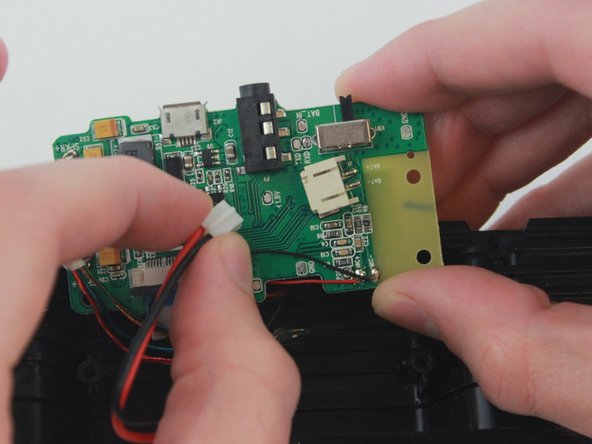
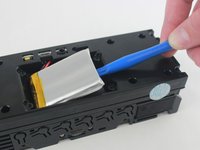
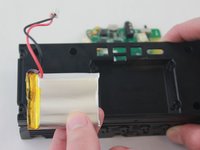
Now that the battery wires have been disconnected, use a blue plastic tool to release the battery from the adhesive strip.
-
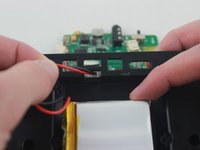
Loop the battery wires through the opening in the back plate.
-
The battery and it's connective wires have been completely removed from the speaker.
-
-





To reassemble your device, follow these instructions in reverse order.
İptal et: Bu kılavuzu tamamlamadım.
12 farklı kişi bu kılavuzu tamamladı.

Ekip

USF Tampa, Team 2-50, Cagle Spring 2016 USF Tampa, Team 2-50, Cagle Spring 2016 üyesi
USFT-CAGLE-S16S2G50
4 Üyeler
4 adet Kılavuz yazıldı
9Kılavuz Yorumları
Please provide the source to buy the replacement battery
They don't sell batteries!!
It says above that battery not for sale.
A simple online search and you will find the battery.
