Ana içeriğe geç
Onarım Topluluğuna Katılın - Hesap Oluşturun

Texas Instruments TI-83 Plus Individual Keys Replacement

Neye ihtiyacın var

  1. Texas Instruments TI-83 Plus Individual Keys Replacement, Backup Battery: adım 1, 2 resimden 1. Texas Instruments TI-83 Plus Individual Keys Replacement, Backup Battery: adım 1, 2 resimden 2.
    • Remove the battery cover.

    • Remove the AAA batteries from the calculator.

    FixBot'a Sor

    Yorum Ekle

  2. Texas Instruments TI-83 Plus Individual Keys Replacement: adım 2, 1 resimden 1.
    • Remove the 5mm Philips #00 screw holding backup battery cover.

    • Remove the backup battery cover.

    FixBot'a Sor

    Yorum Ekle

  3. Texas Instruments TI-83 Plus Individual Keys Replacement: adım 3, 1 resimden 1.
    • Use plastic opening tool to remove the backup battery. Place the tool in the small cut-out next to the battery and pry the battery out.

    • Be careful, the backup battery is spring loaded and may shoot up when you remove it.

    FixBot'a Sor

    Yorum Ekle

  4. Texas Instruments TI-83 Plus Individual Keys Replacement, Back Case: adım 4, 1 resimden 1.
    • Unscrew the six 7.5mm T6 screws on the back case. You will need to use a screwdriver with a long and skinny head.

    FixBot'a Sor

    Yorum Ekle

  5. Texas Instruments TI-83 Plus Individual Keys Replacement: adım 5, 2 resimden 1. Texas Instruments TI-83 Plus Individual Keys Replacement: adım 5, 2 resimden 2.
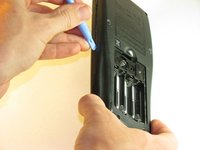
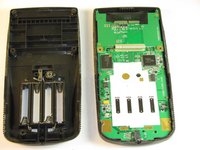
    • Pry back case off. Insert the plastic opening tool in the track for the protective cover and pry the halves of the case apart.

    FixBot'a Sor

    Yorum Ekle

  6. Texas Instruments TI-83 Plus Individual Keys Replacement, Motherboard & Screen: adım 6, 2 resimden 1. Texas Instruments TI-83 Plus Individual Keys Replacement, Motherboard & Screen: adım 6, 2 resimden 2.
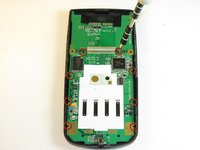
    • Keep the screen face-down during this step. Only the motherboard is attached to the face-plate and the screen may fall out.

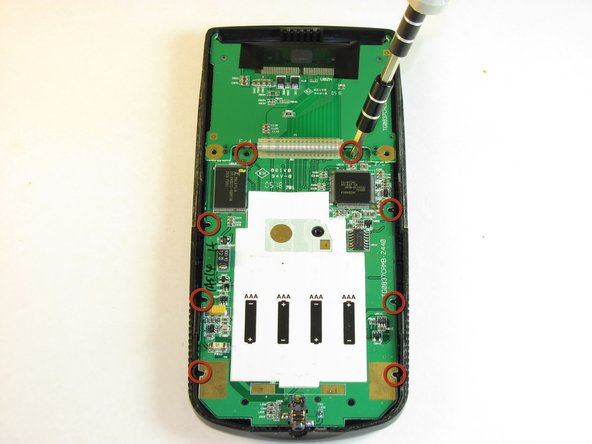
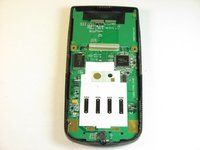
    • Remove the eight (8) 5mm Philips #00 screws on the motherboard.

    FixBot'a Sor

    Yorum Ekle

  7. Texas Instruments TI-83 Plus Individual Keys Replacement: adım 7, 2 resimden 1. Texas Instruments TI-83 Plus Individual Keys Replacement: adım 7, 2 resimden 2.
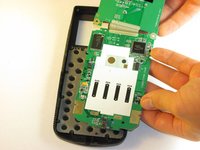
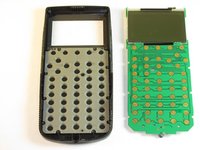
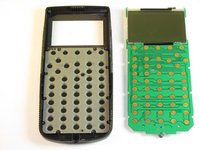
    • Carefully remove the motherboard and screen. Grab the board by its side with one hand and the screen with the other. Carefully lift the two parts up.

    • Keep the face-plate face-down to prevent the keys from falling out.

    FixBot'a Sor

    Yorum Ekle

  8. Texas Instruments TI-83 Plus Individual Keys Replacement, Keyboard Mat: adım 8, 2 resimden 1. Texas Instruments TI-83 Plus Individual Keys Replacement, Keyboard Mat: adım 8, 2 resimden 2.
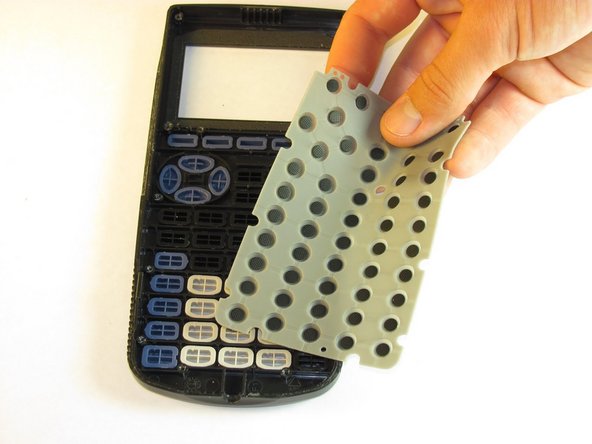
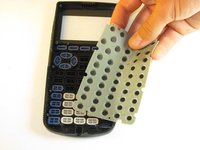
    • Remove light gray rubber keyboard mat.

    • Keep your calculator face down to ensure the individual keys do not fall out.

    FixBot'a Sor

    Yorum Ekle

  9. Texas Instruments TI-83 Plus Individual Keys Replacement: adım 9, 1 resimden 1.
    • Clean the contacts on the keyboard with a soft cloth.

    FixBot'a Sor

    Yorum Ekle

  10. Texas Instruments TI-83 Plus Individual Keys Replacement, Individual Keys: adım 10, 2 resimden 1. Texas Instruments TI-83 Plus Individual Keys Replacement, Individual Keys: adım 10, 2 resimden 2.
    Bu adımda kullanılan alet:
    Tweezers
    $4.99
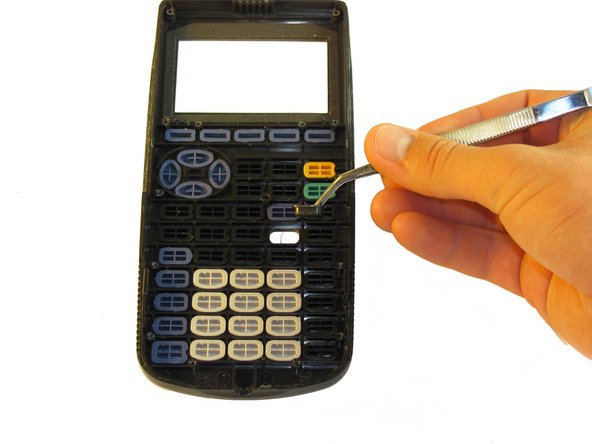
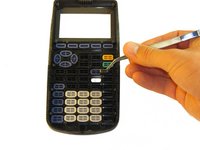
    • Use tweezers to remove one key at a time.

    • Be sure to keep them organized if you are taking out multiple keys.

    FixBot'a Sor

    Yorum Ekle

Sonuç

To reassemble your device, follow these instructions in reverse order.

İptal et: Bu kılavuzu tamamlamadım.

2 farklı kişi bu kılavuzu tamamladı.

Jared

Üyelik tarihi: 10/02/12

156 İtibar

2 adet Kılavuz yazıldı

Ekip

Cal Poly, Team 18-37, Regan Fall 2012 Cal Poly, Team 18-37, Regan Fall 2012 üyesi

CPSU-REGAN-F12S18G37

5 Üyeler

5 adet Kılavuz yazıldı

0Kılavuz Yorumları

Yorum Ekle

İstatistikleri Görüntüle:

Son 24 Saat: 1

Son 7 gün: 13

Son 30 gün: 65

Her zaman: 5,402