Ana içeriğe geç
Onarım Topluluğuna Katılın - Hesap Oluşturun

ThinkPad T420 Keyboard reinstallation Replacement

Salt Önkoşul
Bu sadece bir ön koşul kılavuzudur! Bu kılavuz başka bir prosedürün parçasıdır ve tek başına kullanılması amaçlanmamıştır.
  1. ThinkPad T420 Keyboard reinstallation Replacement, Keyboard reinstallation: adım 1, 3 resimden 1. ThinkPad T420 Keyboard reinstallation Replacement, Keyboard reinstallation: adım 1, 3 resimden 2. ThinkPad T420 Keyboard reinstallation Replacement, Keyboard reinstallation: adım 1, 3 resimden 3.
    • If you are upgrading the RAM this will be done last. Once both modules are installed, perform this step without reinstalling the screw, then reinstall the screw once the module is accepted and working.

    • Reconnect the keyboard to the motherboard. Once connected, slide the top (volume controls) in first.

    • Once the top of the keyboard is pushed in, slide the keyboard down to re-engage the lower clips until they are not visible.

    • Replace the silver screw and RAM door.

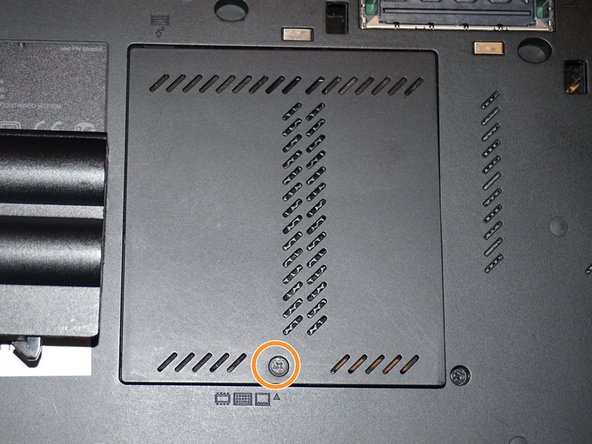
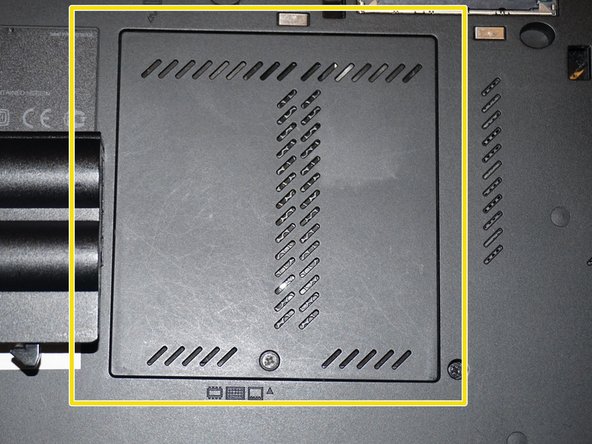
  2. ThinkPad T420 Keyboard reinstallation Replacement, Reinstall the keyboard screw: adım 2, 3 resimden 1. ThinkPad T420 Keyboard reinstallation Replacement, Reinstall the keyboard screw: adım 2, 3 resimden 2. ThinkPad T420 Keyboard reinstallation Replacement, Reinstall the keyboard screw: adım 2, 3 resimden 3.
    • Reinstall the keyboard screw.

    • Reinstall the RAM door.

    • When the cover is properly reinstalled, it will be flush with the laptop.

Sonuç

To reassemble your device, follow these instructions in reverse order.

Nick

Üyelik tarihi: 11/10/09

99.611 İtibar

63 adet Kılavuz yazıldı

Ekip

Master Techs Master Techs üyesi

Community

332 Üyeler

1.459 adet Kılavuz yazıldı

0Kılavuz Yorumları

Yorum Ekle

İstatistikleri Görüntüle:

Son 24 Saat: 0

Son 7 gün: 2

Son 30 gün: 11

Her zaman: 195