Ana içeriğe geç
Onarım Topluluğuna Katılın - Hesap Oluşturun

Top Cover Removal

Neye ihtiyacın var

    1. Top Cover Removal, Remove film door: adım 1, 1 resimden 1.
      • Push down the latch to release the film door.

      FixBot'a Sor
      Yorum Ekle

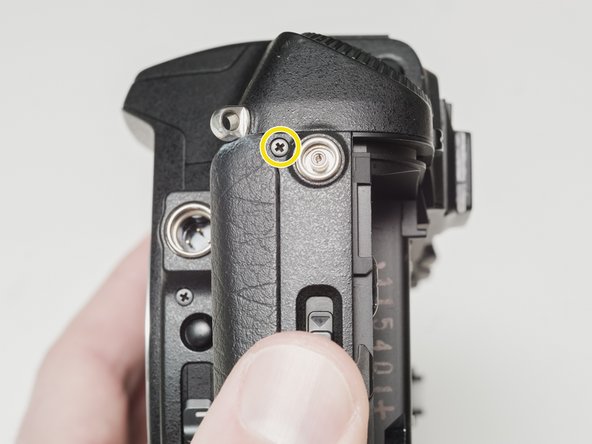
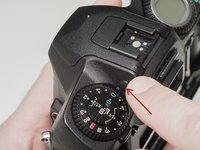
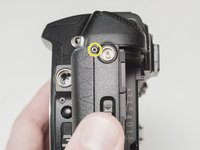
    2. Top Cover Removal, Remove top cover screws: adım 2, 3 resimden 1. Top Cover Removal, Remove top cover screws: adım 2, 3 resimden 2. Top Cover Removal, Remove top cover screws: adım 2, 3 resimden 3.
      • Remove two 7.5 mm #00 screws.

      • Remove one 9.0 mm #00 screw.

      • Remove one 13.5 mm #00 screw from inside the battery compartment.

      FixBot'a Sor
      Yorum Ekle

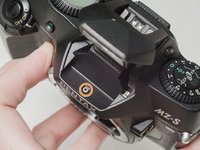
    3. Top Cover Removal, Remove top cover screws: adım 3, 3 resimden 1. Top Cover Removal, Remove top cover screws: adım 3, 3 resimden 2. Top Cover Removal, Remove top cover screws: adım 3, 3 resimden 3.
      • Push the button to pop up the flash.

      • Remove one 3.5 mm #00 screw.

      • Remove one 5.5 mm #00 screw.

      FixBot'a Sor

      Yorum Ekle

    4. Top Cover Removal, Lift top cover: adım 4, 1 resimden 1.
      • Carefully lift the top cover away from the body to access wired connections.

      • The top cover is still connected in several locations.

      FixBot'a Sor

      Yorum Ekle

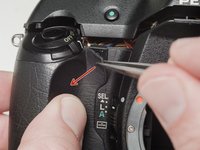
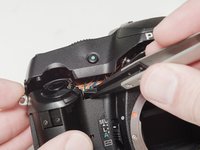
    5. Top Cover Removal, Access flash connections: adım 5, 2 resimden 1. Top Cover Removal, Access flash connections: adım 5, 2 resimden 2.
      • Peel back the corner of the rubber grip.

      • Remove the small plastic cover.

      • Be careful not to short the wires before the flash capacitors have been properly discharged.

      FixBot'a Sor

      Yorum Ekle

    6. Top Cover Removal, Discharge flash capacitors: adım 6, 1 resimden 1.
      • Use a 1kΩ-10kΩ high power resistor to discharge the capacitor. Place the resistor between the blue wire, exposed in the previous step, and ground.

      • The flash capacitors store energy at a very high voltage. Failing to discharge the capacitors properly could result in personal injury and/or damage to the camera.

      FixBot'a Sor

      Yorum Ekle

    7. Top Cover Removal, Disconnect right flex cable: adım 7, 1 resimden 1.
      • Carefully lift the sides of the white latch.

      • Hold the flex PCB on the camera body in place as you lift to prevent damaging the flex.

      FixBot'a Sor

      Yorum Ekle

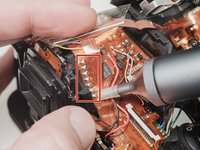
    8. Top Cover Removal, Disconnect left flex cable: adım 8, 1 resimden 1.
      • Desolder the red wire.

      • Carefully lift the sides of the white latch.

      • Hold the flex PCB on the camera body in place as you lift to prevent damaging the flex.

      FixBot'a Sor

      Yorum Ekle

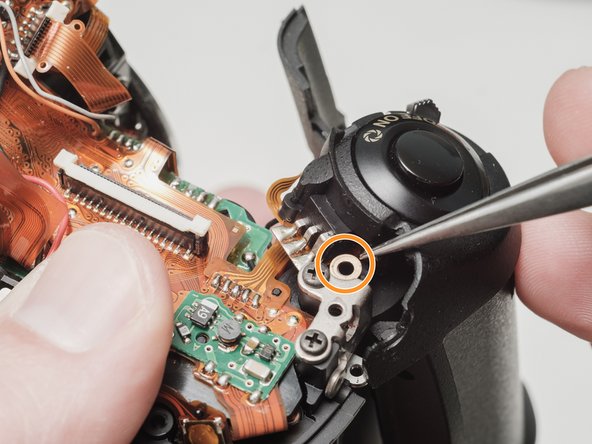
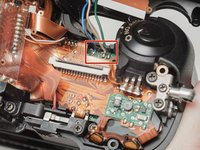
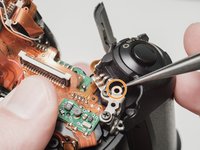
    9. Top Cover Removal, Desolder flash connections: adım 9, 2 resimden 1. Top Cover Removal, Desolder flash connections: adım 9, 2 resimden 2.
      • Desolder blue, black, brown and green wires.

      • Remove the loose shim washer if present.

      FixBot'a Sor

      Yorum Ekle

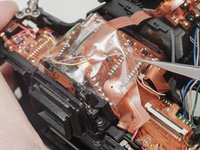
    10. Top Cover Removal, Desolder the flash flex cable: adım 10, 2 resimden 1. Top Cover Removal, Desolder the flash flex cable: adım 10, 2 resimden 2.
      • Remove the piece of cellophane tape covering the flex connections.

      • Desolder flex connetions.

      FixBot'a Sor

      Yorum Ekle

Sonuç

To reassemble your device, follow these instructions in reverse order.

İptal et: Bu kılavuzu tamamlamadım.

Sam Gustafson

Üyelik tarihi: 09/01/22

14.454 İtibar

78 adet Kılavuz yazıldı

0Kılavuz Yorumları

Yorum Ekle

İstatistikleri Görüntüle:

Son 24 Saat: 0

Son 7 gün: 5

Son 30 gün: 31

Her zaman: 560