Ana içeriğe geç
Onarım Topluluğuna Katılın - Hesap Oluşturun

Toshiba HD-A2 Power Button Replacement

Neye ihtiyacın var

  1. Toshiba HD-A2 Power Button Replacement, Power Button: adım 1, 3 resimden 1. Toshiba HD-A2 Power Button Replacement, Power Button: adım 1, 3 resimden 2. Toshiba HD-A2 Power Button Replacement, Power Button: adım 1, 3 resimden 3.
    • Using your hands, pop off the black console from each hinge surrounding the case.

    • There are a total of 7 hinges.

    FixBot'a Sor

    Yorum Ekle

  2. Toshiba HD-A2 Power Button Replacement: adım 2, 1 resimden 1.
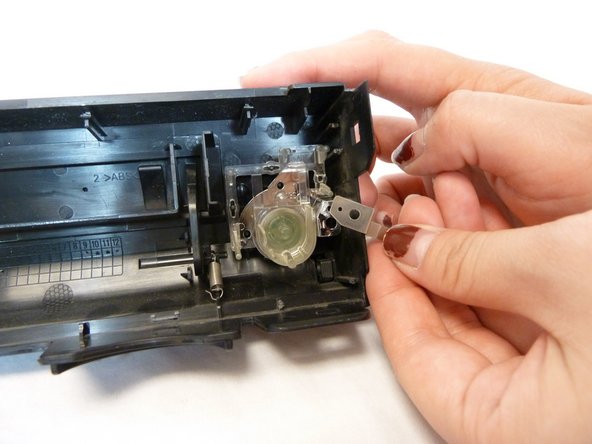
    • With the inside of the console facing up, the power button will be encased in clear plastic located on the right side of the console.

    FixBot'a Sor

    Yorum Ekle

  3. Toshiba HD-A2 Power Button Replacement: adım 3, 2 resimden 1. Toshiba HD-A2 Power Button Replacement: adım 3, 2 resimden 2.
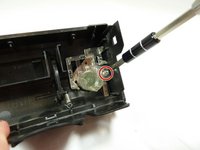
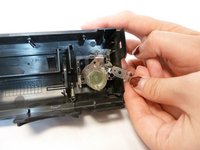
    • Use a Phillips #1 screwdriver to remove the single screw holding the power button to the console.

    • After taking out the screw, the small piece of metal underneath will come loose. Carefully place this part aside.

    FixBot'a Sor

    Yorum Ekle

  4. Toshiba HD-A2 Power Button Replacement: adım 4, 1 resimden 1.
    • Using your fingers, gently pull out the power button. You can push it from the outside to help loosen it from its hinges.

    FixBot'a Sor

    Yorum Ekle

Sonuç

To reassemble your device, follow these instructions in reverse order.

İptal et: Bu kılavuzu tamamlamadım.

Nouriyah Saleh

Üyelik tarihi: 10/22/18

800 İtibar

6 adet Kılavuz yazıldı

Ekip

UC Davis, Team S11-G1, Lore Fall 2018 UC Davis, Team S11-G1, Lore Fall 2018 üyesi

UCD-LORE-F18S11G1

3 Üyeler

6 adet Kılavuz yazıldı

0Kılavuz Yorumları

Yorum Ekle

İstatistikleri Görüntüle:

Son 24 Saat: 1

Son 7 gün: 10

Son 30 gün: 28

Her zaman: 404