Ana içeriğe geç
Onarım Topluluğuna Katılın - Hesap Oluşturun

VTech Learning Tunes Karaoke Mode Selector Replacement

Neye ihtiyacın var

  1. VTech Learning Tunes Karaoke Mode Selector Replacement, Mode Selector: adım 1, 1 resimden 1.
    • To remove the battery door, loosen the 4mm Flathead screw.

    • A coin can also be used to loosen the screw.

    FixBot'a Sor

    Yorum Ekle

  2. VTech Learning Tunes Karaoke Mode Selector Replacement: adım 2, 2 resimden 1. VTech Learning Tunes Karaoke Mode Selector Replacement: adım 2, 2 resimden 2.
    • Remove the battery door and take out the batteries.

    FixBot'a Sor

    Yorum Ekle

  3. VTech Learning Tunes Karaoke Mode Selector Replacement: adım 3, 1 resimden 1.
    • Remove the six 9.5 mm Phillips #2 screws.

    • Remove the six 6.0 mm Phillips #2 screws.

    FixBot'a Sor

    Yorum Ekle

  4. VTech Learning Tunes Karaoke Mode Selector Replacement: adım 4, 2 resimden 1. VTech Learning Tunes Karaoke Mode Selector Replacement: adım 4, 2 resimden 2.
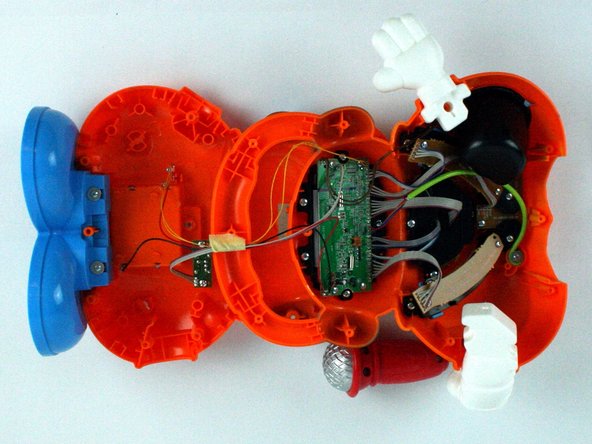
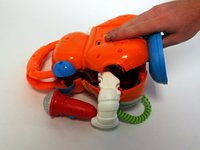
    • Gently pull up on the rear panel.

    • Be careful to not pull on the wire connections.

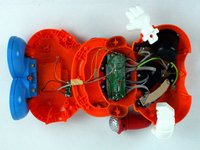
    • Gently place the back panel underneath the top panel with the tops facing each other, as shown in the picture.

    FixBot'a Sor

    Yorum Ekle

  5. VTech Learning Tunes Karaoke Mode Selector Replacement: adım 5, 1 resimden 1.
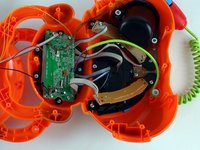
    • Remove the two 7.9 mm Phillips #1 mode switch board screws.

    FixBot'a Sor

    Yorum Ekle

  6. VTech Learning Tunes Karaoke Mode Selector Replacement: adım 6, 2 resimden 1. VTech Learning Tunes Karaoke Mode Selector Replacement: adım 6, 2 resimden 2.
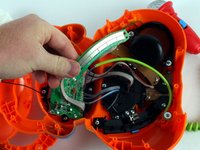
    • Once the screws have been removed, carefully move the mode switch board to expose the mode switch assembly underneath.

    FixBot'a Sor

    Yorum Ekle

  7. VTech Learning Tunes Karaoke Mode Selector Replacement: adım 7, 2 resimden 1. VTech Learning Tunes Karaoke Mode Selector Replacement: adım 7, 2 resimden 2.
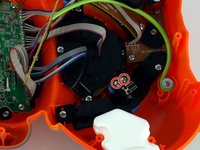
    • Using a Philips #1 screwdriver, remove the two 5.6 mm screws on the switch.

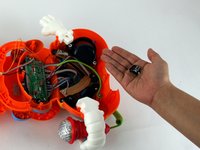
    • Once the screws have been removed, you can easily remove the mode switch.

    FixBot'a Sor

    Yorum Ekle

Sonuç

To reassemble your device, follow these instructions in reverse order.

İptal et: Bu kılavuzu tamamlamadım.

Adam Chaberek

Üyelik tarihi: 02/09/16

137 İtibar

1 Kılavuz yazıldı

Ekip

USF Tampa, Team 7-2, Cheng Spring 2016 USF Tampa, Team 7-2, Cheng Spring 2016 üyesi

USFT-CHENG-S16S7G2

4 Üyeler

10 adet Kılavuz yazıldı

0Kılavuz Yorumları

Yorum Ekle

İstatistikleri Görüntüle:

Son 24 Saat: 1

Son 7 gün: 6

Son 30 gün: 33

Her zaman: 625