Ana içeriğe geç
Onarım Topluluğuna Katılın - Hesap Oluşturun

Verizon Ellipsis 10 Camera Replacement

Neye ihtiyacın var

  1. Verizon Ellipsis 10 Camera Replacement, Back Cover: adım 1, 1 resimden 1.
    • Open the SD/SIM card cover to start prying off the back cover.

    FixBot'a Sor

    Yorum Ekle

  2. Verizon Ellipsis 10 Camera Replacement: adım 2, 1 resimden 1.
    • Start using the iFixit Opening Tool in the SD/SIM area to release the clips holding the back panel on.

    FixBot'a Sor

    Yorum Ekle

  3. Verizon Ellipsis 10 Camera Replacement: adım 3, 1 resimden 1.
    • Follow along the edge of the device to undo all of the retaining clips.

    FixBot'a Sor

    Yorum Ekle

  4. Verizon Ellipsis 10 Camera Replacement: adım 4, 1 resimden 1.
    • Once all the clips are undone, the back panel should come off with little effort.

    FixBot'a Sor

    Yorum Ekle

  5. Verizon Ellipsis 10 Camera Replacement, Battery: adım 5, 1 resimden 1.
    • Remove the bottom piece of tape securing the battery making sure you are not peeling up anything else in the process.

    FixBot'a Sor

    Yorum Ekle

  6. Verizon Ellipsis 10 Camera Replacement: adım 6, 1 resimden 1.
    • Remove the top piece of tape using an iFixit opening tool.

    FixBot'a Sor

    Yorum Ekle

  7. Verizon Ellipsis 10 Camera Replacement: adım 7, 1 resimden 1.
    • Once you have a hold on the tape, carefully remove it making sure you aren’t damaging the battery in the process.

    FixBot'a Sor

    Yorum Ekle

  8. Verizon Ellipsis 10 Camera Replacement: adım 8, 1 resimden 1.
    • Unplug the battery power connector by sliding the white plastic plug down away from the board.

    FixBot'a Sor

    Yorum Ekle

  9. Verizon Ellipsis 10 Camera Replacement: adım 9, 1 resimden 1.
    • The battery should be free to come out of the device. Make sure not to bend or damage the battery.

    FixBot'a Sor

    Yorum Ekle

  10. Verizon Ellipsis 10 Camera Replacement, Camera: adım 10, 1 resimden 1.
    • Remove 4 M1.5 screws holding in the labeled LTE module.

    FixBot'a Sor

    Yorum Ekle

  11. Verizon Ellipsis 10 Camera Replacement: adım 11, 1 resimden 1.
    • Use a nylon spudger to pry up the module.

    • It's held in with some clips so there will be a little bit of resistance.

    FixBot'a Sor

    Yorum Ekle

  12. Verizon Ellipsis 10 Camera Replacement: adım 12, 2 resimden 1. Verizon Ellipsis 10 Camera Replacement: adım 12, 2 resimden 2.
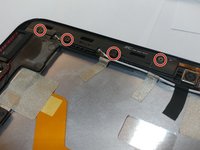
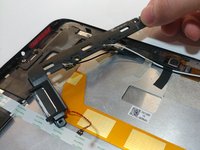
    • Remove the 4 M1.5 screws holding in the labeled auxiliary LTE/GPS module.

    • The module should come up with a little resistance.

    FixBot'a Sor

    Yorum Ekle

  13. Verizon Ellipsis 10 Camera Replacement: adım 13, 1 resimden 1.
    Bu adımda kullanılan alet:
    Tweezers
    $4.99
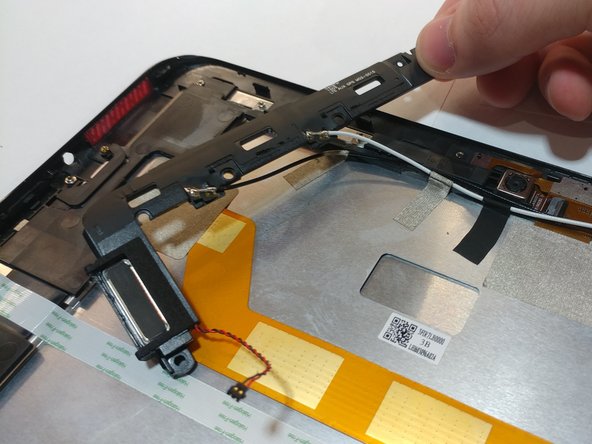
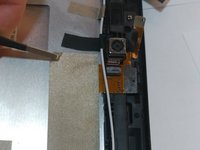
    • Use a pair of tweezers to lift up the front camera off its locating post.

    FixBot'a Sor

    Yorum Ekle

  14. Verizon Ellipsis 10 Camera Replacement: adım 14, 2 resimden 1. Verizon Ellipsis 10 Camera Replacement: adım 14, 2 resimden 2.
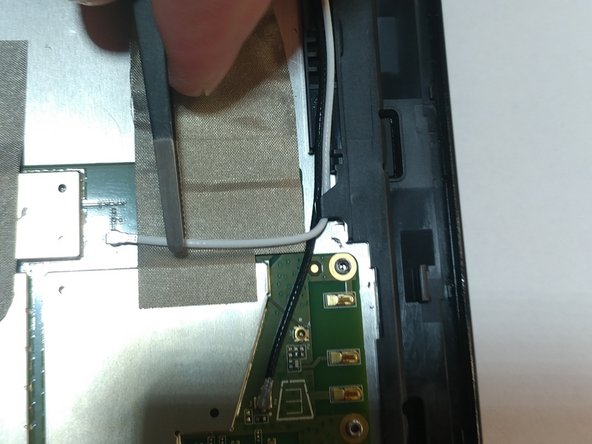
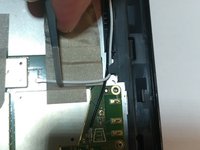
    • Remove the non-conductive tape covering the camera ribbon cable.

    • You may need to remove the white antenna cable to remove the tape.

    FixBot'a Sor

    Yorum Ekle

  15. Verizon Ellipsis 10 Camera Replacement: adım 15, 1 resimden 1.
    • Carefully unplug the ribbon cable from the motherboard.

    FixBot'a Sor

    Yorum Ekle

  16. Verizon Ellipsis 10 Camera Replacement: adım 16, 2 resimden 1. Verizon Ellipsis 10 Camera Replacement: adım 16, 2 resimden 2.
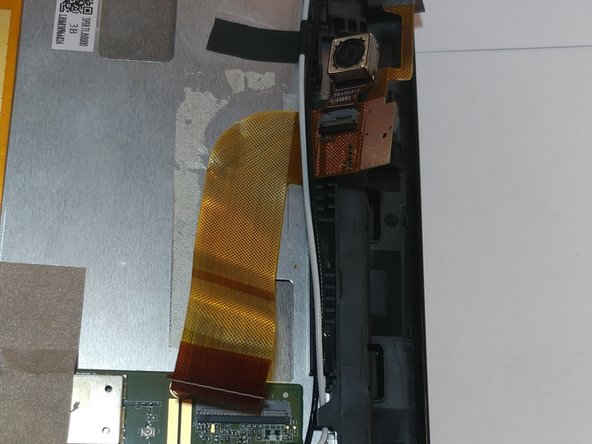
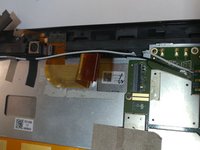
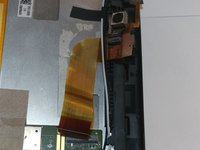
    • Peel up the ribbon cable carefully as it is glued to the device.

    • After having peeled up the cable, the cameras should be free to come out of the device.

    FixBot'a Sor

    Yorum Ekle

Sonuç

To reassemble your device, follow these instructions in reverse order.

İptal et: Bu kılavuzu tamamlamadım.

Bir başkası bu kılavuzu tamamladı.

0Kılavuz Yorumları

Yorum Ekle

İstatistikleri Görüntüle:

Son 24 Saat: 1

Son 7 gün: 6

Son 30 gün: 17

Her zaman: 304