Ana içeriğe geç
Onarım Topluluğuna Katılın - Hesap Oluşturun

Visioneer OneTouch 7400 USB Belt Replacement

Neye ihtiyacın var

  1. Visioneer OneTouch 7400 USB Belt Replacement, Outer Case: adım 1, 1 resimden 1.
    • On the bottom of the scanner, remove the screw at the top left side.

    FixBot'a Sor

    Yorum Ekle

  2. Visioneer OneTouch 7400 USB Belt Replacement: adım 2, 2 resimden 1. Visioneer OneTouch 7400 USB Belt Replacement: adım 2, 2 resimden 2.
    • Remove the rubber foot pad opposite the screw hole to expose a second screw hole.

    • Remove the screw beneath the foot-pad.

    FixBot'a Sor

    Yorum Ekle

  3. Visioneer OneTouch 7400 USB Belt Replacement: adım 3, 3 resimden 1. Visioneer OneTouch 7400 USB Belt Replacement: adım 3, 3 resimden 2. Visioneer OneTouch 7400 USB Belt Replacement: adım 3, 3 resimden 3.
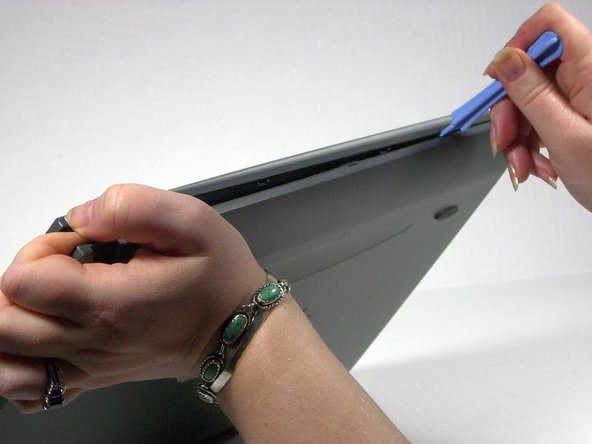
    • Rotate the scanner so the screw hole is located on the top left hand side.

    • Place the plastic opening tool between the top casement and bottom casement of scanner with the hook facing up.

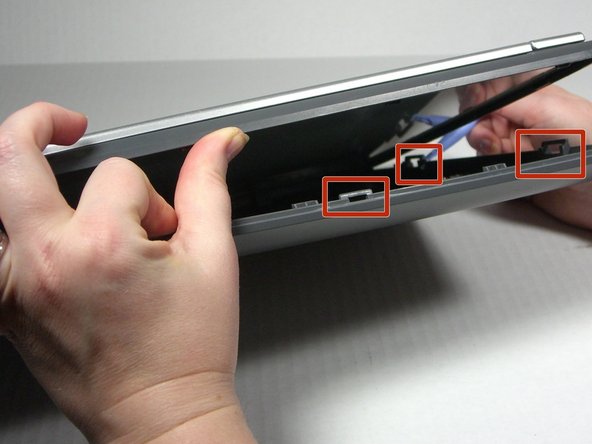
    • Gently pry the two casements apart beginning above the screw hole and working your way around.

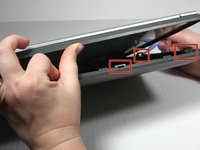
    • Note that the top and bottom casings are held together by a series of 6 tabs. There is one tab on each of the long sides of the scanner approximately 6 inches in from the corners. There are two tabs on each of the short sides of the scanner approximately 2.3 inches in from the corners. Use the spudger to unhook the tab from the top casement.

    FixBot'a Sor

    Yorum Ekle

  4. Visioneer OneTouch 7400 USB Belt Replacement: adım 4, 1 resimden 1.
    • Separate the two casement pieces.

    FixBot'a Sor

    Yorum Ekle

  5. Visioneer OneTouch 7400 USB Belt Replacement, Belt: adım 5, 1 resimden 1.
    • Remove the screw holding the tension spring in place.

    FixBot'a Sor

    Yorum Ekle

  6. Visioneer OneTouch 7400 USB Belt Replacement: adım 6, 1 resimden 1.
    • Use the plastic opening tool to lift up the tension spring.

    • Be careful. The spring will fly.

    FixBot'a Sor

    Yorum Ekle

  7. Visioneer OneTouch 7400 USB Belt Replacement: adım 7, 1 resimden 1.
    • Remove the belt from the spool.

    • The spool is a loose piece; don't lose it.

    FixBot'a Sor

    Yorum Ekle

  8. Visioneer OneTouch 7400 USB Belt Replacement: adım 8, 1 resimden 1.
    • Loosen the belt enough to turn over the sensor bar.

    FixBot'a Sor

    Yorum Ekle

  9. Visioneer OneTouch 7400 USB Belt Replacement: adım 9, 2 resimden 1. Visioneer OneTouch 7400 USB Belt Replacement: adım 9, 2 resimden 2.
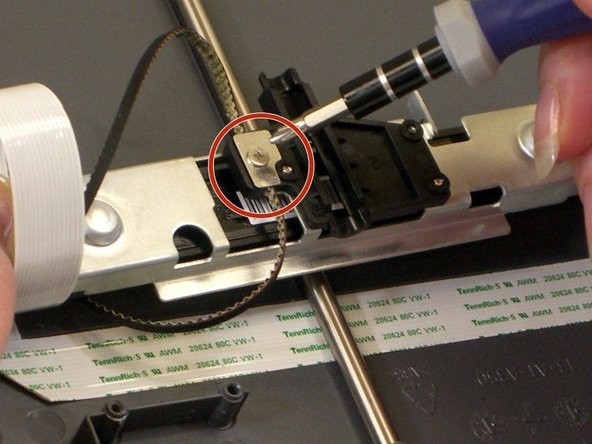
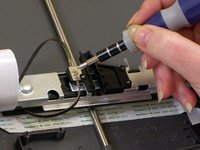
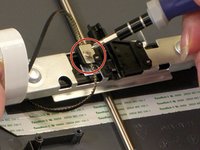
    • With the sensor bar turned upside down, remove the screw in the middle of the bar.

    • Lift off the metal plate if it does not come away with the screw.

    FixBot'a Sor

    Yorum Ekle

  10. Visioneer OneTouch 7400 USB Belt Replacement: adım 10, 1 resimden 1.
    • Carefully lift the belt out of the groove in the sensor bar to remove.

    FixBot'a Sor

    Yorum Ekle

Sonuç

To reassemble your device, follow these instructions in reverse order.

İptal et: Bu kılavuzu tamamlamadım.

Jena

Üyelik tarihi: 10/18/13

608 İtibar

6 adet Kılavuz yazıldı

Ekip

University of Maine, Team 1-13, Diaz Fall 2013 University of Maine, Team 1-13, Diaz Fall 2013 üyesi

UMAINE-DIAZ-F13S1G13

3 Üyeler

17 adet Kılavuz yazıldı

0Kılavuz Yorumları

Yorum Ekle

İstatistikleri Görüntüle:

Son 24 Saat: 0

Son 7 gün: 7

Son 30 gün: 24

Her zaman: 575