Giriş
If the tablet remote does not turn on or off after pressing the power switch, it is possible that the button is broken. This guide will show you how to replace the power button.
Neye ihtiyacın var
-
-
-
Obtain the black plastic spudger tool from the iFixit toolkit. Position the device as shown in the picture. Insert the flat end of the spudger directly in the space above the power button between the back cover and front screen.
 FixBot'a Sor
-
-
-
Gently pry up on the plate with the spudger. You may hear some cracking noises as you work the spudger around your device, this is normal.
-
-
-
Pry around the edges of the tablet with your fingers until you have successfully removed the back of the device.
-
-
-
-
-
-
Using the pointy end of the black plastic spudger, carefully remove the black tape covering the plug.
-
-
Bu adımda kullanılan alet:Tweezers$4.99
-
Obtain the tweezers and gently pull the black ribbon until it comes out of the holder.
-
-
-
Continue pulling the black tab until you have completely removed the power button from the device.
-
-


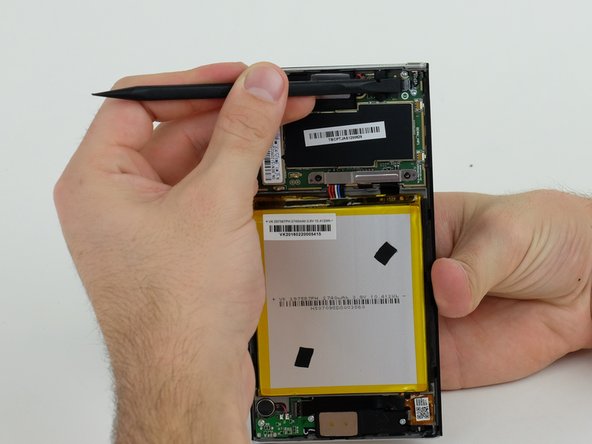


To reassemble your device, follow these instructions in reverse order.

Ekip

Linn Benton Community College, Team S2-G5, Karnes Fall 2018 Linn Benton Community College, Team S2-G5, Karnes Fall 2018 üyesi
LBCC-KARNES-F18S2G5
3 Üyeler
12 adet Kılavuz yazıldı
1Rehber Yorum
you can perform the operation since when you shake the tablet listening that something moves in the area of the power button, the tablet does not turn on by pressing the button, I have to connect the charger and now press the button and the tablet turns on, already on the device pressed power button and the menu appears shutdown and reboot, actually I don't know what the problem is.
