Ana içeriğe geç
Onarım Topluluğuna Katılın - Hesap Oluşturun

Waring Pro SB30 Indicator Lights Replacement

Neye ihtiyacın var

  1. Waring Pro SB30 Indicator Lights Replacement, Back Panel: adım 1, 1 resimden 1.
    • Remove the screws on the back panel with the #1 Phillips screwdriver bit.

    • The screws in the rubber legs of the burner do not need to be removed.

    • If the back panel has never been opened before, the screws may be more difficult to unscrew.

    FixBot'a Sor

    Yorum Ekle

  2. Waring Pro SB30 Indicator Lights Replacement: adım 2, 2 resimden 1. Waring Pro SB30 Indicator Lights Replacement: adım 2, 2 resimden 2.
    • Using a wrench, remove the bolt from the center of the back panel.

    FixBot'a Sor

    Yorum Ekle

  3. Waring Pro SB30 Indicator Lights Replacement: adım 3, 1 resimden 1.
    • The back panel can now be easily lifted off.

    FixBot'a Sor

    Yorum Ekle

  4. Waring Pro SB30 Indicator Lights Replacement, Indicator Lights: adım 4, 1 resimden 1.
    • Using two thin screwdrivers (or similar objects) wedge them into the slots of the plastic shell of the desired light.

    FixBot'a Sor

    Yorum Ekle

  5. Waring Pro SB30 Indicator Lights Replacement: adım 5, 2 resimden 1. Waring Pro SB30 Indicator Lights Replacement: adım 5, 2 resimden 2.
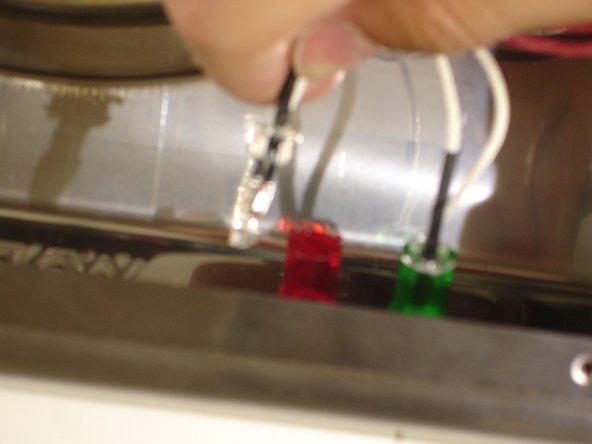
    • Push the screwdrivers inward and guide the bulb outwards.

    • Gently grab by the wires and remove bulb from plastic shell.

    FixBot'a Sor

    Yorum Ekle

Sonuç

To reassemble your device, follow these instructions in reverse order.

İptal et: Bu kılavuzu tamamlamadım.

Sun Fai Lau

Üyelik tarihi: 09/22/14

588 İtibar

5 adet Kılavuz yazıldı

Ekip

USF Tampa, Team 10-7, Brown Fall 2014 USF Tampa, Team 10-7, Brown Fall 2014 üyesi

USFT-BROWN-F14S10G7

3 Üyeler

5 adet Kılavuz yazıldı

0Kılavuz Yorumları

Yorum Ekle

İstatistikleri Görüntüle:

Son 24 Saat: 1

Son 7 gün: 5

Son 30 gün: 25

Her zaman: 583