Ana içeriğe geç
Onarım Topluluğuna Katılın - Hesap Oluşturun

Welch Allyn Connex Vital Signs Monitor 6000 Battery Replacement

Tıbbi Ekipman
iFixit de, bu onarım kılavuzu da tıbbi cihaz üreticisi tarafından onaylanmış değildir ya da herhangi birinin üreticiyle alâkası yoktur.

Neye ihtiyacın var
  1. Welch Allyn Connex Vital Signs Monitor 6000 Battery Replacement, Stand: adım 1, 2 resimden 1. Welch Allyn Connex Vital Signs Monitor 6000 Battery Replacement, Stand: adım 1, 2 resimden 2.
    • Unplug the AC power connection cable.

    FixBot'a Sor

    Yorum Ekle

  2. Welch Allyn Connex Vital Signs Monitor 6000 Battery Replacement: adım 2, 3 resimden 1. Welch Allyn Connex Vital Signs Monitor 6000 Battery Replacement: adım 2, 3 resimden 2. Welch Allyn Connex Vital Signs Monitor 6000 Battery Replacement: adım 2, 3 resimden 3.
    • Place your thumb and forefinger on the blood pressure (NIBP) hose connector. Squeeze the side tabs until the connector releases.

    • Always grasp the hose by the connector. Do not pull on the hose itself.

    • Pull the connector away from the connector port.

    FixBot'a Sor

    Yorum Ekle

  3. Welch Allyn Connex Vital Signs Monitor 6000 Battery Replacement: adım 3, 3 resimden 1. Welch Allyn Connex Vital Signs Monitor 6000 Battery Replacement: adım 3, 3 resimden 2. Welch Allyn Connex Vital Signs Monitor 6000 Battery Replacement: adım 3, 3 resimden 3.
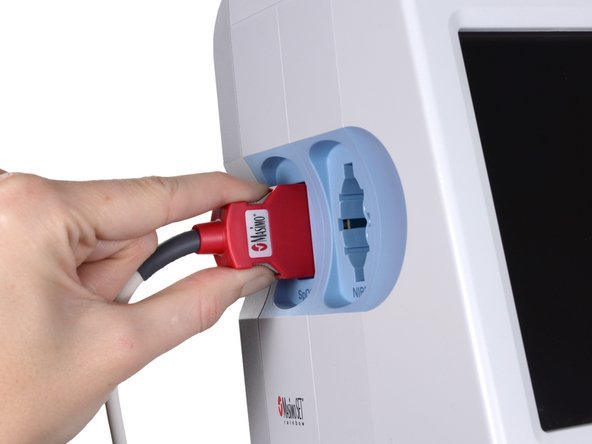
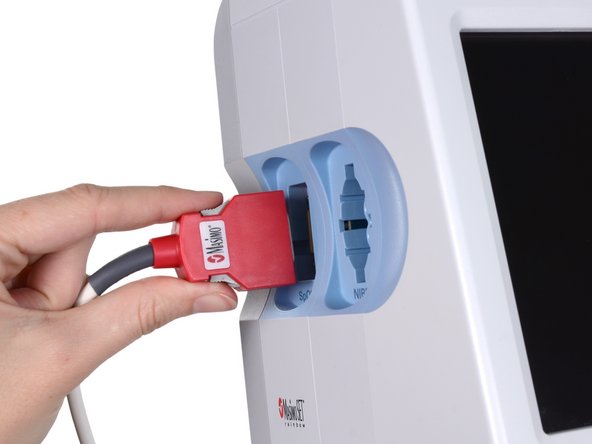
    • Place your thumb and forefinger on the Pulse oximetry (SpO2 or combined SpO2/SpHb) cable connector. Squeeze the side tabs until the connector releases.

    • Always grasp the cable by the connector. Do not pull on the cable itself.

    • Pull the connector away from the connector port.

    FixBot'a Sor

    Yorum Ekle

  4. Welch Allyn Connex Vital Signs Monitor 6000 Battery Replacement: adım 4, 2 resimden 1. Welch Allyn Connex Vital Signs Monitor 6000 Battery Replacement: adım 4, 2 resimden 2.
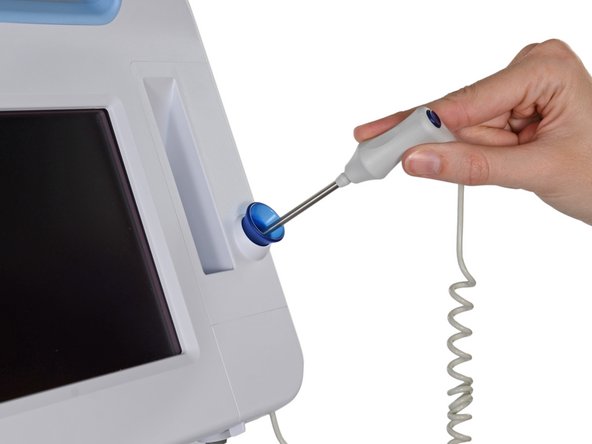
    • Grasp the temperature probe and pull it up to remove it from the monitor.

    FixBot'a Sor

    Yorum Ekle

  5. Welch Allyn Connex Vital Signs Monitor 6000 Battery Replacement: adım 5, 3 resimden 1. Welch Allyn Connex Vital Signs Monitor 6000 Battery Replacement: adım 5, 3 resimden 2. Welch Allyn Connex Vital Signs Monitor 6000 Battery Replacement: adım 5, 3 resimden 3.
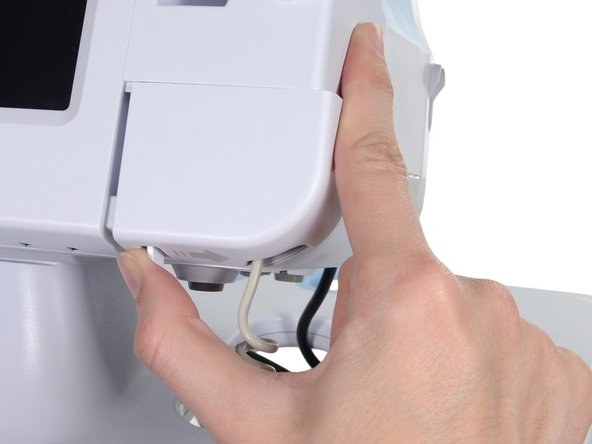
    • Remove the cover of the temperature module by pressing the tab and sliding the cover to the right.

    FixBot'a Sor

    Yorum Ekle

  6. Welch Allyn Connex Vital Signs Monitor 6000 Battery Replacement: adım 6, 3 resimden 1. Welch Allyn Connex Vital Signs Monitor 6000 Battery Replacement: adım 6, 3 resimden 2. Welch Allyn Connex Vital Signs Monitor 6000 Battery Replacement: adım 6, 3 resimden 3.
    • Depress the spring tab on the temperature probe cable connector and withdraw it from the probe port.

    FixBot'a Sor

    Yorum Ekle

  7. Welch Allyn Connex Vital Signs Monitor 6000 Battery Replacement: adım 7, 1 resimden 1.
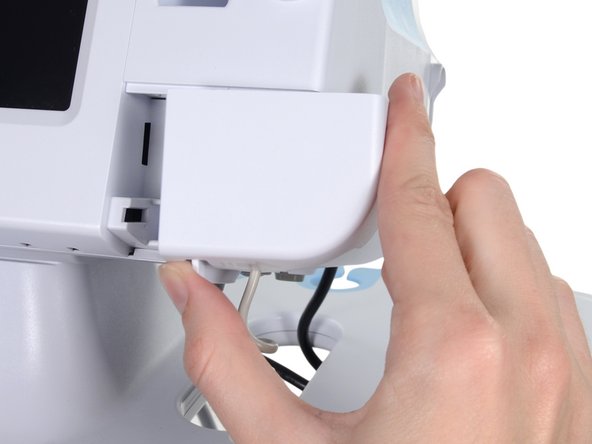
    • Remove the flathead screw on the USB networking door.

    • Loosen the captive Phillips #2 screw securing the monitor to the stand.

    FixBot'a Sor

    Yorum Ekle

  8. Welch Allyn Connex Vital Signs Monitor 6000 Battery Replacement: adım 8, 1 resimden 1.
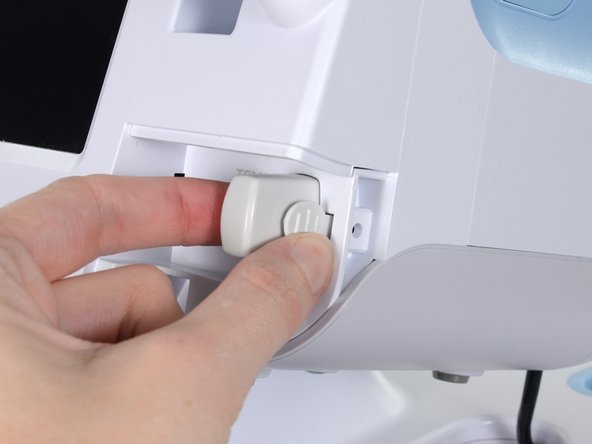
    • Holding the monitor securely, open the USB networking door.

    • You may have to lift the monitor slightly to allow the door to swing out from the stand mount.

    FixBot'a Sor

    Yorum Ekle

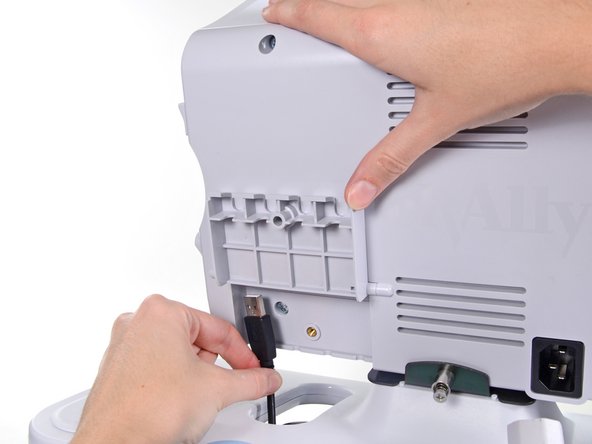
  9. Welch Allyn Connex Vital Signs Monitor 6000 Battery Replacement: adım 9, 2 resimden 1. Welch Allyn Connex Vital Signs Monitor 6000 Battery Replacement: adım 9, 2 resimden 2.
    • Detach any accessory USB cables from USB ports on the monitor.

    FixBot'a Sor

    Yorum Ekle

  10. Welch Allyn Connex Vital Signs Monitor 6000 Battery Replacement: adım 10, 3 resimden 1. Welch Allyn Connex Vital Signs Monitor 6000 Battery Replacement: adım 10, 3 resimden 2. Welch Allyn Connex Vital Signs Monitor 6000 Battery Replacement: adım 10, 3 resimden 3.
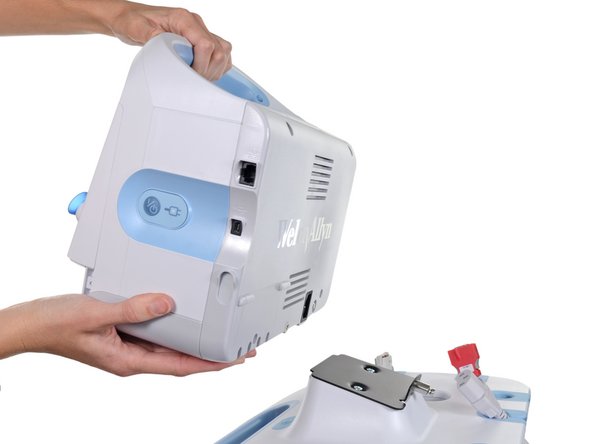
    • Slide the monitor off of the stand tray.

    FixBot'a Sor

    Yorum Ekle

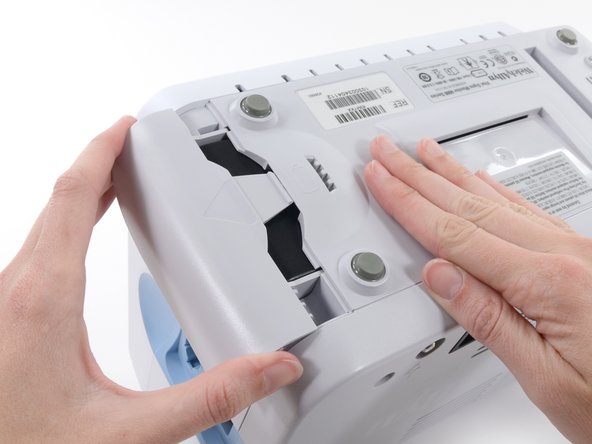
  11. Welch Allyn Connex Vital Signs Monitor 6000 Battery Replacement, Battery: adım 11, 3 resimden 1. Welch Allyn Connex Vital Signs Monitor 6000 Battery Replacement, Battery: adım 11, 3 resimden 2. Welch Allyn Connex Vital Signs Monitor 6000 Battery Replacement, Battery: adım 11, 3 resimden 3.
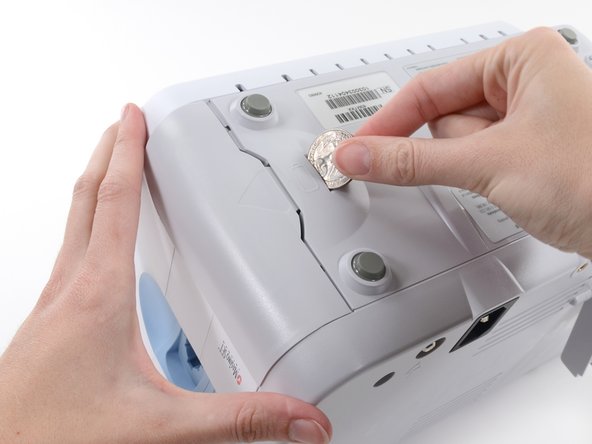
    • Place the monitor upside down on a clean surface.

    • Insert a coin into the slot and push to open.

    • Choose a coin that fits comfortably into the slot.

    • Remove the battery cover.

    FixBot'a Sor

    Yorum Ekle

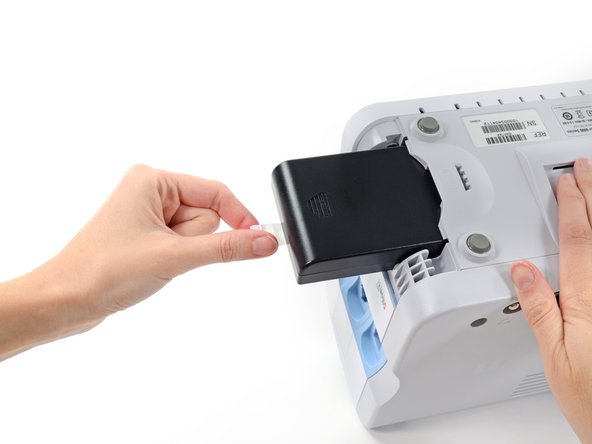
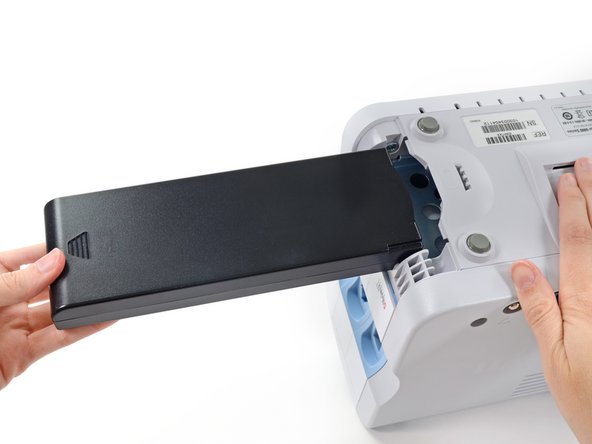
  12. Welch Allyn Connex Vital Signs Monitor 6000 Battery Replacement: adım 12, 3 resimden 1. Welch Allyn Connex Vital Signs Monitor 6000 Battery Replacement: adım 12, 3 resimden 2. Welch Allyn Connex Vital Signs Monitor 6000 Battery Replacement: adım 12, 3 resimden 3.
    • Use the plastic label to remove the battery from its recess.

    FixBot'a Sor

    Yorum Ekle

Sonuç

To reassemble your device, follow these instructions in reverse order.

İptal et: Bu kılavuzu tamamlamadım.

4 farklı kişi bu kılavuzu tamamladı.

kyle2

Üyelik tarihi: 06/03/10

101 İtibar

1 Kılavuz yazıldı

Ekip

Team Freedom Team Freedom üyesi

Community

1 Üye

3 adet Kılavuz yazıldı

0Kılavuz Yorumları

Yorum Ekle

İstatistikleri Görüntüle:

Son 24 Saat: 1

Son 7 gün: 10

Son 30 gün: 71

Her zaman: 3,755