Giriş
This guide will help you to remove the Wi-Fi board from the Nintendo Wii U Gamepad.
Neye ihtiyacın var
-
-
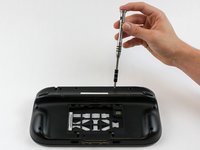
Place Gamepad face down and remove the two 4.7 mm screws with a Phillips size #00 screwdriver.
-
-
-
-
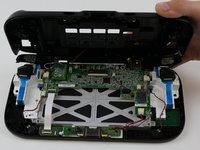
Remove 10 9mm screws with Tri-Wing size Y1 screwdriver around the outer case.
-
Lift up on the back of case.
-
-
Bu adımda kullanılan alet:Tweezers$4.99
-
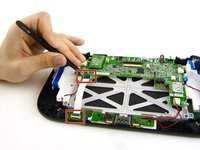
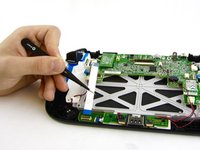
Open the top and bottom clasp that connects the white flex cable to the motherboard with the tweezer.
-
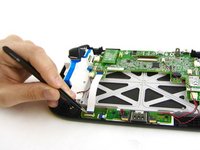
Remove the white flex cable with the tweezers.
-


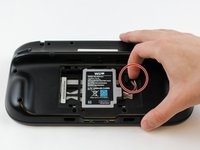
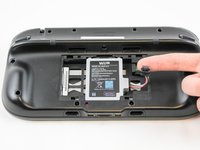
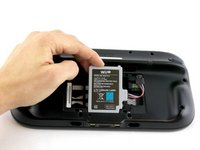


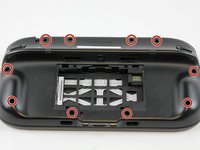




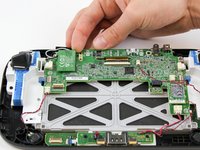
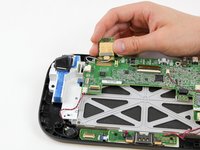


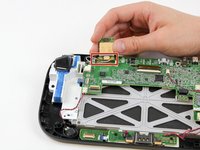
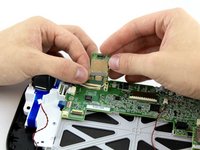

To reassemble your device, follow these instructions in reverse order.
İptal et: Bu kılavuzu tamamlamadım.
21 farklı kişi bu kılavuzu tamamladı.



Ekip

USF Tampa, Team 1-6, Sullivan Spring 2016 USF Tampa, Team 1-6, Sullivan Spring 2016 üyesi
USFT-SULLIVAN-S16S1G6
4 Üyeler
40 adet Kılavuz yazıldı
13Kılavuz Yorumları
I just completed this repair on our Game Pad, and it worked perfectly!
There were two things that I noted that may be of use to anyone else completing this repair. First, the 9mm screws on the back may be located under small stickers used to conceal the screw holes. If you take them up carefully with a knife or other flat blade, you can reuse them if desired. Second, I didn’t see the need to remove the white ribbon cable in step #6. I successfully completed the repair without that step.
I just completed this repair on our Game Pad, and the guide worked perfectly!
There were two things that I noticed that may be of help to someone else completing this repair. First, note that the 9mm screws holding the back on may be located under small black stickers used to hide the screw holes. If you take them up carefully with a knife or other flat blade, you should be able to reuse them if you desire. Second, I didn’t see a need to remove the white ribbon cable in Step #6. I successfully completed the repair without that step.
Cheers!
This fix worked perfectly - our Wii U was virtually unusable because of the severely limited range of the gamepad. My kids are thrilled that they can comfortably play again!
Worked perfectly, gamepad only worked within 2 ft of the console and now works 15ft away.
Instructions were concise, well illustrated and easy to complete.
Thanks a lot!
I went to do this - already have another chip - but I discovered there are no wires attached! The white and black wires shown are not in my gamepad at all. I’m amazed I can connect in the first place. Any idea how I can replace the wires that attach to the chip? Or work around it?
