Ana içeriğe geç
Onarım Topluluğuna Katılın - Hesap Oluşturun

ZTE Blade Z Max Screen/Digitizer Replacement

Neye ihtiyacın var

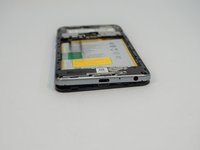
  1. ZTE Blade Z Max Screen/Digitizer Replacement, SIM Card: adım 1, 3 resimden 1. ZTE Blade Z Max Screen/Digitizer Replacement, SIM Card: adım 1, 3 resimden 2. ZTE Blade Z Max Screen/Digitizer Replacement, SIM Card: adım 1, 3 resimden 3.
    • Turn the device on it side with the buttons away from you.

    • Using the SIM Card Eject Tool, insert the narrow end into the ejection hole.

    • Press firmly into the hole until the SIM card tray pops out far enough to grab with your fingers.

    FixBot'a Sor

    Yorum Ekle

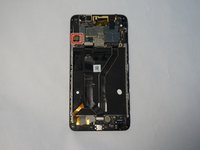
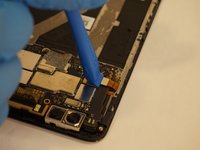
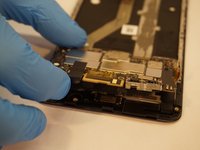
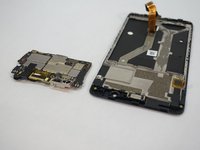
  2. ZTE Blade Z Max Screen/Digitizer Replacement: adım 2, 3 resimden 1. ZTE Blade Z Max Screen/Digitizer Replacement: adım 2, 3 resimden 2. ZTE Blade Z Max Screen/Digitizer Replacement: adım 2, 3 resimden 3.
    • Pull the tray out with your fingers .

    • Remove the SIM card.

    FixBot'a Sor

    Yorum Ekle

  3. ZTE Blade Z Max Screen/Digitizer Replacement, Fingerprint Sensor: adım 3, 1 resimden 1.
    • Remove the one T2 screw from the side of the phone near where the SIM card tray was.

    FixBot'a Sor

    Yorum Ekle

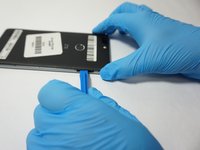
  4. ZTE Blade Z Max Screen/Digitizer Replacement: adım 4, 2 resimden 1. ZTE Blade Z Max Screen/Digitizer Replacement: adım 4, 2 resimden 2.
    • Insert a plastic opening tool into the space where the SIM card tray used to be.

    • Gently pry the back away form the phone frame until you hear and audible click of the back separating.

    FixBot'a Sor

    Yorum Ekle

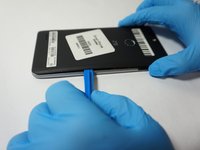
  5. ZTE Blade Z Max Screen/Digitizer Replacement: adım 5, 2 resimden 1. ZTE Blade Z Max Screen/Digitizer Replacement: adım 5, 2 resimden 2.
    • Insert the plastic opening tool into the space you created between the phone back and frame.

    • Slide the plastic opening tool along the outside of the phone, underneath the back, to separate the rest of the clips holding the back onto the frame.

    FixBot'a Sor

    Yorum Ekle

  6. ZTE Blade Z Max Screen/Digitizer Replacement: adım 6, 2 resimden 1. ZTE Blade Z Max Screen/Digitizer Replacement: adım 6, 2 resimden 2.
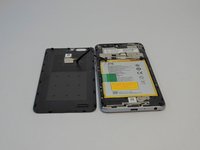
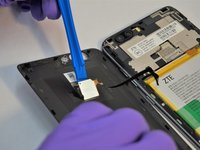
    • Rotate the back over to the side, being careful not to damage the fingerprint sensor ribbon cable.

    • Use a plastic opening tool to separate the fingerprint sensor from the back of the phone.

    • On reassembly, add a piece of simple scotch tape to hold the fingerprint sensor to the phone back.

    • Set the phone back aside.

    FixBot'a Sor

    Yorum Ekle

  7. ZTE Blade Z Max Screen/Digitizer Replacement: adım 7, 1 resimden 1.
    • Remove the 6 silver 2.9mm screws from the back of the phone with a JIS #000 bit.

    • Remove the 11 black 3.5mm screws with the same JIS #000 bit.

    FixBot'a Sor

    Yorum Ekle

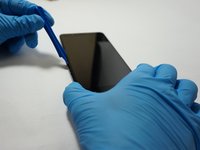
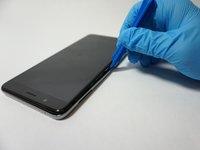
  8. ZTE Blade Z Max Screen/Digitizer Replacement: adım 8, 2 resimden 1. ZTE Blade Z Max Screen/Digitizer Replacement: adım 8, 2 resimden 2.
    • Turn the phone over, with the screen up.

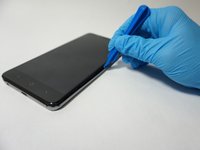
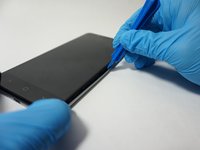
    • Insert the opening tool between the screen and the silver trim that surrounds it.

    • Run the plastic opening tool around the circumference of the phone to separate the clips of that hold the trim to the frame.

    FixBot'a Sor

    Yorum Ekle

  9. ZTE Blade Z Max Screen/Digitizer Replacement: adım 9, 2 resimden 1. ZTE Blade Z Max Screen/Digitizer Replacement: adım 9, 2 resimden 2.
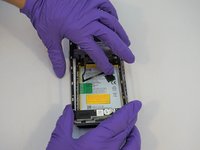
    • Turn the phone back over, with the screen down.

    • Lift the trim piece off of the phone and set aside.

    FixBot'a Sor

    Yorum Ekle

  10. ZTE Blade Z Max Screen/Digitizer Replacement: adım 10, 2 resimden 1. ZTE Blade Z Max Screen/Digitizer Replacement: adım 10, 2 resimden 2.
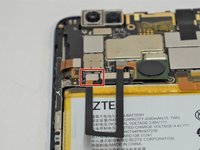
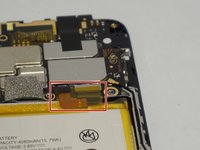
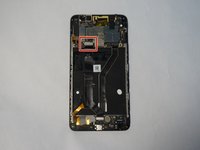
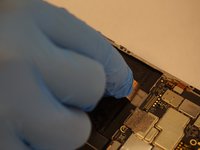
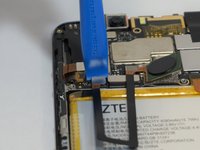
    • Using a plastic opening tool, separate the fingerprint ribbon connector from the motherboard.

    FixBot'a Sor

    Yorum Ekle

  11. ZTE Blade Z Max Screen/Digitizer Replacement, Battery: adım 11, 2 resimden 1. ZTE Blade Z Max Screen/Digitizer Replacement, Battery: adım 11, 2 resimden 2.
    Bu adımda kullanılan alet:
    Tweezers
    $4.99
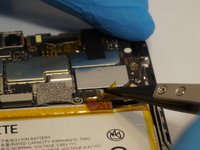
    • Use a pair of tweezers to carefully pull up on the tape securing the connector.

    • This will undo the connector as well.

    FixBot'a Sor

    Yorum Ekle

  12. ZTE Blade Z Max Screen/Digitizer Replacement: adım 12, 3 resimden 1. ZTE Blade Z Max Screen/Digitizer Replacement: adım 12, 3 resimden 2. ZTE Blade Z Max Screen/Digitizer Replacement: adım 12, 3 resimden 3.
    • Be careful to not damage the battery during this step. If it appears you are using too much force to separate the battery from the frame, you may need to heat the phone to soften the adhesive holding the battery to the phone.

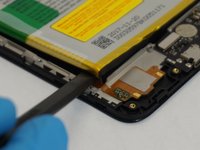
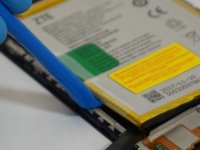
    • Starting at the bottom left corner of the battery, use the wide end of the spudger as a wedge to get underneath the battery.

    • Insert a plastic opening tool into the space created by the spudger and CAREFULLY begin to pry around the edge of the battery.

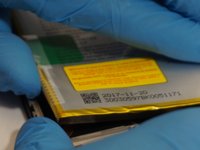
    • Once the battery is separated for enough from the phone, use your hands to fully remove the battery, using the wide end of the spudger to scrape off adhesive where necessary.

    FixBot'a Sor

    Yorum Ekle

  13. ZTE Blade Z Max Screen/Digitizer Replacement, Side Mounted Buttons: adım 13, 2 resimden 1. ZTE Blade Z Max Screen/Digitizer Replacement, Side Mounted Buttons: adım 13, 2 resimden 2.
    Bu adımda kullanılan alet:
    Tweezers
    $4.99
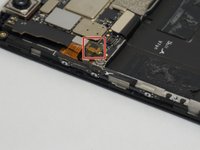
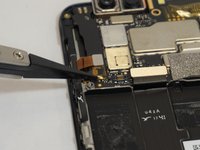
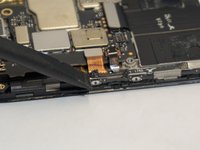
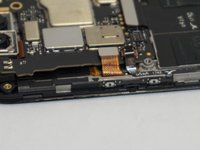
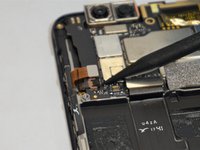
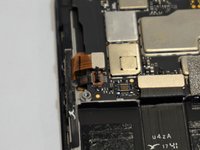
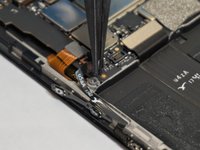
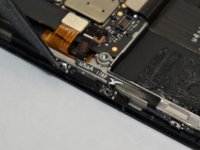
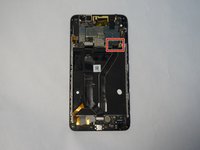
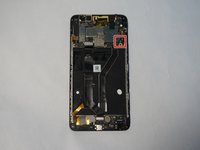
    • Using a set of tweezers, pull off the small piece of tape on top of the ribbon cable connector on the left side of the motherboard.

    FixBot'a Sor

    Yorum Ekle

  14. ZTE Blade Z Max Screen/Digitizer Replacement: adım 14, 2 resimden 1. ZTE Blade Z Max Screen/Digitizer Replacement: adım 14, 2 resimden 2.
    • Use a plastic opening tool or spudger to scrape the glue away from the ribbon cable.

    FixBot'a Sor

    Yorum Ekle

  15. ZTE Blade Z Max Screen/Digitizer Replacement: adım 15, 3 resimden 1. ZTE Blade Z Max Screen/Digitizer Replacement: adım 15, 3 resimden 2. ZTE Blade Z Max Screen/Digitizer Replacement: adım 15, 3 resimden 3.
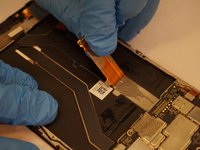
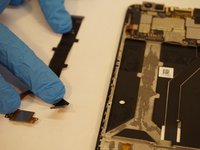
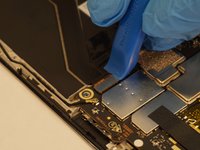
    • Using a plastic opening tool or spudger, open the zip connection by prying up on the right (black) side of the connector.

    • Using the tweezers, carefully pull the the ribbon cable out of the connector.

    FixBot'a Sor

    Yorum Ekle

  16. ZTE Blade Z Max Screen/Digitizer Replacement: adım 16, 2 resimden 1. ZTE Blade Z Max Screen/Digitizer Replacement: adım 16, 2 resimden 2.
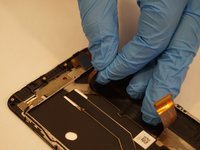
    • The button ribbon cable is very fragile, especially near the down volume button. If you intend on reinstalling this piece later, be careful not to rip it.

    • Using a plastic opening tool or tweezers, pry the edge of the button strip away from the phone.

    • Once all of the buttons are free, the whole assembly should simply lift out.

    • Glue may be required to hold the new buttons to the phone.

    FixBot'a Sor

    Yorum Ekle

  17. ZTE Blade Z Max Screen/Digitizer Replacement, Charging Port Card: adım 17, 2 resimden 1. ZTE Blade Z Max Screen/Digitizer Replacement, Charging Port Card: adım 17, 2 resimden 2.
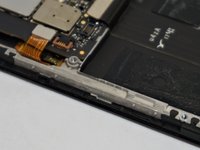
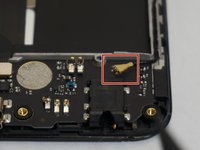
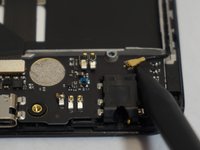
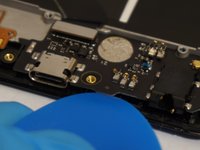
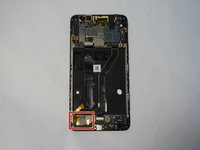
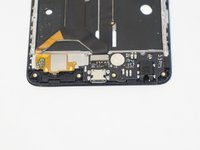
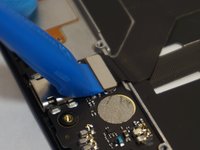
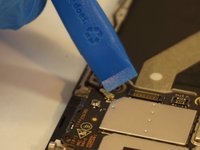
    • Use a spudger to pry up the the antenna connector on the top right of the charging port card.

    FixBot'a Sor

    Yorum Ekle

  18. ZTE Blade Z Max Screen/Digitizer Replacement: adım 18, 1 resimden 1.
    • Use a plastic opening tool to pry up and remove the primary connector for the card, located on the top left of the card.

    FixBot'a Sor

    Yorum Ekle

  19. ZTE Blade Z Max Screen/Digitizer Replacement: adım 19, 3 resimden 1. ZTE Blade Z Max Screen/Digitizer Replacement: adım 19, 3 resimden 2. ZTE Blade Z Max Screen/Digitizer Replacement: adım 19, 3 resimden 3.
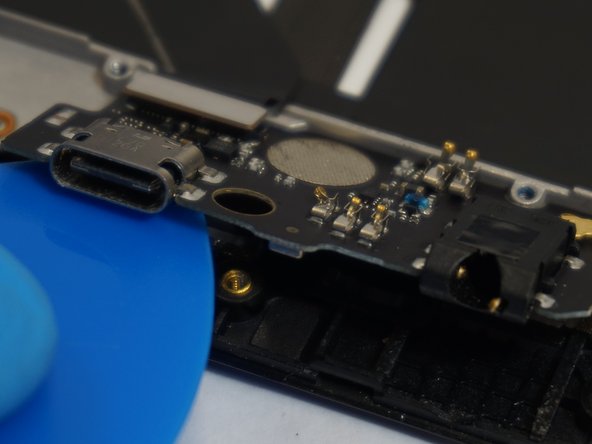
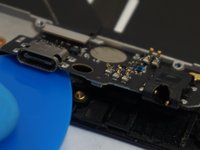
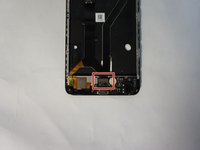
    • Use a plastic opening tool, spudger, or opening pick to separate the bottom edge of the card away from the phone.

    • Lift the bottom edge of the card high enough that you can grab it with your fingers, and simply remove it from the phone.

    FixBot'a Sor

    Yorum Ekle

  20. ZTE Blade Z Max Screen/Digitizer Replacement, Screen/Digitizer: adım 20, 3 resimden 1. ZTE Blade Z Max Screen/Digitizer Replacement, Screen/Digitizer: adım 20, 3 resimden 2. ZTE Blade Z Max Screen/Digitizer Replacement, Screen/Digitizer: adım 20, 3 resimden 3.
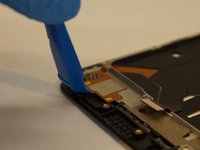
    • Use a plastic opening tool to lift the lower connection cable, which is held on by adhesive, off of the phone frame.

    FixBot'a Sor

    Yorum Ekle

  21. ZTE Blade Z Max Screen/Digitizer Replacement: adım 21, 2 resimden 1. ZTE Blade Z Max Screen/Digitizer Replacement: adım 21, 2 resimden 2.
    • Use the plastic opening tool to separate the connector ribbon from the bottom center of the phone.

    FixBot'a Sor

    Yorum Ekle

  22. ZTE Blade Z Max Screen/Digitizer Replacement: adım 22, 2 resimden 1. ZTE Blade Z Max Screen/Digitizer Replacement: adım 22, 2 resimden 2.
    • Use a plastic opening tool to separate the first motherboard connector from the bottom left of the motherboard.

    FixBot'a Sor

    Yorum Ekle

  23. ZTE Blade Z Max Screen/Digitizer Replacement: adım 23, 3 resimden 1. ZTE Blade Z Max Screen/Digitizer Replacement: adım 23, 3 resimden 2. ZTE Blade Z Max Screen/Digitizer Replacement: adım 23, 3 resimden 3.
    • Starting from the connector you just removed, carefully peel the ribbon cable away from the phone.

    • You may need to use an adhesive to reattach this cable during reassembly.

    • Set the ribbon cable aside.

    FixBot'a Sor

    Yorum Ekle

  24. ZTE Blade Z Max Screen/Digitizer Replacement: adım 24, 2 resimden 1. ZTE Blade Z Max Screen/Digitizer Replacement: adım 24, 2 resimden 2.
    • Use a plastic opening tool to disconnect the second motherboard connector from the bottom right of the motherboard.

    FixBot'a Sor

    Yorum Ekle

  25. ZTE Blade Z Max Screen/Digitizer Replacement: adım 25, 3 resimden 1. ZTE Blade Z Max Screen/Digitizer Replacement: adım 25, 3 resimden 2. ZTE Blade Z Max Screen/Digitizer Replacement: adım 25, 3 resimden 3.
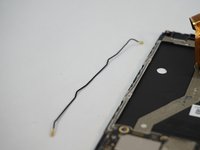
    • Use a plastic opening tool to disconnect the upper antenna connector.

    • Remove the antenna from the phone and set aside.

    FixBot'a Sor

    Yorum Ekle

  26. ZTE Blade Z Max Screen/Digitizer Replacement: adım 26, 2 resimden 1. ZTE Blade Z Max Screen/Digitizer Replacement: adım 26, 2 resimden 2.
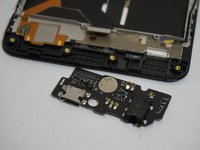
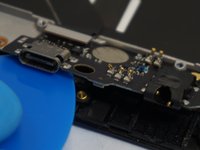
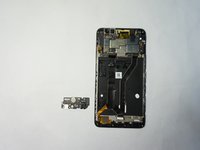
    • Use the plastic opening tool to remove the charging port card of the phone.

    FixBot'a Sor

    Yorum Ekle

  27. ZTE Blade Z Max Screen/Digitizer Replacement: adım 27, 2 resimden 1. ZTE Blade Z Max Screen/Digitizer Replacement: adım 27, 2 resimden 2.
    • Use a plastic opening tool to disconnect the digitizer ribbon connector located on the opposite side of the antenna connection and near the side button connector.

    FixBot'a Sor

    Yorum Ekle

  28. ZTE Blade Z Max Screen/Digitizer Replacement: adım 28, 2 resimden 1. ZTE Blade Z Max Screen/Digitizer Replacement: adım 28, 2 resimden 2.
    • Carefully lift the motherboard out of the frame.

    FixBot'a Sor

    Yorum Ekle

  29. ZTE Blade Z Max Screen/Digitizer Replacement: adım 29, 1 resimden 1.
    • Use a plastic opening tool or spudger to remove the earpiece from the frame, located near the top of the phone.

    • All of the components you will now have removed will go into a different frame which contains the new screen.

    FixBot'a Sor

    Yorum Ekle

Sonuç

To reassemble your device, follow these instructions in reverse order.

İptal et: Bu kılavuzu tamamlamadım.

13 farklı kişi bu kılavuzu tamamladı.

2Kılavuz Yorumları

Thanks! This helped loads with my repair.

Isaac Pettis - Yanıt Paylaş
Thanks for the tutorial. It helped a ton and was easy to follow. I would add the screen replacement from the frame portion of the assembly.

Americo Garcia Jr - Yanıt Paylaş

Yorum Ekle

İstatistikleri Görüntüle:

Son 24 Saat: 0

Son 7 gün: 6

Son 30 gün: 47

Her zaman: 5,530