Ana içeriğe geç
Onarım Topluluğuna Katılın - Hesap Oluşturun

ZTE Lever Volume Buttons Replacement

Neye ihtiyacın var

  1. ZTE Lever Volume Buttons Replacement, Battery: adım 1, 1 resimden 1.
    • Remove the SD card and the Sim card from the device.

    • The Sim and SD cards are not shown here as our device did not come with them.

    FixBot'a Sor
  2. ZTE Lever Volume Buttons Replacement: adım 2, 2 resimden 1. ZTE Lever Volume Buttons Replacement: adım 2, 2 resimden 2.
    • Use an iFixit opening tool to separate the back from the device.

    FixBot'a Sor
  3. ZTE Lever Volume Buttons Replacement: adım 3, 2 resimden 1. ZTE Lever Volume Buttons Replacement: adım 3, 2 resimden 2.
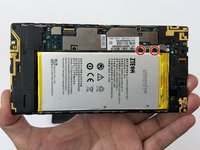
    • Remove the two 1.6mm Phillips #0 screws from the battery plug cover.

    • Remove the cover.

    FixBot'a Sor
  4. ZTE Lever Volume Buttons Replacement: adım 4, 2 resimden 1. ZTE Lever Volume Buttons Replacement: adım 4, 2 resimden 2.
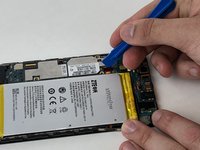
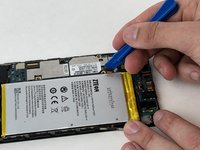
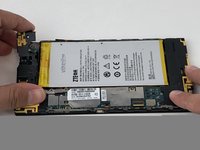
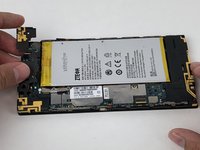
    • Disconnect the battery cable from the motherboard with a plastic opening tool.

    FixBot'a Sor
  5. ZTE Lever Volume Buttons Replacement: adım 5, 1 resimden 1.
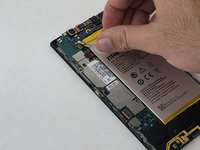
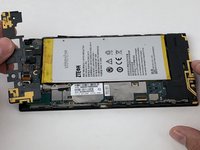
    • Use your hands, or a plastic opening tool, to pry the battery from the phone.

    FixBot'a Sor
  6. ZTE Lever Volume Buttons Replacement, Volume Buttons: adım 6, 1 resimden 1.
    • Remove the three 1.6mm Phillips #0 screws from the plastic cover on the motherboard.

    FixBot'a Sor
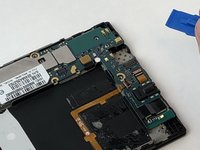
  7. ZTE Lever Volume Buttons Replacement: adım 7, 3 resimden 1. ZTE Lever Volume Buttons Replacement: adım 7, 3 resimden 2. ZTE Lever Volume Buttons Replacement: adım 7, 3 resimden 3.
    • Remove the top plastic motherboard cover using a plastic opening tool.

    FixBot'a Sor
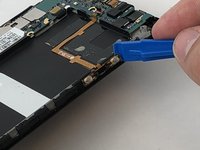
  8. ZTE Lever Volume Buttons Replacement: adım 8, 2 resimden 1. ZTE Lever Volume Buttons Replacement: adım 8, 2 resimden 2.
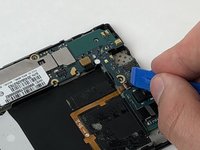
    • Use a plastic opening tool to flip up the retaining flap on the volume ribbon cable ZIF socket.

    FixBot'a Sor
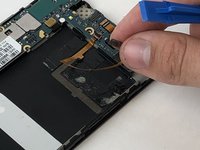
  9. ZTE Lever Volume Buttons Replacement: adım 9, 2 resimden 1. ZTE Lever Volume Buttons Replacement: adım 9, 2 resimden 2.
    • Peel up the volume button cable from the phone with hands, or plastic opening tool.

    FixBot'a Sor
Sonuç

To reassemble your device, follow these instructions in reverse order.

Michael Gonzalez

Üyelik tarihi: 01/29/18

501 İtibar

4 adet Kılavuz yazıldı

Ekip

USF Tampa, Team S5-G2, Passmore Spring 2018 USF Tampa, Team S5-G2, Passmore Spring 2018 üyesi

USFT-PASSMORE-S18S5G2

3 Üyeler

12 adet Kılavuz yazıldı

0Kılavuz Yorumları

Yorum Ekle

İstatistikleri Görüntüle:

Son 24 Saat: 1

Son 7 gün: 7

Son 30 gün: 64

Her zaman: 367