Ana içeriğe geç
Onarım Topluluğuna Katılın - Hesap Oluşturun

Zeki Droid Tablet Front Screen Replacement

Neye ihtiyacın var

  1. Zeki Droid Tablet Front Screen Replacement, Back Casing: adım 1, 1 resimden 1.
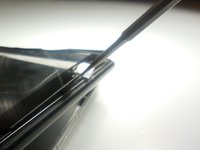
    • Remove the back casing by slowly popping each tab out with a plastic opening tool.

    FixBot'a Sor

    Yorum Ekle

  2. Zeki Droid Tablet Front Screen Replacement: adım 2, 1 resimden 1.
    Bu adımda kullanılan alet:
    Tweezers
    $4.99
    • Remove the tapes one by one from the connecting wires with tweezers.

    FixBot'a Sor

    Yorum Ekle

  3. Zeki Droid Tablet Front Screen Replacement: adım 3, 1 resimden 1.
    • Remove the black clips from both sides of the casing with a plastic opening tool.

    • The clips should pop off separate from the speakers.

    FixBot'a Sor

    Yorum Ekle

  4. Zeki Droid Tablet Front Screen Replacement: adım 4, 1 resimden 1.
    • Remove the speakers from the back casing.

    • Do not tug on the speakers because they are connected to fragile wires.

    FixBot'a Sor

    Yorum Ekle

  5. Zeki Droid Tablet Front Screen Replacement: adım 5, 1 resimden 1.
    • Pull the speakers away from the back casing carefullly.

    FixBot'a Sor

    Yorum Ekle

  6. Zeki Droid Tablet Front Screen Replacement, Front Screen: adım 6, 1 resimden 1.
    • Detach the motherboard from the framing by removing the four screws using a Phillips #000 screwdriver.

    FixBot'a Sor

    Yorum Ekle

  7. Zeki Droid Tablet Front Screen Replacement: adım 7, 1 resimden 1.
    Bu adımda kullanılan alet:
    Tweezers
    $4.99
    • Lift the camera and flash components from their fittings using tweezers.

    FixBot'a Sor

    Yorum Ekle

  8. Zeki Droid Tablet Front Screen Replacement: adım 8, 1 resimden 1.
    • Lift the metal framing to reach the components at the front of the device.

    • Do not pull the framing completely off. There is a ZIF connecter holding it in place.

    FixBot'a Sor

    Yorum Ekle

  9. Zeki Droid Tablet Front Screen Replacement: adım 9, 2 resimden 1. Zeki Droid Tablet Front Screen Replacement: adım 9, 2 resimden 2.
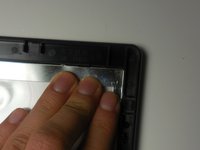
    • Push the screen forward to remove.

    FixBot'a Sor

    Yorum Ekle

Sonuç

To reassemble your device, follow these instructions in reverse order.

İptal et: Bu kılavuzu tamamlamadım.

Kyla

Üyelik tarihi: 03/11/15

156 İtibar

2 adet Kılavuz yazıldı

Ekip

Colorado Springs, Team 2-6, Panko Spring 2015 Colorado Springs, Team 2-6, Panko Spring 2015 üyesi

UCCS-PANKO-S15S2G6

3 Üyeler

10 adet Kılavuz yazıldı

0Kılavuz Yorumları

Yorum Ekle

İstatistikleri Görüntüle:

Son 24 Saat: 0

Son 7 gün: 2

Son 30 gün: 24

Her zaman: 531