Ana içeriğe geç

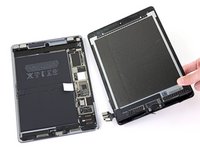
iPad Pro 9.7" Display Assembly Disconnect

Salt Önkoşul
Bu sadece bir ön koşul kılavuzudur! Bu kılavuz başka bir prosedürün parçasıdır ve tek başına kullanılması amaçlanmamıştır.

Neye ihtiyacın var

  1. iPad Pro 9.7" Display Assembly Disconnect, Remove the display bracket screws: adım 1, 1 resimden 1.
    • Use a Phillips screwdriver to remove the three 1.3 mm Phillips screws securing the display cable bracket.

  2. iPad Pro 9.7" Display Assembly Disconnect, Remove the bracket: adım 2, 2 resimden 1. iPad Pro 9.7" Display Assembly Disconnect, Remove the bracket: adım 2, 2 resimden 2.
    • Remove the display cable bracket.

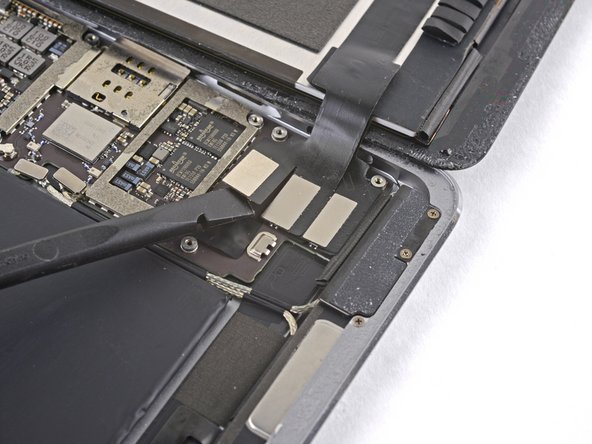
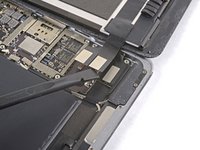
  3. iPad Pro 9.7" Display Assembly Disconnect, Disconnect the display assembly: adım 3, 2 resimden 1. iPad Pro 9.7" Display Assembly Disconnect, Disconnect the display assembly: adım 3, 2 resimden 2.
    • Use the flat end of the spudger to disconnect the display assembly connector from the motherboard socket.

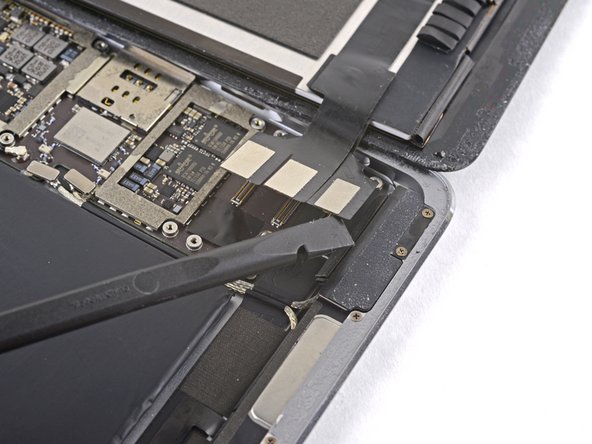
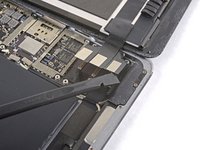
  4. iPad Pro 9.7" Display Assembly Disconnect: adım 4, 2 resimden 1. iPad Pro 9.7" Display Assembly Disconnect: adım 4, 2 resimden 2.
    • Repeat the previous step for the two remaining connectors.

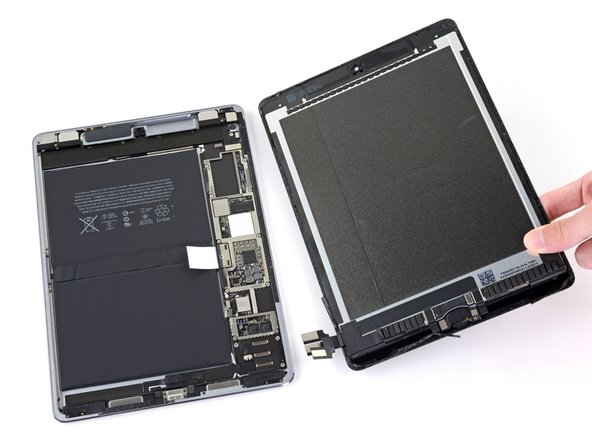
  5. iPad Pro 9.7" Display Assembly Disconnect, Remove the display assembly: adım 5, 2 resimden 1. iPad Pro 9.7" Display Assembly Disconnect, Remove the display assembly: adım 5, 2 resimden 2.
Sonuç

To reassemble your device, follow these instructions in reverse order.

Arthur Shi

Üyelik tarihi: 01/03/18

314.654 İtibar

729 adet Kılavuz yazıldı

Ekip

iFixit iFixit üyesi

Staff

123 Üyeler

23.828 adet Kılavuz yazıldı

0Kılavuz Yorumları

Yorum Ekle

İstatistikleri Görüntüle:

Son 24 Saat: 0

Son 7 gün: 0

Son 30 gün: 2

Her zaman: 173