Ana içeriğe geç
Onarım Topluluğuna Katılın - Hesap Oluşturun

iPhone X Disassembly

Neye ihtiyacın var

Videoya Genel Bakış

    1. iPhone X Disassembly, Turn off the phone and remove SIM Card: adım 1, 2 resimden 1. iPhone X Disassembly, Turn off the phone and remove SIM Card: adım 1, 2 resimden 2.
      • Press the wake button and volume down button to turn off the phone.

      FixBot'a Sor

      Yorum Ekle

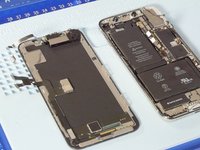
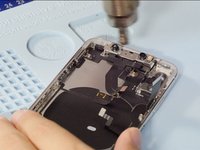
    2. iPhone X Disassembly, Open the phone: adım 2, 3 resimden 1. iPhone X Disassembly, Open the phone: adım 2, 3 resimden 2. iPhone X Disassembly, Open the phone: adım 2, 3 resimden 3.
      • Use the Pentaloble screwdriver to remove the charging port screws. Heating the phone with a heat gun will allow the phone to be opened more easily.

      FixBot'a Sor

      Yorum Ekle

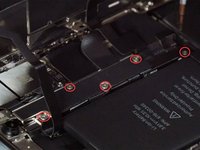
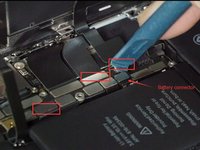
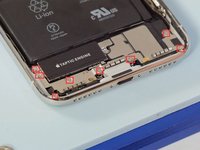
    3. iPhone X Disassembly, Remove the iPhone X OLED screen: adım 3, 3 resimden 1. iPhone X Disassembly, Remove the iPhone X OLED screen: adım 3, 3 resimden 2. iPhone X Disassembly, Remove the iPhone X OLED screen: adım 3, 3 resimden 3.
      • Undo 5 screws shown in the picture below with a tripoint #Y000 screwdriver

      • These screws are all different sized so keep track of where they go

      • Release the battery/LCD screen/digitizer/ear speaker connectors with a spudger.

      FixBot'a Sor

      Yorum Ekle

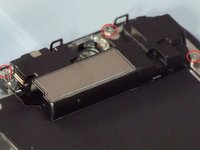
    4. iPhone X Disassembly, Remove the ear speaker: adım 4, 2 resimden 1. iPhone X Disassembly, Remove the ear speaker: adım 4, 2 resimden 2.
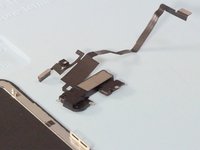
      • Undo 3 Y000 screws and heating the flex cable with a heat gun, we can remove the ear speaker easily

      FixBot'a Sor

      Yorum Ekle

    5. iPhone X Disassembly, Remove rear-facing cameras.: adım 5, 1 resimden 1.
      • Remove the 2 Phillips #PH00 screws and remove the metal plate, release the rear cameras connectors.

      • These screws are also different sizes

      FixBot'a Sor

      Yorum Ekle

    6. iPhone X Disassembly, Remove motherboard.: adım 6, 2 resimden 1. iPhone X Disassembly, Remove motherboard.: adım 6, 2 resimden 2.
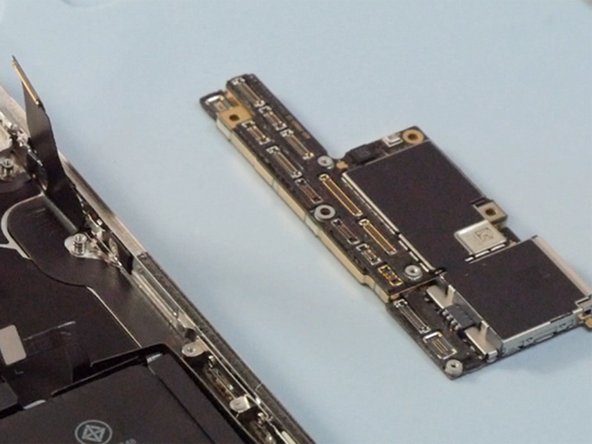
      • Release all connectors on the motherboard with a spudger

      • Undo 3 Phillips #PH00 screws on the mother board then we can take out the mother board.

      FixBot'a Sor

      Yorum Ekle

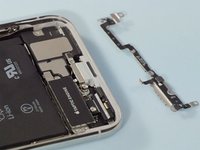
    7. iPhone X Disassembly, Remove Loudspeaker and Taptic engine: adım 7, 3 resimden 1. iPhone X Disassembly, Remove Loudspeaker and Taptic engine: adım 7, 3 resimden 2. iPhone X Disassembly, Remove Loudspeaker and Taptic engine: adım 7, 3 resimden 3.
      • Undo 8 screws on the retaining plate then remove the plate taking care to not break the small connector on the plate that connects just under the taptic engine

      • Remove the loud speaker and the taptic engine.

      FixBot'a Sor

      Yorum Ekle

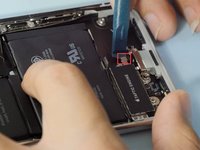
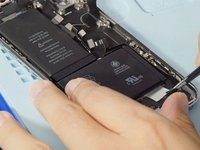
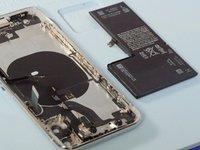
    8. iPhone X Disassembly, Remove battery: adım 8, 2 resimden 1. iPhone X Disassembly, Remove battery: adım 8, 2 resimden 2.
      Bu adımda kullanılan alet:
      Tweezers
      $4.99
      • Pulling out 4 battery adhesives with a tweezers then we can remove the battery.

      FixBot'a Sor

      Yorum Ekle

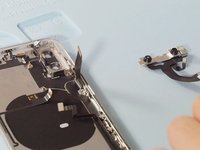
    9. iPhone X Disassembly, Remove front-facing camera: adım 9, 2 resimden 1. iPhone X Disassembly, Remove front-facing camera: adım 9, 2 resimden 2.
      • Heating the front facing camera with a heat gun will make it easily to be removed

      FixBot'a Sor

      Yorum Ekle

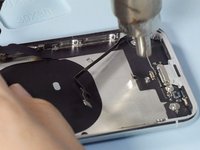
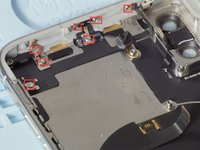
    10. iPhone X Disassembly, Remove the charging port and antenna: adım 10, 3 resimden 1. iPhone X Disassembly, Remove the charging port and antenna: adım 10, 3 resimden 2. iPhone X Disassembly, Remove the charging port and antenna: adım 10, 3 resimden 3.
      • Release 4 screws on the frame shown in the picture

      • Heating the charging port flex cable then we can remove it easily

      FixBot'a Sor

      Yorum Ekle

    11. iPhone X Disassembly, Remove Wi-Fi antenna: adım 11, 3 resimden 1. iPhone X Disassembly, Remove Wi-Fi antenna: adım 11, 3 resimden 2. iPhone X Disassembly, Remove Wi-Fi antenna: adım 11, 3 resimden 3.
      • Release 7 screws on the Wi-Fi flex cable

      • Heating the flex cable with a heat gun make it easier to be removed

      FixBot'a Sor

      Yorum Ekle

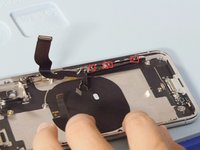
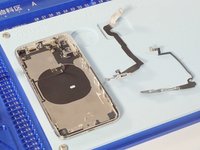
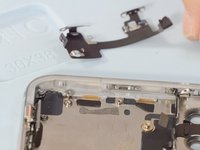
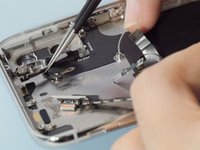
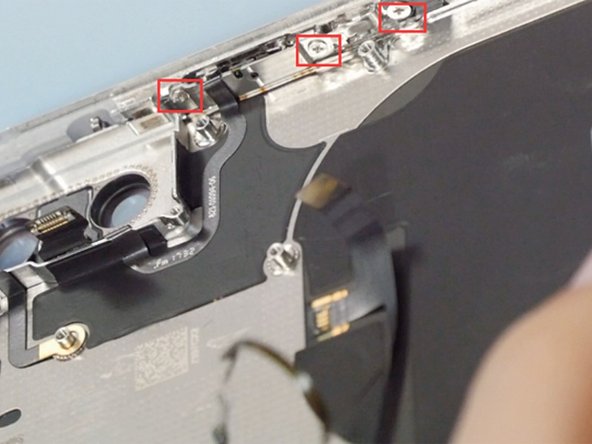
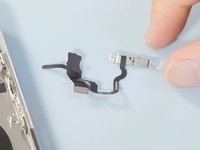
    12. iPhone X Disassembly, Remove power button flex cable: adım 12, 3 resimden 1. iPhone X Disassembly, Remove power button flex cable: adım 12, 3 resimden 2. iPhone X Disassembly, Remove power button flex cable: adım 12, 3 resimden 3.
      • Release 3 screws on the power button

      • Heating the flex cable with a heat gun then it can be removed easily

      FixBot'a Sor

      Yorum Ekle

Sonuç

To reassemble your device, follow these instructions in reverse order.

İptal et: Bu kılavuzu tamamlamadım.

134 farklı kişi bu kılavuzu tamamladı.

Mandy

Üyelik tarihi: 12/05/14

9.612 İtibar

9 adet Kılavuz yazıldı

26Kılavuz Yorumları

It's good

Chalak Chomani - Yanıt Paylaş

excellent guide!!!

Andy Lee - Yanıt Paylaş
The iPhone X assemble video: https://youtu.be/E5jyuxgpE_g

Mandy - Yanıt Paylaş

What About the backside ? I heard that when the backside is shattered, it’s almost impossible to repair, because of the glue that holds the backside and parts together ?

Arnoud - Yanıt Paylaş

Hi avdk, we don’t tear down the back glass but we will pay attention to this question. If there is a definite answer, I will reply to you .Thank you.

Mandy - Yanıt Paylaş

Yorum Ekle

İstatistikleri Görüntüle:

Son 24 Saat: 16

Son 7 gün: 120

Son 30 gün: 540

Her zaman: 234,294