Giriş
The fingerprint scanner reads the fingerprint of the employee being scanned. This guide will show you how to remove and replace the fingerprint scanner. Be careful not to damage the glass screen scanner.
Neye ihtiyacın var
-
-
Flip the device over.
-
Remove the four 10mm PH #2 screws by rotating the screwdriver counterclockwise, removing the screw from the housing completely.
 FixBot'a Sor
-
-
-
Separate the two cover pieces carefully by pulling apart the two cover pieces away from each other.
-
-
-
-
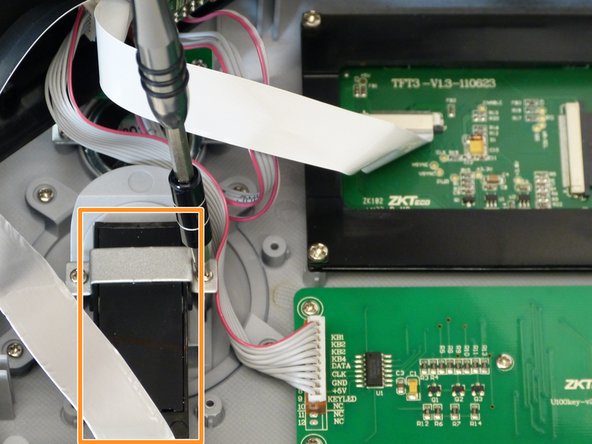
Remove the two 7mm PH #1 screws from the fingerprint scanner mounting tab by rotating the screw driver counter clockwise, removing the screw from the housing completely.
-
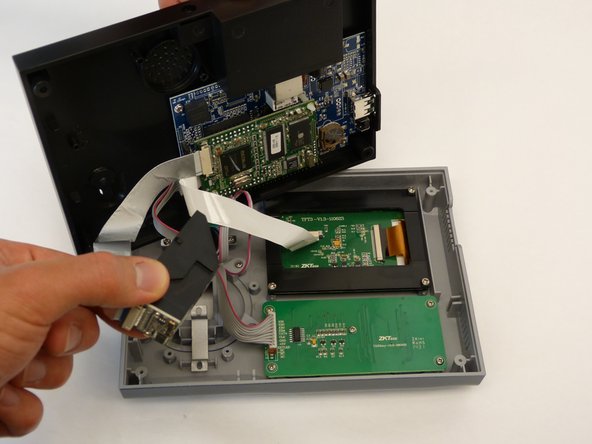
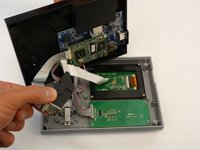
Remove the fingerprint scanner assembly from the unit by lifting the scanner up and away from the unit housing.
-
-
-
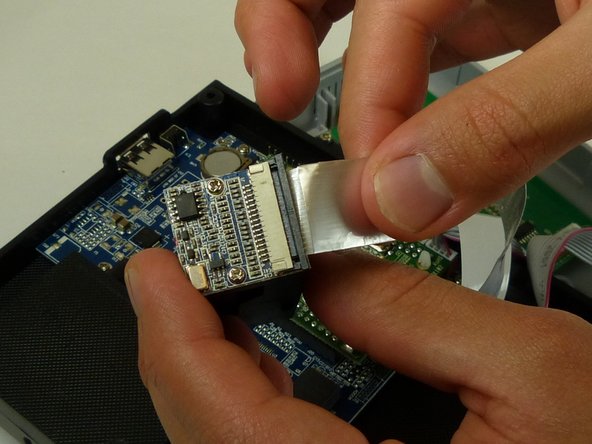
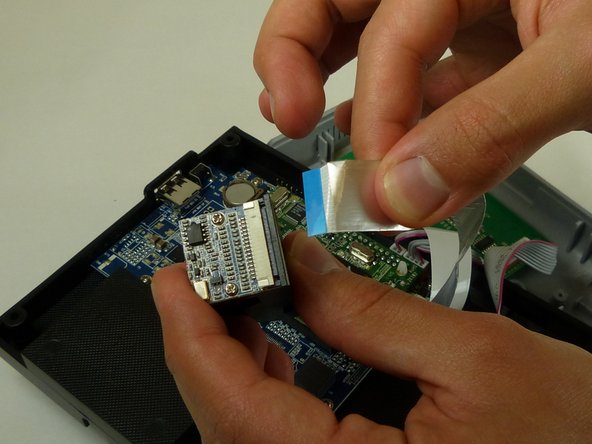
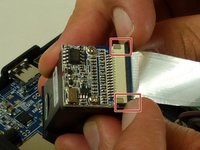
Disconnect the ZIF connector, by using your fingernail to lift up on the small locking flap. Then pull the ribbon up and away, out of the connector.
-



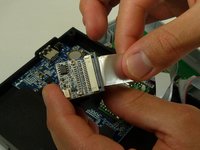
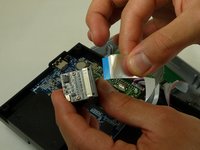
To reassemble , follow these instructions in reverse order.
İptal et: Bu kılavuzu tamamlamadım.
Bir başkası bu kılavuzu tamamladı.

Ekip

Idaho State University, Team S4-G1, Watkins Fall 2017 Idaho State University, Team S4-G1, Watkins Fall 2017 üyesi
ISU-WATKINS-F17S4G1
3 Üyeler
5 adet Kılavuz yazıldı
