Ana içeriğe geç
Onarım Topluluğuna Katılın - Hesap Oluşturun
Neye ihtiyacın var

Aletler

Bu teardown bir tamir kılavuzu değildir. Samsung Galaxy Ace cihazınızı onarmak için, servis kılavuzumuzu kullanın.

    1. Samsung Galaxy Ace Teardown, Samsung Galaxy Ace Teardown: adım 1, 3 resimden 1. Samsung Galaxy Ace Teardown, Samsung Galaxy Ace Teardown: adım 1, 3 resimden 2. Samsung Galaxy Ace Teardown, Samsung Galaxy Ace Teardown: adım 1, 3 resimden 3.
      • Rotate your Phone.

      • Remove the plastic battery door.

      • Remove battery.

      • Unscrew all 7 screws so that the cover can be removed.

      FixBot'a Sor

      Yorum Ekle

    2. Samsung Galaxy Ace Teardown: adım 2, 3 resimden 1. Samsung Galaxy Ace Teardown: adım 2, 3 resimden 2. Samsung Galaxy Ace Teardown: adım 2, 3 resimden 3.
      • With a plastic tool separate the frame from the aluminum plate. (either from the inside or outside)

      • Make sure your Micro SD card is removed from the device Micro SD card slot.

      • Disconnect the microphone using your fingers, be careful not to do too much pressure.

      FixBot'a Sor

      Yorum Ekle

    3. Samsung Galaxy Ace Teardown: adım 3, 3 resimden 1. Samsung Galaxy Ace Teardown: adım 3, 3 resimden 2. Samsung Galaxy Ace Teardown: adım 3, 3 resimden 3.
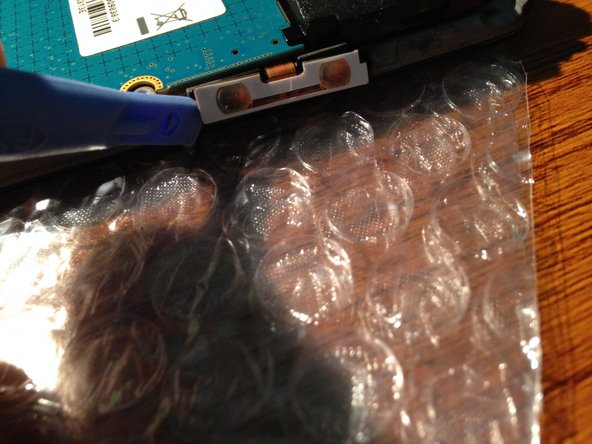
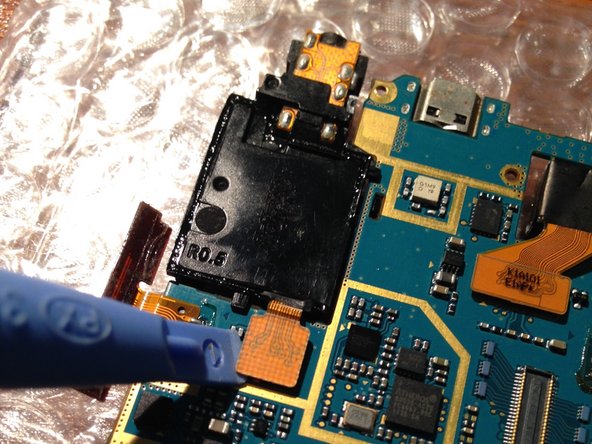
      • Disconnect the light sensor and ear piece speaker.To remove this use a plastic tool.

      • Disconnect the volume rocker, be very careful! They are very thin and glued with double-sided tape. If possible, use isesamo or something really thin!

      FixBot'a Sor

      Yorum Ekle

    4. Samsung Galaxy Ace Teardown: adım 4, 3 resimden 1. Samsung Galaxy Ace Teardown: adım 4, 3 resimden 2. Samsung Galaxy Ace Teardown: adım 4, 3 resimden 3.
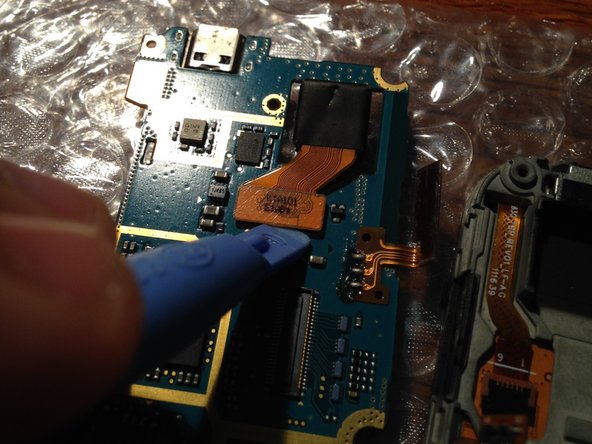
      • Lift the logic board from the right side, be careful not cause any damage to gently rotate the LCD connector.

      • Now with a plastic tool you can disconnect the LCD connector.

      FixBot'a Sor

      Yorum Ekle

    5. Samsung Galaxy Ace Teardown: adım 5, 3 resimden 1. Samsung Galaxy Ace Teardown: adım 5, 3 resimden 2. Samsung Galaxy Ace Teardown: adım 5, 3 resimden 3.
      • Remove logic board

      • Disconnect speaker and camera with a plastic tool.

      FixBot'a Sor

      Yorum Ekle

    6. Samsung Galaxy Ace Teardown: adım 6, 3 resimden 1. Samsung Galaxy Ace Teardown: adım 6, 3 resimden 2. Samsung Galaxy Ace Teardown: adım 6, 3 resimden 3.
      • Use a plastic tool or something sharp to lift the aluminum protection that serves to fix earpiece speaker and light sensor and remove it.

      • After lifting the connector of the touch screen (black tab), lift the cable carefully!

      FixBot'a Sor

      Yorum Ekle

    7. Samsung Galaxy Ace Teardown: adım 7, 3 resimden 1. Samsung Galaxy Ace Teardown: adım 7, 3 resimden 2. Samsung Galaxy Ace Teardown: adım 7, 3 resimden 3.
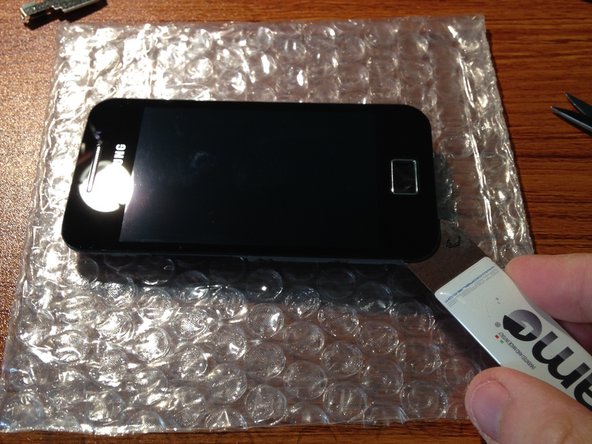
      • Press the home button to remove it. (This is not fixed,no material).

      • Heat the glass lens with a hot air gun, a tool insert after "isesamo" and slowly raise it.

      • Remove it.

      FixBot'a Sor

      Yorum Ekle

    8. Samsung Galaxy Ace Teardown: adım 8, 1 resimden 1.
      • Disassembly is finished! To assemble, follow the guide from the end point to the initial.

      FixBot'a Sor

      Yorum Ekle

AndreaBaglione

Üyelik tarihi: 11/06/09

3.912 İtibar

3 adet Kılavuz yazıldı

3Kılavuz Yorumları

Very helpful, I had to open it all up as shown in photo to get my stuck SIM cards out. Thanks.

Yash J - Yanıt Paylaş

My ace s5830 cant sharging i change ic charge and battary and also can t charging why !

Jaafar Fakih - Yanıt Paylaş

Maybe motherboard or cable is dead?

Paul Richard - Yanıt Paylaş

Yorum Ekle

İstatistikleri Görüntüle:

Son 24 Saat: 5

Son 7 gün: 18

Son 30 gün: 79

Her zaman: 17,372