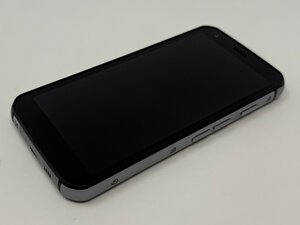
Öğrenci Katkılı Viki
Bu vikiyi, eğitim programımızdan harika bir öğrenci ekibi yaptı.
CAT S62 ekranınız dokunmatik veya düğme girişlerine yanıt vermiyorsa, olası çözümler için bu sayfayı takip edin.
Telefon Kılıfı veya Ekran Koruyucunun Etkilemesi
Ekran koruyucular ve hatta telefonun kılıfı, işlevini etkiliyor olabilir. Devam etmeden önce bu aksesuarların hepsini çıkarın.
Kirli Ekran Yüzeyi
Hasar görmesini önlemek için sert kimyasallar veya kağıt havlu kullanmayın, temizleyiciyi doğrudan cihazın üzerine püskürtmeyin ve cihaz üzerinde basınçlı hava kullanmayın.
- Telefonu kapatın ve tüm güç kaynaklarından ayırın.
- Varsa koruyucu kılıfı veya kapakları çıkarın.
- Toz ve parmak izlerini temizlemek için kuru bir mikrofiber bez kullanarak ekranı dairesel hareketlerle nazikçe silin.
- Gerekirse, mikrofiber bezin küçük bir kısmını az miktarda saf su veya %70 izopropil alkol ile hafifçe nemlendirin. Ekranı bezin nemli kısmıyla nazikçe silin.
- Telefonu tekrar kullanmadan önce tamamen kuruduğundan emin olmak için havayla kurumaya bırakın.
Yazılımsal Hata
Zorunlu Yeniden Başlatma (Basit)
- Ekran kararana kadar başlatma düğmesini basılı tutun.
- Düğmeyi bırakın ve telefonu tekrar açmak için düğmeye tekrar basın.
Zorunlu Yeniden Başlatma (Gelişmiş)
- Başlatma düğmesi ve sesi kısma düğmesini aynı anda basılı tutun.
- Yaklaşık 10-15 saniye boyunca veya bir titreşim hissedene ve telefonun logosu görünene kadar basılı tutmaya devam edin.
- Logo göründükten sonra düğmeleri bırakın.
Yeniden başlatma işe yaramazsa, özellikle ekran da kırıksa, fiziksel bir donanım sorunu olabilir ve profesyonel yardım almanız gerekebilir.

Ekip

Utah Tech University, Team 1-1, McMurrin Fall 2025 Utah Tech University, Team 1-1, McMurrin Fall 2025 üyesi
UTAHTECH-MCMURRIN-F25S1G1
3 Üyeler
72 adet Kılavuz yazıldı

0 Yorum