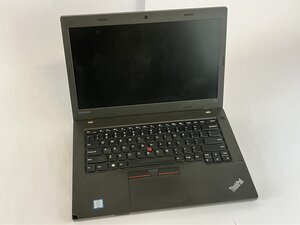
Öğrenci Katkılı Viki
Bu vikiyi, eğitim programımızdan harika bir öğrenci ekibi yaptı.
Dizüstü bilgisayarı açtığınızda "No bootable device" (Önyüklenebilir aygıt yok), "Hard drive not detected" (Sabit sürücü algılanmadı) gibi mesajlar görüyorsanız veya sistem bir depolama aygıtı listelemeden doğrudan BIOS/UEFI ekranına geçiyorsa, bu sayfa sorununuz için bazı çözümler sunabilir.
Gevşek veya Bağlantısı Kesilmiş Sabit Sürücü
SATA konnektörü veya sürücü braketi düşme, çarpma veya önceki bir servis işlemi sırasında gevşeyebilir. Gevşek bir bağlantı, BIOS'un sürücüyü tanımasını engeller. Lenovo ThinkPad L460 Sabit Sürücü Değişimi kılavuzunu kullanarak bağlantıyı kontrol edebilirsiniz.
Hatalı BIOS/UEFI Ayarları
SATA modu değişiklikleri veya devre dışı bırakılmış bağlantı noktaları, sürücülerin işletim sistemi tarafından görünmemesine neden olabilir. Yanlışlıkla yapılan bir BIOS sıfırlaması da ayarları eski haline getirebilir. Detaylı bilgi ve olası çözüm Lenovo ThinkPad L460 destek sayfasında bulunabilir.
Hasarlı veya Arızalı Sabit Sürücü
Mekanik sürücüler arızalanabilir (dönmeme, tıklama sesleri) ve SSD'ler elektronik olarak bozulabilir. Sürücü tamamen ölü ise BIOS tarafından algılanmayacaktır. Lenovo ThinkPad L460 cihazınızdaki sabit sürücüyü değiştirmek için bu kılavuzu izleyin.

Ekip

UMass Dartmouth, Team 2-4, Bowman Fall 2025 UMass Dartmouth, Team 2-4, Bowman Fall 2025 üyesi
UMASSD-BOWMAN-F25S2G4
4 Üyeler
72 adet Kılavuz yazıldı

0 Yorum