Öğrenci Katkılı Viki
Bu vikiyi, eğitim programımızdan harika bir öğrenci ekibi yaptı.
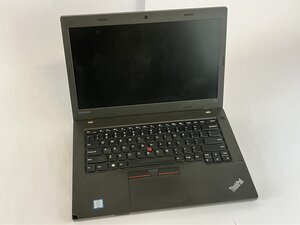
Lenovo ThinkPad L460 cihazınız şarj olmuyor veya açılmıyorsa, fişe takıldığında uyarı ışığı yanmıyorsa ya da adaptör sıcak hissediliyor veya vızıltı sesi çıkarıyorsa, bu kılavuz bir çözüm sunabilir.
Arızalı Güç Adaptörü
- Gözle görülür hasar olup olmadığını kontrol edin
- Adaptör kablosunda yıpranma, bükülme veya yanık izleri olup olmadığını inceleyin.
- Herhangi bir hasar görünüyorsa adaptör kablosunu değiştirin.
Adaptörün Doğru Voltajı Sağlamaması
- Bir multimetre ile çıkışı test edin
- Lenovo adaptörü ~20V DC çıkış vermelidir.
- Eğer bir değer okunmuyorsa veya değer dalgalanıyorsa, adaptör kablosunu değiştirin.
Arızalı Adaptör Ünitesi
- Çalıştığından emin olduğunuz başka bir Lenovo adaptör kablosunu deneyin.
- Başka bir adaptör kablosu çalışıyorsa, orijinal olanınız arızalıdır ve değiştirilmelidir.
Hasarlı DC şarj yuvası
- DC jakını inceleyin veya değiştirin
- Şarj yuvasında gevşeklik veya korozyon olup olmadığını kontrol edin.
- Hasarlıysa yuvayı değiştirin.

Ekip

UMass Dartmouth, Team 2-4, Bowman Fall 2025 UMass Dartmouth, Team 2-4, Bowman Fall 2025 üyesi
UMASSD-BOWMAN-F25S2G4
4 Üyeler
72 adet Kılavuz yazıldı

0 Yorum