Öğrenci Katkılı Viki
Bu vikiyi, eğitim programımızdan harika bir öğrenci ekibi yaptı.
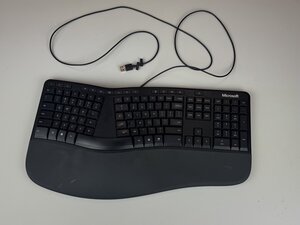
Microsoft LXM-00001'in güç kablosu bilgisayara takılı olmasına rağmen klavye düzgün çalışmıyorsa, tuş işlevini geri yüklemek için bu talimatları izleyin.
Kablo Konnektöründe Biriken Yabancı Maddeler
Kablo konnektörünün metal kısmının içinde yabancı maddeler veya kir birikirse, bağlantı kesintiye uğrayabilir. Bu sorunu gidermek için, fişteki kiri basınçlı hava veya kulak çubuğu kullanarak temizleyin.
Kablo Hasarı
Kablo hasar görmüşse, kablo konnektörü arızalanabilir. Bu sorunu gidermek için kablo konnektörünün değiştirilmesi gerekir.
Uyumsuz Kablo
Kablo cihazınızla uyumlu değilse, klavye düzgün çalışmayacaktır. Bu sorunu gidermek için, kullanıcının bu klavyeyle eşleştirilen cihazı uyumlu bir cihazla değiştirmesi gerekir.
Hatalı Güç Kablosu Bağlantısı
Hatalı bir güç kablosu bağlantısı söz konusuysa, kablonun monitöre tam oturduğundan emin olun veya klavye için farklı bir priz deneyin. Sorun devam ederse, kullanıcının güç kablosunun tamamını değiştirmesi gerekir.

Ekip

Texas Tech, Team 2-1, Johansen Fall 2025 Texas Tech, Team 2-1, Johansen Fall 2025 üyesi
TTU-JOHANSEN-F25S2G1
5 Üyeler
48 adet Kılavuz yazıldı

0 Yorum