
Ana içeriğe geç
Onarım Topluluğuna Katılın - Hesap Oluşturun

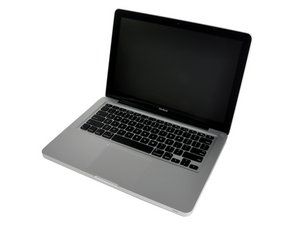
13" aluminum unibody, 2.0 or 2.4 GHz Core 2 Duo processor.

Is another MagSafe DC-In Board compatible with this MacBook?

I need this: MacBook Unibody (A1278) MagSafe DC-In Board

But I have access to a used one of these: [bağlı ürün eksik veya kapalı: IF161-037]

How similar are they? Can I replace the 820-2361-02 with a 820-2565-A?

Replace a broken or damaged MagSafe DC-in board for your Model A1278 MacBook Unibody with this part. This part connects the AC wall adapter power to the logic board. Görseli

Ürün

MacBook Unibody (A1278) MagSafe DC-In Board

$24.99

Bu soruyu yanıtla Ben de bu sorunu yaşıyorum

Bu iyi bir soru mu?

Puan 0
Yorum Ekle

4 Cevap

Filtre ölçütü:
En Yararlı Yanıt

I know this is an old issue, but I had the same scenario just occur: I had an 820-2361-A (identical to the 820-2361-02) that I wanted to replace with an 820-2565-A.

I did find as well that one of the screw-holes did not line up, but the other did. I tightened that one as best as I could by hand, crossed my fingers and plugged it in. Sure enough it seems to be working fine!

Bu yanıt yardımcı oldu mu?

Puan 1
Yorum Ekle

This 820-2565-A is compatible with A1278 mid 2010 late 2010 & early 2011.

Good luck

Bu yanıt yardımcı oldu mu?

Puan 0

2 Yorum:

it worked electrically, but the screw holes did not match. Turns out I have a separate problem.

tarafından

Best to get the correct part as the MagSafe connection is not reliable as it will shift!

tarafından

Yorum Ekle

Just another data point. My:

17" Unibody MacBookPro8,3 Early 2011, Model A1297

requires the DC-IN board: 820-2361-A

Amazon sent the 'Power Jack Board 820-2565-A' by mistake. The second hole is off by about 2mm, and thus not possible to secure with the second screw. Chip and layout looked identical (but no way to know). Under deadline pressure, I proceeded with the install. Fixed and booted. So far so good. At first was concerned about DC-IN board rotating, but the pull of the magnetic connector does not apply inward pressure to the board.

Bu yanıt yardımcı oldu mu?

Puan 0

1 Yorum:

I had the same issue. I tightened the screw closest to the corner and then in the process of trying to tighten the screw that is off by 2mm I snapped the sheath that attaches to the back of the board. Without the sheath the screw actually has enough room to attach.

Problem accidentally solved!

tarafından

Yorum Ekle

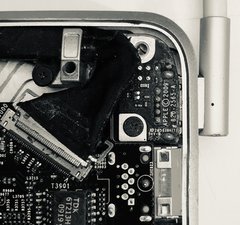
I did something similar, but used the connector like a guide …. was easier! Just one screw !

Resim

Bu yanıt yardımcı oldu mu?

Puan 0

4 Yorum:

Sorry, this is not wise! The second screw stabilizes the connection. Best to get the correct part.

tarafından

You are ABSOLUTELY right !

Till I get the right part works .

tarafından

@danj @oldturkey I am a bit confused with this, I have a 2009, 2011 and some 2012 MBP A1278 and this part MacBook Unibody (A1278) MagSafe DC-In Board has in the description (Yellow box) This part is only for the MacBook Unibody model A1278. It will NOT work in a MacBook Pro model A1278. Identified by 820-2361-02 printed on the board. ????? So, how to ID the one that is from a 2009, 2011 and 2012?

tarafından

You can’t use model A???? Number as the go to ID.

You need to dive into the Model ID, MacBookPro8,2 as an example is the late 2011 15” and the MacBookPro6,2 which is a 2010 and uses many different parts! And both are A1278 models. You just can’t swap out the major parts without creating new problems.

tarafından

Yorum Ekle

Yanıtını ekle

Chris Thompson sonsuza kadar minnettar olacak.
İstatistikleri Görüntüle:

Son 24 Saat: 1

Son 7 gün: 3

Son 30 gün: 24

Her zaman: 3,638