Ana içeriğe geç
Onarım Topluluğuna Katılın - Hesap Oluşturun

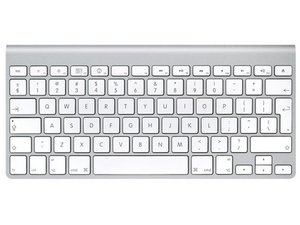
Repair guides and support for your Apple Wireless Keyboard. Connect and command your Apple computer wirelessly.

Factory reset or re-install firmware?

The recent firmware 1.1 update appeared to install correctly.

BUT, since the update the keyboard does not work properly - random ' characters and shift key not shifting case.

Attempts to reinstall 1.1 update or 1.0 updates are blocked by - "Your keyboard is already updated!"

Any secret key combo to reset the firmware or force a new (or old) update?

Or do I now have a useless keyboard?

Mac Mini. OS X 10.6.3 aluminum bluetooth keyboard (2007 3 battery)

Bu soruyu yanıtla Ben de bu sorunu yaşıyorum

Bu iyi bir soru mu?

Puan 2
2 Yorum

What computer and OS are you using? Ralph

tarafından

OS X 10.6.3 - it was the automatic update that included the keyboard firmware update that caused my problem.

tarafından

Yorum Ekle

5 Cevap

Filtre ölçütü:
En Yararlı Yanıt

Here is the Apple paperwork for the update giving you problems. It appears to list steps to be taken after install. Maybe this will help you. Ralph

http://support.apple.com/kb/HT4010

Bu yanıt yardımcı oldu mu?

Puan 2

1 Yorum:

Thanks for the suggestion.

Yes, I did that immediately. It reports the correct version number for the new firmware having been installed.

Of course, being very user friendly it reports the version in hex, but I know how to convert 0x141 to 321.

I am quite surprised Apple expects their users to do this. I have gained a new respect for the average Mac user.

tarafından

Yorum Ekle

did you try the troubleshooting from here ?

maybe this would help to get mor information about the non (or wrong) functioning keys

Bu yanıt yardımcı oldu mu?

Puan 1

1 Yorum:

Thanks markus. It sees the same thing as any app. The keyboard is sending bad info.

I borrowed another keyboard and it works fine.

The problem is definitely in the keyboard and requires reloading of the firmware, which apparently loaded badly (despite giving no errors).

tarafından

Yorum Ekle

I have 2 Aluminum Apple keyboards ruined from an update of my macmini. pretty upsetting. apple is the new Microsoft. Apple updates used to be stable now they are shyt. one has non working keys while pressing shift another has a repeating number on startup for no reason.

Bu yanıt yardımcı oldu mu?

Puan 0
Yorum Ekle

This works...

resetting BT keyboard

Basically, you need to hold the power button the ENTIRE time you pair.

Try and see if it works.

Bu yanıt yardımcı oldu mu?

Puan 0
Yorum Ekle

The A1016 Mac wireless BT keyboard WILL work with Mavricks with no additional software, I dug out my old keyboard and put new batteries in and it attempted to paired up, but I had to remove all the other devices and then pair. After that you can pair up your other devices. I had to have patience, but it got there

Bu yanıt yardımcı oldu mu?

Puan 0

1 Yorum:

how did you remove all the old info from the A1016? I just found one that works perfect but when i try and pair with it, it asks for the keyboards pin number... and it say's the old owners name. i bought it from an electronic recycling store, so no way to contact original owner

tarafından

Yorum Ekle

Yanıtını ekle

Peter Jennings sonsuza kadar minnettar olacak.
İstatistikleri Görüntüle:

Son 24 Saat: 2

Son 7 gün: 11

Son 30 gün: 45

Her zaman: 55,138



