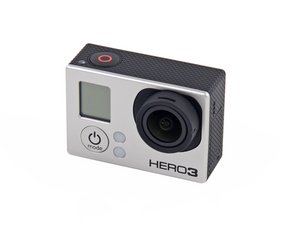
How to set up sharpness on GoPro Hero3?
How to set up sharpness on GoPro Hero3 Black Edition lens? How to turn off a lens? It repents is pasted?
Bu iyi bir soru mu?
Puan
-1

İtibar: 1
 1
1
How to set up sharpness on GoPro Hero3 Black Edition lens? How to turn off a lens? It repents is pasted?
Bu iyi bir soru mu?

İtibar: 10,9b
 12
12
10
 18
18
I don't think you can change the sharpness in the settings as best as I can tell.
Bu yanıt yardımcı oldu mu?
I not meant that. How to sort a lens to set up focus, it at me is baffled.
I apologize as I do not understand your question. I would recommend reading the manual. Here.

İtibar: 1
2
Revision PS... I have seen a new video that does demonstrate removing protective plastic rings and twisting the lens 3.5mm. I really felt uncomfortable twisting the lens and didn't want to damage the plastic around the lens. Naturally the video is provided by someone selling replacement lens. I think the below tip may still apply.
After a water dunking I had an internal smudge on the lower left of every picture and video.
When I tore it down I also used another video found on YouTube that appeared to show removing the lens (untwisting) from a mount on the circuit card with a pair of pliers... I attempted that.
After my attempt I don't think the lens is twistable, adjustable or removable from that mount expect for the four corner screws that hold the lens to the sensor. There is quite a bit of padding between the sensor and the lens. I think you might try to see there is a difference between a few turns of the screws that hold the sensor to the lens. There is quite a bit of adjustment between gently snug and tight.
Give that a try. Hope that helps.
Jack Z.
Bu yanıt yardımcı oldu mu?
Son 24 Saat: 0
Son 7 gün: 0
Son 30 gün: 5
Her zaman: 1,545
