
Ana içeriğe geç

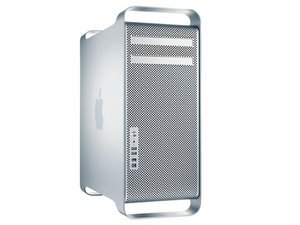
The Mac Pro First Generation is an Intel Xeon-based workstation computer manufactured by Apple Inc. The first generation model includes the machines from 2006 through 2008.

Removing the processor drawer ..early 2009 Mac Pro

Is removing the processor drawer as simple as unlatching it and pulling it out or are their connectors to disconnect first.

I think I need to pull it to add the tiny WiFi card to the mother board. I can see it and install the card but hooking up the antenna is going to require removing the processor drawer (??).

Yanıtlandı! Cevabı görüntüle Ben de bu sorunu yaşıyorum

Bu iyi bir soru mu?

Puan 0
Yorum Ekle

1 Cevap

Filtre ölçütü:
Seçilen Çözüm

Lynn Bennett, here are the steps the remove the processor tray:

First Steps

Open computer and lay it down with access side facing up. Note: Processor tray includes processor heatsink(s), processor(s), DIMMs, processor board, and processor tray support plate.

Removal

1 Press down and release 2 latches on front of processor tray.

2 Holding tray by latches, lift it out of computer.

3 Place tray DIMM side up on soft, clean cloth.

Tools

• ESD wrist strap

• Soft, clean cloth

Hope this helps, good luck.

Bu yanıt yardımcı oldu mu?

Puan 1
Yorum Ekle

Yanıtını ekle

Lynn Bennett sonsuza kadar minnettar olacak.
İstatistikleri Görüntüle:

Son 24 Saat: 0

Son 7 gün: 0

Son 30 gün: 1

Her zaman: 242
