
Ana içeriğe geç
Onarım Topluluğuna Katılın - Hesap Oluşturun

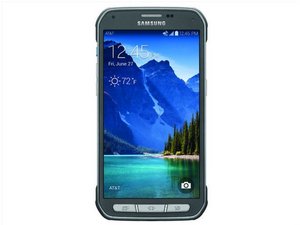
Samsung Galaxy S5 Active SM- G870A released June 2014. Repair for this device is extensive and requires the phone tool kit and heat gun.

Soru Kapandı

Home button doesn't go home

Since the latest update I have been experienced troubles getting my home button to actually take me home. It usually pops up with google search. I researched why this was happening and apparently this is supposed to happen with a "long press." I've tried intentionally pressing the button quickly, but even if I press for a fraction of a second I still end up going to the wrong screen. It's like a game of Russian Roulette.

Is there any way to increase the length of time required for the "long press" or to change that shortcut? I have been unsuccessful looking through the settings options. I did find an option for changing the length of time you had to hold down an icon, but increasing that didn't help.

Yanıtlandı! Cevabı görüntüle Ben de bu sorunu yaşıyorum

Bu iyi bir soru mu?

Puan 32
44 Yorum

I am having the same issue! I hope someone has advice on how to correct this. It started about two weeks ago for me. Not sure why, or if I made this a setting, but I'm not sure how to make it stop. Glad I'm not the only one.

tarafından

Yasssss!!! I am having the same issue...just did an system upgrade 2 weeks ago and for the past 3 days...its been doing the same thing with me!! I'm so glad I'm not losing my mind!!

Am going to do the soft reset now.

tarafından

Yep me to, this Lollipop update has been nothing but a headache for me even after a factory reset.

Only way to get my home button back is to restart, have to do that 4 or 5 times a day, what a waste of time!

tarafından

You don't have to restart your phone, just hit the bottom left button (that brings up all your open apps) and end the google app by swiping it to the right.

tarafından

that's not going to stop it from coming back the next time you push the home button. I had to delete all the google stuff to make it stop, and NOW it just doesn't work, I have to push my home button, at least 5 times to get out of anything I'm doing. Whether it's an app, email, internet, no matter what, I have to repeatedly push the home button.

This phone is pure CRAP!!! I will not make this mistake again. I'm going back to iphone, ASAP!

tarafından

39 tane daha yorum göster

Yorum Ekle

26 Cevap

Filtre ölçütü:
Seçilen Çözüm

I've tried every solution on here except for deleting/ disabling the Google app because I like "ok Google" too much. I found a solution and it's been a week and no problems now. You have the wipe the cache of your phone, not the apps.

"As first thing, turn off your Samsung Galaxy S5 by long pressing on the Power On / Off button. After the phone is complete off,you need the following key combination to boot the smartphone:

Press and hold:

• Power On / Off

• Volume up

• Home-Button

If the Samsung Galaxy S5 vibrates once, release the Power On/ Off button but keep the other two keys from the key combination pressed until a boot menu appears on the display.

Now mark the entry "Wipe Cache partition" with the volume quieter button. With the Power On / Off button confirm that procedure. This function takes only a few seconds. Then the previously displayed menu reappears. Now select the first entry with "reboot system now" and run the command again with a press of the Power button. Your Samsung Galaxy S5 will now reboot and start your Android OS.

Done!"

Bu yanıt yardımcı oldu mu?

Puan 74

82 Yorum:

This was brilliant. Thanks for the detailed description.

tarafından

That worked for me as well. Awesome!!

tarafından

So far so good. Thanks for this!

tarafından

Wow that worked great. Thanks for the detailed instructions!

tarafından

Tried the battery removal and that worked for a few days. I'll try this now, but at first glance it seems to be running better. I'll keep my fingers crossed :-)

tarafından

77 tane daha yorum göster

Yorum Ekle

I talked to samsung and they had me do a soft reset by removing the battery for 5 minutes and so far so good! I even enabled google and still no problems. The only way google search comes up is with a long hold on the home button. Good luck!

Bu yanıt yardımcı oldu mu?

Puan 4

19 Yorum:

Your suggestion fixed my phone. It had been driving me crazy for a couple of weeks.

tarafından

oh my goodness. Thank you so much. I tried this today and, so far, my phone is back to working! This stupid bug has been driving my mom and me (we both have this phone) for weeks!!

tarafından

Yayyyy! Mine is still working well. Keeping fingers crossed it stays well.

tarafından

YES!!

Thank a bunch, mate!

tarafından

I did that but after a couple of days mine is back to the same problem. So frustrating. I'm trying ATT technical support now.

tarafından

14 tane daha yorum göster

Yorum Ekle

Go to settings-> accessibility -> dexterity and interaction -> press and hold delay. Set it to long, and you should be good.

Bu yanıt yardımcı oldu mu?

Puan 3

5 Yorum:

Perfect, the most correct way to fix it.

tarafından

Omg thank you! This totally fixed it for me!

tarafından

Nope, this didn't affect my home key at all. Still getting google each time I quickly press home.

tarafından

It worked for me but I have to be careful to touch and release quickly

tarafından

Thank you! This was driving me crazy

tarafından

Yorum Ekle

I had the same problem then I foundthis it had worked for me. Go to App Manager>All, find Google Search and uninstall updates.

Bu yanıt yardımcı oldu mu?

Puan 2

2 Yorum:

You were right on the money thanks you're the best I did the custom made it super long

tarafından

its working. just brought the phone 2 months ago. i was beginning to think it is bricked. Thanxx everyone.

tarafından

Yorum Ekle

I seemed to have fix mine. I went to:

Settings> Application Manager> Google App> Turn off.

Then I also went to:

Settings> S Voice> and took it off double tap home button feature.

Now it seems to work great!

Bu yanıt yardımcı oldu mu?

Puan 2
Yorum Ekle

I fixed mine:

Settings-> application manager->Google app->turn off

Ta-Da

Bu yanıt yardımcı oldu mu?

Puan 1

4 Yorum:

THANK YOU SO MUCH! (Yes, I used all caps for a reason! LOL!)

tarafından

This worked for me too, hopefully this didn't break something else! Frustrating "feature"

tarafından

But, after doing that the microphone goes away on the keyboard so I can't dictate messages when I need to. It's driving me crazy! Oh and after I disabled the app everything worked fine for 2 days and it's happening again!

tarafından

I love you!!

tarafından

Yorum Ekle

I noticed that when I was on default web browser and 'Google now' or 'google search' came up, and I hit the running apps key to the left of the home button, the Google now slot said Firefox search within the google seach tab. So I uninstalled Firefox. So far no problem.

Update

Pertaining to my last post: deleting firefox only prevented Google now from popping up. The problem with the home button is still there. Still needs to be tapped multiple times, and often I need to use the phones back button to return to the home screen.but, google now-search no longer cones up. That's a plus.

Update

Did a hard restart: removed the battery for 5 minutes and the problem with the home button not working is gone . Steps I took 1.uninstalled Firefox, Google now stopped showing up, but problem with home button still seemed to be there. 2. did hard reset (pulled battery out for 5 minutes) and the problem with home button seems gone for now.

Bu yanıt yardımcı oldu mu?

Puan 1
Yorum Ekle

I found that disabling S voice solved the problem for me. Open S voice with a double tap on the home button, go to settings and uncheck "Open via the home key." Home button will be much more responsive and will no longer emulate a long press while it waits for the 2nd tap. So, basically, you have to choose between S voice or Google Now for your home button.

Bu yanıt yardımcı oldu mu?

Puan 0

4 Yorum:

This is working for now...hope it stays that way!

tarafından

Awe... this works... thx...

tarafından

This worked for me so far!

tarafından

Great, except I need S Voice to create a new memo for recording odometer readings while I am driving. Disabling S Voice causes Google to be the default so when I say "take a note", Google opens up and creates a freaking email. Not to mention Google wants to format all 6 digit numbers like a phone number... with spaces in it. S Voice always creates the memo perfectly formatted just as I say it. Seriously considering junking this S5 and going back to my old iphone 4s. At least the voice controls worked flawlessly.

tarafından

Yorum Ekle

I pretty much got it sovled by going to Settings/Languague & Input/Voice Search/"OK Google Detection"/uncheck all boxes. Not perfect, but gets it right about 90% of the time.

Bu yanıt yardımcı oldu mu?

Puan 0

1 Yorum:

Sorry this is did not work for me.

tarafından

Yorum Ekle

Do a soft restart on your phone.

Take your battery out for 5 minutes, that should do the trick.

Bu yanıt yardımcı oldu mu?

Puan 0
Yorum Ekle

You don't have to restart your phone, just hit the bottom left button (that brings up all your open apps) and end the google app by swiping it to the right.

Bu yanıt yardımcı oldu mu?

Puan 0
Yorum Ekle

Uninstalling the Google app's updates, and setting that back to factory is the only thing I've got to work. This needs to be truly fixed, however. I also have to turn auto-updates off, otherwise it starts all over again.

Update

When I've done the soft reset it works only temporarily. Is it still fixed for all of you that have done it? I've done the reset, clearing the cache, and changed the default home screen over and over and over only to have it stop and then start again. The only thing that has worked is uninstalling all the Google updates.

Bu yanıt yardımcı oldu mu?

Puan 0
Yorum Ekle

Disable the app that says, "google." It's the search app. It's a blue square with the letter "G". Once it's disabled you will no longer have that issue. To disable simply hold down the app icon and move towards the top to "disable app". Works like a charm!

Bu yanıt yardımcı oldu mu?

Puan 0
Yorum Ekle

A little workaround, am using temporarily, until google releases a fix, that will be adopted by samsung, followed by ATT...really frustrating.

1. Disable S-Voice for double press.

2. Disable Google search, so it doesn't come up on long press.

3. Double tap on the home button always, it will pick one of the taps as sigle short press and opens home page.

Bu yanıt yardımcı oldu mu?

Puan 0
Yorum Ekle

I've come across a small work-around that I didn't see listed above(I hope). If you press current apps button(left) then the home button, it won't bring up Google search page.

Bu yanıt yardımcı oldu mu?

Puan 0
Yorum Ekle

This is what got Home and Multitasking Buttons back working for me.

1. Go to Settings>Application manager on your Note 4 (way down below);

2. Swipe to the section where all running apps and services are displayed;

3. Scroll down to the TalkBack service you see depicted on the right;

4. Disable TalkBack service, and your recent apps button will now react in a jiffy.

TheRocknB

Bu yanıt yardımcı oldu mu?

Puan 0
Yorum Ekle

I installed Swype plus Dragon as my keyboard and it's fixed. I have everything setup for google now on all screens.

Bu yanıt yardımcı oldu mu?

Puan 0
Yorum Ekle

Jacked from another thread. I did this & restarted and the problem is gone!

I FOUND A FIX! i called att and this of course is a known issue. -Go to settings -Application manager -Scroll to the left for "ALL" - scroll down and find "touchwiz home" -clear cache -clear defaults Hit home hit "always" to make touchwiz home defualt click ok. (I had 2 different TouchWiz apps I did this to)

Bu yanıt yardımcı oldu mu?

Puan 0

1 Yorum:

I followed this advice and it worked for me!thank you! i had tried everything listed so far. Here's to hoping it holds!

tarafından

Yorum Ekle

take the batery out while the phone is on then press the power on/off button for 2 to 5 minutes then put the battery back in and turn your phone on again ...at&t technician told me

Bu yanıt yardımcı oldu mu?

Puan 0
Yorum Ekle

We're sorry to hear that. Let's wipe the cache partition on the phone to see if that will help. First, turn off your phone. After the phone is complete off, you need to press and hold the following key combination: • Power On / Off • Volume up • Home-Button If the phone vibrates once, release the Power On/ Off button but keep the other two keys pressed until a boot menu appears on the display. Now mark the entry "Wipe Cache partition" with the volume down button. With the power button, confirm that procedure. This function takes only a few seconds. Then the previously displayed menu reappears. Now select the first entry with "reboot system now" and run the command again with a press of the Power button. Your phone will now reboot and start your regular screen. Let us know how it goes ^Katie

Bu yanıt yardımcı oldu mu?

Puan 0

1 Yorum:

This is from Samsung and has worked for three days now for me and still going strong

tarafından

Yorum Ekle

I guess the home button flex ribbon has been defective. Try to replace it.

Bu yanıt yardımcı oldu mu?

Puan 0
Yorum Ekle

I eventually got so fed up with this that i called at&t services. This issue is because after the new update the home button can't recognize if you're doing a long press or a short press. That is the issue on the developer's part and there isn't anything we can do until they update again. While i was on the phone with the customer service person, he just so happened to have an android device and told me of this app called Swipeup Utilities. When you press the home button it will give you the option to use as google or swipeup, choose swipe up and set it up how you like, (i chose not to use the 2 tap option because this allows me to use my home button like an ordinary home button) and there is your remporary fix until samsung fixes the issue. Hope this helped (:

Bu yanıt yardımcı oldu mu?

Puan 0

1 Yorum:

This is for a galaxy s5 btw

tarafından

Yorum Ekle

My wife had this same problem. I found this YouTube explaining the issue. There are 3 fixes. 3rd Fix was the fix. 2nd Fix simply disables the Google App, which for intent, does fix the issue. but not if you like the google app.

Hope this helps some of you.

Bu yanıt yardımcı oldu mu?

Puan 0

1 Yorum:

Forgot the YouTube Post: https://www.youtube.com/watch?v=wyQ9Ft4D...

If post gets cut, search YouTube for "FIX - Home Button Goes to Google Now on Samsung Galaxy S5"

tarafından

Yorum Ekle

I called AT&T and described the problem. It was a VERY simple fix and the rep stayed on the phone while I did it.

1. Go to the Google play store and download the app Swipeup Utility

2. Open the app and the first thing listed is 'Choose action,' select that.

3. Simply select 'Home button' as your option and back out of the app.

4. Test it with several apps by opening and just tapping the home key like normal to get back to your main screen.

What I did notice (and don't care about since the home screen is fixed) is long pressing the home screen button doesn't get you back into Google, which were my prior settings.

I was assured the app was 100% safe and was also told that the issue had been happening with both customers who have and have not yet done the most recent update.

Good luck!

Bu yanıt yardımcı oldu mu?

Puan 0
Yorum Ekle

Go to settings > default application > select home & click touch wiz home boom problem solved!

Bu yanıt yardımcı oldu mu?

Puan 0

1 Yorum:

This is exactly what I needed! Every time I hit the home key it would open three default applications. Thanks for the help!

tarafından

Yorum Ekle

I had this same issue and read many post and tried them all. Even called tech support. I removed the new update from all Google apps and reloaded the software and made sure I stayed on wifi. It looks different and the home button WORKS! Hope this fixes everyone's problem

Bu yanıt yardımcı oldu mu?

Puan 0
Yorum Ekle
İstatistikleri Görüntüle:

Son 24 Saat: 0

Son 7 gün: 0

Son 30 gün: 3

Her zaman: 334,544






