
Ana içeriğe geç
Onarım Topluluğuna Katılın - Hesap Oluşturun

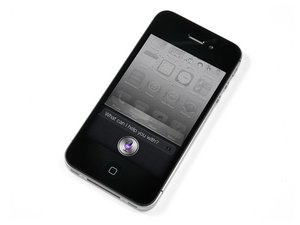
iPhone'un 5. jenerasyonu. Cihazın onarımı basittir; tornavidalar, kanırtma aletleri ve sabır gerektirir. GSM/CDMA / 16, 32 ya da 64 GB / Siyah ya da Beyaz.

screen replacment did not work

i replaced my iphone 4s screen with one i got from this site, i followed the directions and did not touch the back of the screen but my screen does not work, it turned on but does not respond to touch, is there a mistake i made? please let me know if there is anything i can do

Yanıtlandı! Cevabı görüntüle Ben de bu sorunu yaşıyorum

Bu iyi bir soru mu?

Puan 1
1 Yorum

I disassembled my old iPhone 4S after some water damage, and monkeyed with the display. I heard a small *pop* noise when I put the spudger between the LCD and display, likely ruining it. I then reassembled the logic board, plugging in the display in. There was no response from the display, no colors, no flickering, no nothing. Further, the logic board was too warm to the touch. One by one, I unplugged cables from the logic board, until only the dock and battery were still plugged in, and the logic board was still too warm. I ceased my tinkering, ordered a new display and headphone jack cable (broke that!), and have just installed them. The process felt successful. Now the display turns on but is only white with dark lines dancing horizontally and vertically. There are some pastel-like color changes and blinking. Power and home buttons work. iTunes recognizes the device when plugged into computer. I cleaned the metallic area on the LCD cable. Any thoughts? Did I short out the logic board?

Thanks!

tarafından

Yorum Ekle

3 Cevap

Filtre ölçütü:
Seçilen Çözüm

Reset, hold both home and power buttons until the iPhone restarts itself. If still problem, the screen could be faulty before install, or damaged during install. Go back and check your work. Make sure the smaller thin connector (digitizer connector) is perfectly attached to the logic board.

Bu yanıt yardımcı oldu mu?

Puan 2

1 Yorum:

thanks, i have double and triple checked my connections and i have the same result, i am getting a hold of ifixit now to see if there is a possibility that i gust got a bad display.

tarafından

Yorum Ekle

a common problem is that the digitiser connector is not threaded through the frame properly and has slightly torn the flex cable. Take the screen off and check the digi cable of a tear. when threaded properly the digi will be 1cm longer than the LCD flex.

Bu yanıt yardımcı oldu mu?

Puan 0
Yorum Ekle

It sounds to me that you have a bad screen assembly. When testing did you have the phone put back together. If so try it with the the phone opened and just have the display connectors connected with out the shield that covers and secures the connects down and see if that makes a difference.

Bu yanıt yardımcı oldu mu?

Puan 0
Yorum Ekle

Yanıtını ekle

zinckg86 sonsuza kadar minnettar olacak.
İstatistikleri Görüntüle:

Son 24 Saat: 0

Son 7 gün: 0

Son 30 gün: 6

Her zaman: 88