
Ana içeriğe geç

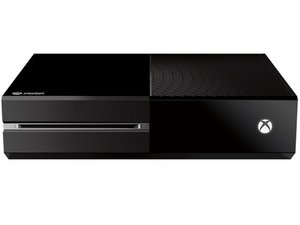
Microsoft's third-generation Xbox game console, released November 22, 2013.

Why does my sync button not click and work?

I tried to sync my controller and pressed the sync button on the console , and it feels as if it's missing a piece behind the sync button. It also presses farther down than normal.

Yanıtlandı! Cevabı görüntüle Ben de bu sorunu yaşıyorum

Bu iyi bir soru mu?

Puan 1
2 Yorum

When you say presses further down do you mean towards the front of the console?

tarafından

Well the button is on the side so I don't see how it would move towards the front.

But normally when you press the sync button it doesnt go in much further in than a couple of millimeters but my doesn't stop it from going further and easily lets you press down about a good half inch and feels as if nothing is behind it.

tarafından

Yorum Ekle

4 Cevap

Filtre ölçütü:
Seçilen Çözüm

Sounds like you may be missing the little black piece that fits behind the eject button. If you pry off that side cover you can see if it's there. It will be a small black piece that slides in on rails that will be kind of a triangle shape. It sits right behind that button to give you something to push against.

Bu yanıt yardımcı oldu mu?

Puan 6

10 Yorum:

Any idea where I can get one cause mine is missing

tarafından

Maybe keep an eye on Ebay...people usually post random stuff like that there.

tarafından

kajiji in CAN or ebay everywere else

tarafından

when I had this experience I had to buy another ENTIRE shell. couldn't find just the part.

tarafından

I have this piece but mine won’t work still can you help

tarafından

5 tane daha yorum göster

Yorum Ekle

I don't get it I was trying to connect my wireless controller to my Xbox one and when I pushed the sync button nothing happened. The little animation of the Xbox one power button didn't flicker like its sopossednto do

Bu yanıt yardımcı oldu mu?

Puan 3

3 Yorum:

Im having this same problem. Xbox worked fine for months but recently the light doesnt flicker and my controllers rarely connect wirelessly.

tarafından

I'm positive I've found out what the problem is provided that you are currently using an external harddrive. The xbox one just seems to suffer with 'power management' when it initially starts up. You can try hard resetting (holding power for 10 seconds) then removing the USB cable/ external harddrive, turn the xbox back on and when the main menu has loaded the sync button should work again and you can reconnect your controller then after plugging the harddrive back in. Hope this helps

tarafından

@ Andrew Connor;

We have the same problem... I've tried most of the day to sync the controller, and I couldn't find any luck, once I saw your feedback/comment and we follow the steps by pressing the main menu button for about 10 sec., and then, we found that the controller work again, so, our problem solved now. Thank you very much!

tarafından

Yorum Ekle

I tried the usb I tried the hard reset my controller will not sync and the button doesn’t flick on

Bu yanıt yardımcı oldu mu?

Puan 1
Yorum Ekle

You must use USB with internal data wires not just red and black so a xbox can talk to Gamepad

just standard USB charger lead will not sync cos it only has 2 Internal wires

best to use a smart phone USB charger

Bu yanıt yardımcı oldu mu?

Puan 0
Yorum Ekle

Yanıtını ekle

Braxton Davis sonsuza kadar minnettar olacak.
İstatistikleri Görüntüle:

Son 24 Saat: 0

Son 7 gün: 5

Son 30 gün: 27

Her zaman: 46,943