Ana içeriğe geç
Onarım Topluluğuna Katılın - Hesap Oluşturun

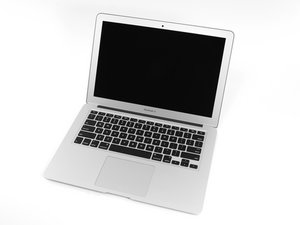
The larger of Apple's MacBook Air laptops featuring dual microphones and 802.11ac Wi-Fi connectivity.

How to replace the Arrow keys (bottom)

My Macbook Air (A1466) has lost functionality to the down arrow key, I am not sure if it is missing a part or can simply be snapped back in, It won't actually snap in as the clear (white) bracket is on my desk. How do I get it back in? I don't see a guide for this and every youtube video seems to reference a different model or other keys that are not the same as the arrow keys. In fact, the up key is also different than the down key mechanism having taken it off for reference.

Thanks.

Update (03/29/2017)

Block Image

Hopefully this is a good reference. Should there be a mechanism (spring) on both sides or just one?

Thanks.

Yanıtlandı! Cevabı görüntüle Ben de bu sorunu yaşıyorum

Bu iyi bir soru mu?

Puan 1
6 Yorum

Do you need the plastic button replaced or the button on the logic board

tarafından

Do you have the little rubber nipple still sticking up? It would be the part right under the Key. If this is missing the only thing you could do would be to replace the entire TopCase or just use an external KeyBoard.

tarafından

yes, the rubber nipple is there. It appears that my part is different from the OEM. Received this as hand me down. Can you acquire replacement keys?

tarafından

I believe you would need to order the replacement key from Apple. I'm looking into it now to see if there is another place. If you lived in Oklahoma I would say bring it to our shop we have tons of parts computers. Can you press down on that nipple and get the key to work? If not then a replacement key isn't going to fix it.

tarafından

There is a place called Replacement Laptop Keys - MacBook Air you should be able to get the replacement key parts from them.

tarafından

1 tane daha yorum göster

Yorum Ekle

1 Cevap

Filtre ölçütü:
Seçilen Çözüm

If the key is no longer working when you press it, buying the plastic key will not restore functionality. You will need to replace the whole keyboard to resolve this.

Two options;

1. Replace just the keyboard, easier to mess something up https://www.youtube.com/watch?v=2PyhbiwU...

2. Replace the palmrest where little can go wrong for a beginner MacBook Air 13" Mid 2013 Upper Case Replacement

If the key is functioning when you press the rubber spring, you will just need the keycap and mechanism, which you can find on Google or eBay by Googling "a1466 key" and comparing to the layout of the original mechanism.

Bu yanıt yardımcı oldu mu?

Puan 1

8 Yorum:

If he is missing the key then it could still work this is why I asked him to try the nipple to see if it is working when pressed. If he presses on the rubber nipple and the key still doesn't work then yes definitely a replacement TopCase needed.

tarafından

@iceplow that's why I gave him all of the options. Sounds like it is not working, since he says "My Macbook Air (A1466) has lost functionality to the down arrow key"

tarafından

@iceplow - It looks like the keycap lost the clips to hook onto the scissor mech, If depressing on the rubber the action works then thats whats needed.

tarafından

@danj good eye, will just need the keycap if it all works fine then :)

tarafından

LOL Lord have mercy! I'm pretty sure I asked him if when he presses on the nipple if it works or not from there We can all take turns telling him if he needs a TopCase or another key.

tarafından

3 tane daha yorum göster

Yorum Ekle

Yanıtını ekle

Brad Osborne sonsuza kadar minnettar olacak.
İstatistikleri Görüntüle:

Son 24 Saat: 0

Son 7 gün: 27

Son 30 gün: 81

Her zaman: 15,491