Ana içeriğe geç
Onarım Topluluğuna Katılın - Hesap Oluşturun

Boots only after multiple attempts

I dropped a coffee in the machine. Battery sub-system "died", it can't hold power either with Apple's battery or an OEM battery. The machine works normally when connected to power, but it has difficulty to boot. Here's what happens: I press the power button, little front light flashes, then nothing. I unplug/replug the power cord (I'm not sure why I do that, but it seems to help). Re-try. After five or six attempts the drive will start. I keep the power button pressed until the screen lights up. Only then I leave the button. Most times I'm good to go. A few times the machine lost power when I stopped pressing the power button. In such cases the next attempt worked. I took the machine to Apple service. They told me that it cannot be re-paired. However the machine has been working reliably for some months now if I follow this little ritual. Any ideas? Thanks!

Yanıtlandı! Cevabı görüntüle Ben de bu sorunu yaşıyorum

Bu iyi bir soru mu?

Puan -1
3 Yorum

Please give us the last three letters of your serial number so we can identify your machine and both be on the same page.

tarafından

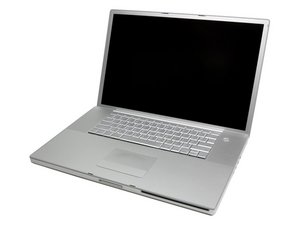
Apple MacBook Pro "Core 2 Duo" 2.5 17" (08) Specs

Identifiers: Early 2008 - MB166LL/A - MacBookPro4,1 - A1261 - 2199

tarafından

Thanks for your answer. The last three letters are "YP3". It would be great if you could give me an idea me which part of the system has gone bad so that I may try to replace it

tarafından

Yorum Ekle

2 Cevap

Filtre ölçütü:
Seçilen Çözüm

Hi Alexis,

After a liquid spill many faulty parts can affect the machine functionality and often the logic board is the culprit. If it was my machine I will begin by taking it apart and clean the spilled parts. Since your main problem seems to be a power issue (maybe related to the power switch) I would check the top case by trying to boot the machine without the top case attached by tripping the two power point pads located near the keyboard socket on the logic board. If the MBP starts normally this way then I would try to reboot with the top case attached using the power button.

Bu yanıt yardımcı oldu mu?

Puan 2

1 Yorum:

Hmmm... Sounds very reasonable. The only problem is that before attempting to follow your suggestions I need first to study the contents of this site for at least a couple of months. Thanks a lot, anyway

tarafından

Yorum Ekle

Download and run Coconut battery and tell us the results: http://www.coconut-flavour.com/coconutba...

See how it starts without the battery in and let us know. Inspect the battery connectors in the battery compartment for corrosion.

Bu yanıt yardımcı oldu mu?

Puan 1

3 Yorum:

Apple MacBook Pro "Core 2 Duo" 2.5 17" (08) Specs

Identifiers: Early 2008 - MB166LL/A - MacBookPro4,1 - A1261 - 2199

tarafından

the problem with liquid spills is that you have no idea of where the liquid has gone or what parts may have been damaged

tarafından

Thanks for your suggestion. I installed Coconut. Tried first the Apple battery. Coconut displays -1mAh for all variables and after a while it switches to "N/A". Tried the OEM battery next. Same thing. Something must be very dead inside there...

tarafından

Yorum Ekle

Yanıtını ekle

Alexis Argyris sonsuza kadar minnettar olacak.
İstatistikleri Görüntüle:

Son 24 Saat: 0

Son 7 gün: 1

Son 30 gün: 6

Her zaman: 1,580