1.5 Core Solo, 1.66 veya 1.83 Core Duo ya da 1.83 veya 2 GHz Core 2 Duo işlemci.
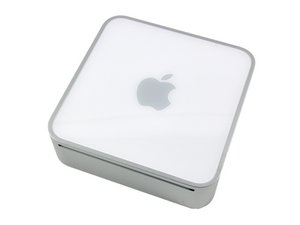
Bu sayfa, 2006'nın başından 2007'nin ortasına kadar üretilen ilk Intel tabanlı Mac Mini modellerini kapsamaktadır.
Hey, i have a Mac Mini A1176 model with a 1.66 GHz Core Duo in it and I'm wanting to speed it up. Whats the maximum Core 2 Duo ship i can put in it that the logic board can use??
Im looking at Intel Core2 Duo E7500 Wolfdale 2.93GHz 3MB L2 Cache LGA 775 65W Dual-Core Processor BX80571E7500 from NewEgg that looks like it would give my mini a good boost and i am also going to get another stick of RAM for it.
Would the 2.93GHz work without a problem in the A1176?
On a side note to the technical ones perhaps stating the obvious my going core duo you, we have extended the life of the little buggers by qualifying them for Lion and perhaps one more major OS upgrade by code manipulation. On the tech side I have been tempted to put an OCZ SSD 120 GHz in the place of the disk drive at app. 169$ CAN. it's mighty tempting and would make this little server somewhat fast benchmarks I suppose. The obvious weakness being the read wright times between the system and the little had drive. Hope this all helped.
you should be able to upgrade to a core 2 duo model. the most i have seen is an upgrade to a 2.16 model. you need one that fits the ZIF socket for your mac mini, the processor you mentioned...... won't work.
This is quite an undertaking and is not easy depending on experience, there is a step by step guide for replacing the processor right here on ifixit..... not assuming you don't know this, but thought i should mention it anyway.
You can find the correct processor by intel model number on places like ebay from a good seller who should be willing to confirm if it will work for your needs......... a good thermal paste like artic silver mentioned in the how to guide would also be needed along with the other tools etc.
I just put an Intel T7600 2.33 ghz in my Mini 1.1 and it went pretty much without a hitch. I needed my son to hold a the backside of a pen I used to push on the pins that held the heatsink to the processor but if you make sure to take the time and have all you need before hand, like 4-40 3/4 inch long nylon screws and bolts, I didn't have to use, then you should be fine. This was the biggest upgrade I have ever attempted new CPU, max memory and 500 gig hard drive swap. I had changed things and installed cards in my old Sawtooth G4 but nothing as tight as the mini. After one day it runs at about 46 48 deg. C with fan always set to 2025 rpm. Smalll or no charge.
I also just installed a T7600 2.33 GHz, and it was pretty much by the book. Read all the notes in each step before you do the step - they are a big help.
Also upgraded RAM and HD. The little machine is stepping along quite nicely now.
Sorry, I wasn't being clear. "By the book" meant doing things according to the instructions. The notes I was referring to are the ones that folks add to each step - the things they learn as they go.
Bu yoruma uygun yeri bulmak için bu konuyu kaydırın. Ardından, taşımak için "Bu yazıya yorum ekle"ye tıklayın.
1 Yorum:
well i haven't checked to be sure but my guess would be it would work fine, the processor would just not run at the proper clock rate (slower clock rate). so on my AMD Black powered machine (Multiplier and the FSB) i can increase the voltage to my processor and make it run @ a significantly higher clock rate if i wanted. Some research would be required to find your best fit for your needs. Socket M is what you should be looking for if memory serves, They are quite a few people online that have done this type of upgrade and how they did it including the ifixit guide for this model macmini.
It is not easy to get hold of the T7400 2.16Ghz like you have mayer but if you find one I think they are the best value speed/cpu temperature. Newegg does not carry them any more at least. Ebay is a good source.
Long back in 2007 I upgraded my Mac Mini Solo to a 2.0Ghz Core Duo (Not Core 2) because it was really cheap. The pins on the Core Duo and the Core 2 Duo are the same also for T7400 and T7600. I was very satisfied with my Core Duo 2Ghz upgrade but my friends T7600 2,33Ghz was always running very hot. I think it is very important to use thermal paste like Arctic Silver and use very little paste. I would say too much is worse than too little. The Mac Mini does not have very good cooling structure. I got my MacBook Pro (2007) back from Apple for a free logic board replacement. After that it was always running hot. So after some advice I took it apart and removed all the paste from the CPU sink. I used then only enough Arctic Silver to cover the contact area before putting it together again. Since it has run a lot cooler!
So you want a fast Mac Mini but not a hot one! We have enough fans blowing around us :-)
Bu yoruma uygun yeri bulmak için bu konuyu kaydırın. Ardından, taşımak için "Bu yazıya yorum ekle"ye tıklayın.
1 Yorum:
The GMA950 chipset limits RAM addressable to 3.3Gb. I have done speed comparisons (geekbench3) with 'matched ram' of 2x1Gb, 2x2Gb, and 1x1Gb+1x2Gb with minimal differences. So go for 1gb+2gb=3Gb.
I updated a Mac Mini A1176 1.66 GHz Core Duo with the following:
500GB Seagate Momentus (Amazon)
2.33 GHz T7600 processor (Amazon)
4GB RAM (3GB usable)
New Optical drive (OWC)
New PRAM battery
I found that using one of the old 1GB memory sticks with a new 2GB stick did not work. I had to remove the old stick for the machine to come up. I ordered another new 2GB stick so that I could use 3GB RAM when operating with Lion OS. I know I can update the "bios" to 2,1 and also get Lion operational by deleting the hidden ."pram" file.
I broke one of the plastic post retaining thingys while removing the processor heat sink but fortunately I ordered some replacement plastic screws ahead of time.
Also, I bought the two small bottles of stuff to remove the old thermal paste and I found I had to work away at it several times using a credit card to get the paste of the heat sink and the processor. Also, it was difficult getting the heat sink off the processor after removing the pins. The heat sink was "welded" to the old processor. It came off in the end. The processor upgrade was tricky on this machine. Work slowly and carefully.
The T7600 proc would not "drop" into the socket so I had to apply gentle pressure to persuade it to go in. I was very careful and it locked up ok.
I have my old CoreSolo with T7600 for some years. But since upgrade, USB is crazy. I can connect mouse and keyboard, but not disk (pendrive or HDD) is recognized. USB also do not power up any other device with 5V, like iPhone charge.

 2
2  5
5 
 2,6b
2,6b 









4 Yorum
You will not be able to realize the full potential of any Core 2 Duo you install in that, it will always run as a 32bit.
ABCellars tarafından
On a side note to the technical ones perhaps stating the obvious my going core duo you, we have extended the life of the little buggers by qualifying them for Lion and perhaps one more major OS upgrade by code manipulation. On the tech side I have been tempted to put an OCZ SSD 120 GHz in the place of the disk drive at app. 169$ CAN. it's mighty tempting and would make this little server somewhat fast benchmarks I suppose. The obvious weakness being the read wright times between the system and the little had drive. Hope this all helped.
Sly
Sylvain Robichaud tarafından
Have you got any data on upgrades of Digital Audio G4 Macs? I'm considering dropping a 1GHz dual from a Quicksilver into a 733MHz DA.
garyobrien tarafından
Gary - Please start a new question on this. I've done a lot of processor upgrades on the G4S.
mayer tarafından