
Ana içeriğe geç

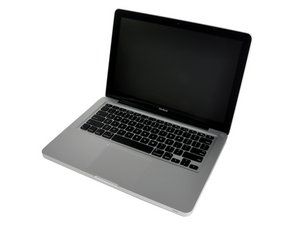
13" aluminum unibody, 2.0 or 2.4 GHz Core 2 Duo processor.

why is my Track Pad jumpy?

Errotic and Jumpy trackpad

Somehow my trackpad become jumpy.I've tried to clean the trackpad and my hand. But it stilll happen. it only happen when my Mac is connected to the internet. but not always when my my Mac is connected it happen (got it?). I've asked the apple store, but they dind't know why either.

Yanıtlandı! Cevabı görüntüle Ben de bu sorunu yaşıyorum

Bu iyi bir soru mu?

Puan 0
1 Yorum

Erratic, not errotic, good one though.

tarafından

Yorum Ekle

3 Cevap

Filtre ölçütü:
Seçilen Çözüm

Make sure that the trackpad is dry since this symptom of jumpy cursor. A moist trackpad causes the capacitance that the trackpad use to know where your finger is to see the moisture as a "false finger" thus the the jumpy cursor.

Bu yanıt yardımcı oldu mu?

Puan 0
Yorum Ekle
En Yararlı Yanıt

I have had this problem for a while this winter (it’s March now). Tried different pad settings, cleaning the pad, etc. No help. I noticed one day that it worked OK for about 15 minutes after I had washed dishes, then went bonkers again. Then we had a warm day with a lot of rain and it worked OK. I decided static electricity had something to do with it. I tried a cell phone stylus instead of my finger. Worked OK. Since I sometimes get a static shock when I touch the laptop case I tried keeping my other hand in contact with the case, worked OK. Still looking for a really good solution, but I’m close. Being grounded while trackpadding will probably do the trick. Also, one of those bedside humidifiers would likely be a solution.

Bu yanıt yardımcı oldu mu?

Puan 1

1 Yorum:

I Have this problem too: cursor jitters a little when finger rests stationary on trackpad. I also found that grounding with the other hand fixed the issue. Problem is... you often need to use the other hand ... phone, tea, papers etc.

Solution: place a piece of kitchen foil under the Mac below the trackpad, with enough protruding to rest the heel of your hand on. This grounds the trackpad, and - for me, at least - stops the jittering.

If it works for you, spread the word!

tarafından

Yorum Ekle

Take out the battery, flip the machine over and check the ribbon cable that runs from the trackpad to the keyboard, to the connector. Known issues are: loose at connection point, or ribbon could be wrinkled, lose, crimped so that pressing keys moves the connector.

Some people have had luck just pressing it flat against the keyboard,(especially where it passes through the slot in the sidewall) other have shimmed the cable using a folded sticky note beween the cable and the battery.

Good Luck,

N.

Bu yanıt yardımcı oldu mu?

Puan 0

3 Yorum:

I didn't found any ribbon cable in there. after i remove the battery it's just clean, empty (look nice though,hha).i didn't find any cable and connector at all...

tarafından

My bad, I was thinking of a different model, the ribbon cable can still be the problem but look here and in the following/previous pages.

The two cables and connectors are very small and at the edge of the mid wall.

N.

tarafından

Had similar track pad problems after 2 years use of an ASUS laptop. Tried many things, cleaning, changed options, etc, etc. Got a new pad for $30. It's fixed.

tarafından

Yorum Ekle

Yanıtını ekle

Ukasyah sonsuza kadar minnettar olacak.
İstatistikleri Görüntüle:

Son 24 Saat: 0

Son 7 gün: 0

Son 30 gün: 12

Her zaman: 2,856

