Ana içeriğe geç
Onarım Topluluğuna Katılın - Hesap Oluşturun

RAM Exchange - Cover prevents exhange

Hello community,

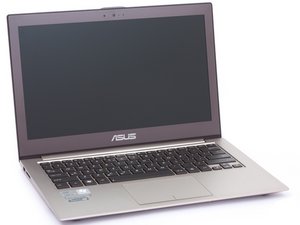
I have bought a SSD and a 16GB SODIMM RAM to upgrade my Asus Zenbook UX510UX(-CN179T). As I was trying to exhange the RAM, I realised there is a cover above it.

I am not sure if I can open it.

My questions:

Is there somebody who can tell me if I can remove the gray cable from the cover? What else do I need to do?

Resim

Thank you very much!

Kind regards from germany!

Yanıtlandı! Cevabı görüntüle Ben de bu sorunu yaşıyorum

Bu iyi bir soru mu?

Puan 0
Yorum Ekle

2 Cevap

Filtre ölçütü:
Seçilen Çözüm

Hi Paul Bmm

Below is one helpful link which you can refer to:

https://www.ultrabookreview.com/13046-as...

Bu yanıt yardımcı oldu mu?

Puan 0
Yorum Ekle

Thank you! I got it.

You have to press the box from both short sides and move it a bit. It then opens easily. I have temporarily removed the grey cable as well, that doesnt seem to be a problem.

Bu yanıt yardımcı oldu mu?

Puan 0
Yorum Ekle

Yanıtını ekle

Paul Bmn sonsuza kadar minnettar olacak.
İstatistikleri Görüntüle:

Son 24 Saat: 0

Son 7 gün: 1

Son 30 gün: 15

Her zaman: 147