
Ana içeriğe geç
Onarım Topluluğuna Katılın - Hesap Oluşturun

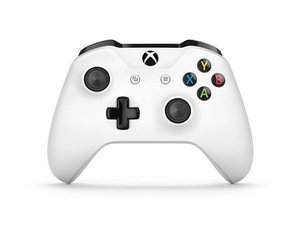
Xbox One oyun kolu, 2016 yılında Xbox One S'in piyasaya sürülmesiyle tanıtılmış olup Windows 10/11 için Bluetooth desteği eklemiştir. Bu oyun kolu, Model 1537/1697 oyun kollarında bulunan birçok tasarım kusurunu düzeltir ve çok daha güvenilirdir. Bu oyun kolu, geliştirilmiş Model 1914 oyun kolu ile değiştirilmiştir.

My Controller Will Not Connect To My Xbox

I have tried updating it and its completely updated, and nothing that I can see internally is wrong like nothing looks water damaged, nothing looks bridged and nothing looks burnt but it will not connect. It will flash for a few sec then I tried using the sync button and it connected for about 4 sec but it seemed to disconnect when I touched a button but it would connect if I didn’t press anything after. I just want to know if this is a board problem or something else and if it is a board problem what board do I need to replace?

Bu soruyu yanıtla Ben de bu sorunu yaşıyorum

Bu iyi bir soru mu?

Puan 0
Yorum Ekle

1 Cevap

Filtre ölçütü:

If your Xbox One Wireless Controller is not syncing or connecting to your Xbox console, see the Xbox One Wireless Controller Won’t Connect to Console problem page for possible causes and solutions.

Have you plugged the controller into the console via USB to manually sync?

Does it stay synced after you remove the cable or lose sync?

Have you got another controller to see if it happens with all controllers or just one?

Further information is needed to help you with this, please provide as much info as possible.

Bu yanıt yardımcı oldu mu?

Puan 0
Yorum Ekle

Yanıtını ekle

WilliamNonya sonsuza kadar minnettar olacak.
İstatistikleri Görüntüle:

Son 24 Saat: 0

Son 7 gün: 6

Son 30 gün: 25

Her zaman: 737