
Ana içeriğe geç

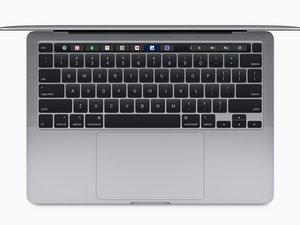
Released in November 2020, the 13" MacBook Pro features Apple's Arm-based M1 SoC with both an 8-core CPU and 8-core GPU. (Model A2338 / EMC 3578 with two Thunderbolt 3 ports)

My TAB key is not responding

Hello.

Bought in December and have been using it for a month, suddenly discovered that the TAB key is not responding at all. Contacted Apple but they ask me to send in for repair but where I stay do not has an official Apple Store, the authorized service centre wants to keep to repair my MBP for 5-7 day. I can’t afford to send in as this is my primary machine.

May I ask, can I remove to check and how to put it back? Is there any instruction?

Bu soruyu yanıtla Ben de bu sorunu yaşıyorum

Bu iyi bir soru mu?

Puan 0
Yorum Ekle

1 Cevap

Filtre ölçütü:

Your dammed either way! Having Apple fix it will be free but will take a few days, Doing it your self you put the system at risk of more expensive repairs and void your warranty if something more happens!

The only good thing is you have a bit of a window time-wise which you can plan to be without your system.

Look at getting an iPad so you have something to use for your email or other smaller stuff. Or, look at finding a used Mac that will work as a backup system. Or, did you have a vacation to the mountains planned skiing? Or other COVID safe event.

Basically, is it worth the risk of the higher cost? I don’t think so in such a new system!

But if you’re going to throw good reason away here’s one of the only sources who likely have the parts MacBook Pro Late 2019 - 2020 KeyCap parts Click on the image to dig deeper into the parts.

Bu yanıt yardımcı oldu mu?

Puan 0
Yorum Ekle

Yanıtını ekle

Cliff sonsuza kadar minnettar olacak.
İstatistikleri Görüntüle:

Son 24 Saat: 0

Son 7 gün: 2

Son 30 gün: 6

Her zaman: 110
