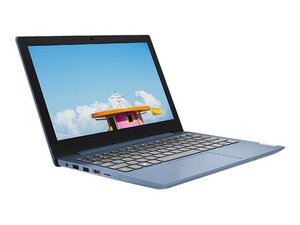
Lenovo IdeaPad 1-11lGL05, Lenovo tarafından üretilen bir dizüstü bilgisayardır. Bu sayfa, Lenovo IdeaPad 1-11lGL05 ile ilgili onarım ve servis bilgilerini içerir.
It’s on rest mode and it won’t turn on, I can’t restart it because it just keeps blinking no matter how long I hold it down for, I tried removing the battery and then plugging it back it but it didn’t work. Before when it was working it asked to download something and I pressed ok and then it froze on my Lock Screen and I held down the power button to restart it but then now it won’t turn on and the power button is just flashing, please help if you know how to fix this
Disconnect the main battery and then the RTC/CMOS battery in the middle of the screen with the black and red wires. Press power button for at least 30 seconds to discharge any power. This should reset the BIOS. Reconnect RTC/CMOS battery and main battery and reassemble.
Power on. Let us know how it goes.
If that fixes it then go to the Lenovo web site and run the diagnostics and update BIOS, if needed, and any other drivers:
Bu yoruma uygun yeri bulmak için bu konuyu kaydırın. Ardından, taşımak için "Bu yazıya yorum ekle"ye tıklayın.
7 Yorum:
Yes I’ve tried this before but it didn’t work and I did it again right now but it still just keeps flashing, but when the battery is full the light stops flashing and it just stays on, I’ve tried to press caps lock to see if it would turn on and it didn’t, thank you tho. Is there any other advice I can try?
* You could possibly have download some malware. Never download anything unless you know what it is. Especially note its source and alleged name.
* I have added information in the "Answer" section above on how to use the NOVO button. See if you can get into the BIOS/UEFI setup utility Let us know how it goes.
*Charging light (left side 2nd from back) Indicate whether the computer is connected to ac power:
•Solid white: connected to ac power; battery capacity 91%–100%
•Solid amber: connected to ac power; battery capacity 1%–90%
I have tried and it’s still the same, the light is still blinking I’m sorry it took a while to respond I’ve just been busy but thank you for trying, do you any other advice?
When you had the system open did you try disconnecting the main battery and with just the power supply plugged in seeing if it boots up or at least gets to the BIOS screen - of course observing lights and what they do.
If you were more clinical with your responses it would be very helpful as you are my eyes and ears and I wouldn't have to ask as many questions. Things like, for example, if the lights blink in a particular pattern and colour. What the Power light is doing and what the Charging light is doing. Troubleshooting requires keen observation and a slow gentle pace so you notice things.
I had the same problem with my power button steadily flashing and used suggestions from other sites to change my sleep / hibernate options but that didn't work. I then took advise to update the BIOS and "Boom! Problem Solved".
Download the Intel Graphics Control Panel Ap from the microsoft store, if you don't already have it.
Disable the feature under power settings called "refresh rate switching". It is an energy savings strategy that causes the blinking issue. It took me YEARS to find this fix!!! Thank you AIC Video on Youtube!!!
Most likely you have your monitor/display options set to an external/secondary display. Once the Lenovo logo appears and then fades back to black, with the power button still flashing, press:
Fn(hold) + F10(tap)
This function switches between display options. If this fixes the problem and you are not able to interact with the login screen with the touchpad, simply press
Fn(hold) + F6(tap)
This function disables and re-enables the touchpad
Really hope this helps anyone still in need of a fix for this very annoying issue!

 3
3  1
1 
 66
66