Ana içeriğe geç

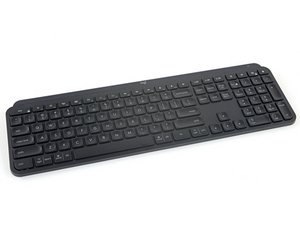
Repair and disassembly information for Logitech's MX Keys wireless keyboard. Identifiable by model number YR0073.

Backlight cycling nonstop why?

My 2nd MX keys keyboard with same issue developed after few months. Backlight cycling on and off regardless of time of the day which drain battery really quick. Looks like common issue, found some videos on YT. Fault lay in proximity sensor that can not be disabled by software or key combination without completely disabling backlight which I want to keep. So far I tried.

  • latest firmware
  • blow air to clean dust (sometimes help for little while)
  • turn off&on power
  • change to bluetooth connection
  • change RF receiver

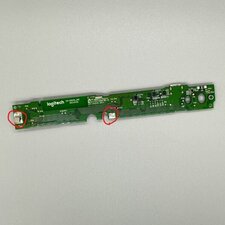
My fix was to disconnect one of the wires inside of keyboard to totally disable proximity sensor.

Logitech do not want to own the issue.

Bu soruyu yanıtla Ben de bu sorunu yaşıyorum

Bu iyi bir soru mu?

Puan 1
Yorum Ekle

1 Cevap

Filtre ölçütü:

In my case, the problem was a poor fit between the foamed conductive contacts and the metal plate, I soldered the wire to one of the contacts and clamped the other end between the screw and the plate, after that the problem went away.

I am very surprised by such a technical solution from Logitech engineers (look at photo):

Block Image

Bu yanıt yardımcı oldu mu?

Puan 0
Yorum Ekle

Yanıtını ekle

Ten Deepfake sonsuza kadar minnettar olacak.
İstatistikleri Görüntüle:

Son 24 Saat: 0

Son 7 gün: 7

Son 30 gün: 44

Her zaman: 407