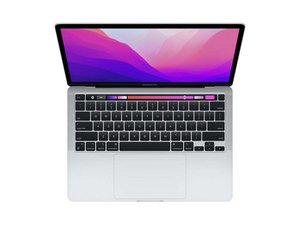

Material under keyboard/hinges
Can anyone help with what this may be? It seems like a piece of cardboard/paper material.


Bu iyi bir soru mu?
Puan
0
İtibar: 29
 3
3
Can anyone help with what this may be? It seems like a piece of cardboard/paper material.
Bu iyi bir soru mu?
İtibar: 502,4b
35
 347
347
 977
977
It looks like you’ve damaged the antenna bar. Review Steps 23 thru 26 in this guide MacBook Pro 13" 2022 (M2) Ekran Düzeneği Değişimi you can order a replacement directly from Apple now via their Self repair program.
Bu yanıt yardımcı oldu mu?
Thanks. So I should take it to Apple store since it is within warranty. I did not do anything tbh but the usual opening of the monitor to power up and use. The material poking out looks like paper/cardboard. Thanks for the answer.
@skinkon - Yes! This part shouldn’t have been used! Someone was asleep in QC! The black plastic failed to mold over the antenna bar.
The sooner you go the better! As they may try to weasel out (local authorized reseller) you may need to go to a real Apple Store or ship it to them.
Son 24 Saat: 0
Son 7 gün: 1
Son 30 gün: 4
Her zaman: 237

