
Ana içeriğe geç
Onarım Topluluğuna Katılın - Hesap Oluşturun

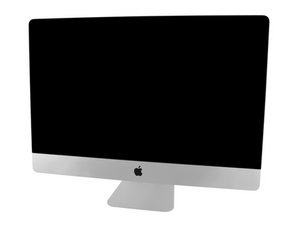
Model A1419 / Late 2012 / 2.9 & 3.2 GHz Core i5 or 3.4 GHz Core i7 Processor, ID iMac13,2

Install OS on 2012 iMac headlessly?

I came across a 2012 iMac (A1419) with a busted display. I removed the LCD panel and the cable altogether, connected it to an external display using a mini DP -> HDMI adapter and it booted up and output to the external display. However, the previous owner didn't wipe the hard drive so I'm stuck at the login screen. And I eventually want to run Linux on it heedlessly.

So I burned a Catalina recovery USB and tried to boot from it. I used a USB keyboard and pressed and held option key when powering up. The USB stick should be good. I can boot from it on a MacBook. However, it looks like the initial screen is not output to the external display so I have no way to install the OS.

Has anyone succeeded in doing this? If so, what's the trick? Thanks.

Yanıtlandı! Cevabı görüntüle Ben de bu sorunu yaşıyorum

Bu iyi bir soru mu?

Puan 1
4 Yorum

Can you hear anything from the computer? Such as the HDD or the computer speaking for VoiceOver?

tarafından

The hard drive is spinning (it’s an old magnetic hard drive, not an ssd, haha). But otherwise there’s no sound. It’s been a while since I installed macOS from scratch. But does voice over come in automatically?

tarafından

You can see the boot options screen on the external monitor, correct?

tarafından

No, I can’t. The first thing I see on the external monitor is the login screen of macOS. This seems to be different from MacBook where the display is mirrored from the very beginning.

tarafından

Yorum Ekle

1 Cevap

Filtre ölçütü:
Seçilen Çözüm

Why don’t you just take the drive out and connect it to you MacBook to wipe the drive using Disk Utility? Then put it back.

Bu yanıt yardımcı oldu mu?

Puan 1

4 Yorum:

Sorry, I didn’t make it clear. My goal is not wiping out the hard drive. I couldn’t care less about it.

My ultimate goal is installing and running Linux headlessly on it. My current obstacle is installing any OS without the built in display.

If I had an identical or at least similar fully functional iMac, I could install the OS on that machine and move the hard drive over afterwards. But unfortunately I don’t.

tarafından

@delingren - The goal was to clear the user account so you could install whatever OS you wanted. As far as the install you can also do it from your other Mac depending on the flavor of Linux if the other system is a M series. Thus bypassing the need of a display on your iMac.


Otherwise you’ll need to get a replacement display assembly.

tarafından

Oh, I see what you mean. Good point. Lemme try to install a Linux on a hard drive on another computer and transplant to this iMac. I don’t have an identical machine but lemme try a MacBook. And since it’s intel based maybe a PC works too? We will see.

tarafından

I installed Ubuntu on an SSD using a PC laptop and put it on the iMac and it booted and ran on the external display.

tarafından

Yorum Ekle

Yanıtını ekle

Deling Ren sonsuza kadar minnettar olacak.
İstatistikleri Görüntüle:

Son 24 Saat: 1

Son 7 gün: 5

Son 30 gün: 20

Her zaman: 329
