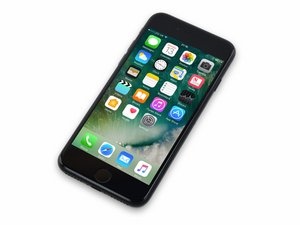
Bootlooping when connected to the charger but can't recovery mode
Görsel içeriğini görün:
Bu iyi bir soru mu?
Puan
0

İtibar: 1
 1
1
Görsel içeriğini görün:
Bu iyi bir soru mu?

İtibar: 3,2b
5
 2
2
 1
1
Hello, try to open the iphone and disconnect the flex cabels but leave the battery connector and the screen connector attached to motherboard and do a reset. Afther the reset you can connect the cables again. Hope this works for you.
Bu yanıt yardımcı oldu mu?

İtibar: 931
7
1
1
Usually the cause of iPhone bootloops is either a totally dead battery or a water damaged motherboard. I would suggest you to get a new battery, and see if the same problem occur.
Bu yanıt yardımcı oldu mu?

İtibar: 151
3
Hello, iPad basic tech repair here.
Bootloops can be caused by a variety of things, ranging from the battery to some sort of board issue. In this case, it might actually just be a software issue and fixable without having to open the phone. An easy thing to do is to just let it charge for a while, since the bootloop could be cause by the battery just not having enough power to let the phone boot properly so it just keeps trying.
1: Let the phone charge for about and hour minutes (this might fix the issue on it's own)
2: Make sure you have your Apple ID on hand
3: Download iTunes and sign in with your Apple ID (Available for MAC and PC: https://www.apple.com/itunes/)
4: Hold the home button and the power button down. The screen will go black, and then the apple logo will pop up. When the apple logo shows up, let go of the power button and it'll bring you to a screen that shows a wire and a computer.
5: In iTunes it'll pop up with a screen saying your device is in restore mode, and then it's let you either update or restore. Click update, and then give it about 15-20 minutes for it to update, being sure to not remove the phone.
6: If the update fails, you'll have to try to use the restore method. This will remove your data, so make sure you have your Apple ID info to sign into your phone again.
7: After the restore, just re-download everything via your apple ID and you should be good to go.
If you're not comfortable possibly losing the data (or you don't have an apple ID), then replacing the battery would be the best course of action. However, keep in mind that iPhones are a pain in the rear to open and service, since there's a lot of delicate wires and tiny screws. Thankfully, iFixit has a guide on the battery replacement: iPhone 7 Battery Replacement
If you are okay with losing data (or have everything backed up), I'd go for trying to restore it instead, since you won't have to open the phone up to fix it, and all it takes is a computer and some time.
If these both fail, it means there is probably a board-level issue that has to be fixed (Maybe a chip malfunctioned), and that would have to be taken to a repair shop unless you're comfortable with board-level soldering.
Bu yanıt yardımcı oldu mu?
Son 24 Saat: 0
Son 7 gün: 4
Son 30 gün: 13
Her zaman: 103
