Ana içeriğe geç

2.0GHz, 2.3GHz, or 2.6GHz quad-core Intel Core i7 processor (Turbo Boost up to 3.8GHz) with 6MB shared L3 cache.

MacBook not turning on

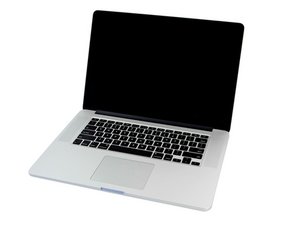
Hey all! I was installing macos mavericks on my macbook, when it suddenly turned off and refused to turn back on again. The charging indicator shows that its charging thogh (the orange and green light) but isnt actually on. What can i do to fix it or what can be the cause? Thanks

Bu soruyu yanıtla Ben de bu sorunu yaşıyorum

Bu iyi bir soru mu?

Puan 0
Yorum Ekle

1 Cevap

Filtre ölçütü:

Let's try a hard SMC reset.follow this guide to Step MacBook Pro 15" Retina Display Late 2013 Battery Replacement now with nothing plugged in press and hold the power button for a good 15sec's this will discharge the logic board. Now carefully plug in the MagSafe charger only, the system should spontaneously restart, let it complete the process and do a clean shutdown. Now carefully reconnect the battery and with the MagSafe charger also connected see if that works if it does, shutdown and disconnect the charger and test again. If any of these fails let us know.

Bu yanıt yardımcı oldu mu?

Puan 0

3 Yorum:

Hey til what step? I think your text glitched a bit

tarafından

I figured it out and tried your steps. Didn't work. However when i plugged the charger in and let go of the power button, it turned green, then it went back to orange

tarafından

@zarrar_ - I if it stays Amber, the battery needs to be charged and might need replacing as well. Let it sit a good four hours, then try to turn it on then.

tarafından

Yorum Ekle

Yanıtını ekle

Zarrar sonsuza kadar minnettar olacak.
İstatistikleri Görüntüle:

Son 24 Saat: 0

Son 7 gün: 4

Son 30 gün: 14

Her zaman: 73
