Ana içeriğe geç

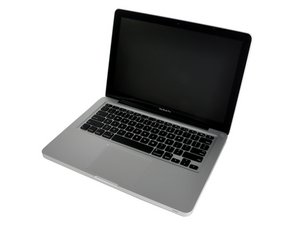
Mid 2010 Model A1278 / 2.4 or 2.66 GHz Core 2 Duo processor

Mac restarting to prohibited symbol after SSD upgrade

I upgraded the 320gb hard drive in my mid 2010 MacBook Pro to a 1TB WD Blue SSD and it works great, except for one problem. When I click restart from within macOS, the laptop shows the Apple logo for about 2/3 of the loading bar and then changes to a prohibited symbol. It boots just fine from a shutdown and works reliably. The MacBook is running macOS High Sierra, so it’s not a version that it can’t support.

Yanıtlandı! Cevabı görüntüle Ben de bu sorunu yaşıyorum

Bu iyi bir soru mu?

Puan 0
Yorum Ekle

1 Cevap

Filtre ölçütü:
Seçilen Çözüm

These old 2010's systems support.SATA 3 Gb/s whereas the WD Blue SSD is highly likely to be of SATA 6 Gb/s which maybe causing a bottleneck. You may need to find an SSD that can auto switch to 3 Gb/s speeds (Samsung is a good brand that can do this).

https://everymac.com/mac-ssd-storage-upg...

This maybe related to your issue.

Bu yanıt yardımcı oldu mu?

Puan 2

1 Yorum:

Yes, these older systems struggle with SATA III drives as the data flow overwhelms the buffers. You also run the risk of corrupted files as well as hangs.

If you review the WD Blue SSD it's only a SATA III (6.0 Gbps) drive. Time to find an Auto sense drive that works within a SATA II (3.0 Gbps) system or just get a SATA II (3.0 Gbps) drive.

tarafından

Yorum Ekle

Yanıtını ekle

n3rdbug96 sonsuza kadar minnettar olacak.
İstatistikleri Görüntüle:

Son 24 Saat: 0

Son 7 gün: 0

Son 30 gün: 11

Her zaman: 78