Ana içeriğe geç

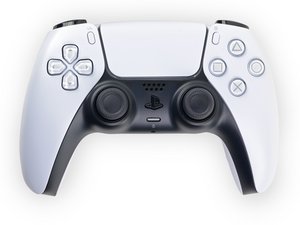
Repair guides, disassembly, and troubleshooting information for the first generation Sony PlayStation 5 DualSense controller, successor to the DualShock series. Identified by model number CFI-ZCT1W and motherboard model BDM-010.

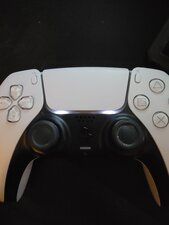
Controller has two white lights under touch pad wont connect
Block Image

It won't connect to ps5 will connect to pc Bluetooth but disconnects after 5 seconds and the lights stay on if I unplug the battery and pluge it back in they come back on

Bu soruyu yanıtla Ben de bu sorunu yaşıyorum

Bu iyi bir soru mu?

Puan 0
Yorum Ekle

2 Cevap

Filtre ölçütü:
En Yararlı Yanıt

Hi!

The two white led's like that indicates that it's having issues to find the device to connect with.

Press and hold the PS button and Share button at the same time till the LED bar is blinking, then go to the bluetooth settings and connect to the controller.

If this isn't working, then try to reset the controller with the reset hole at the back.

Just to confirm, when you connect the controller trough USB, it works, right? If this is the case, then also update the controller it's firmware.

If all of above failed, then it's most likely motherboard related...

Please let us know how it goes!

Bu yanıt yardımcı oldu mu?

Puan 1

2 Yorum:

Yea tried it all nothing works bluetooth only works for a couple seconds on pc and it won't even connect to the ps5 well time to get a new one had that one since launch thanks for the help

tarafından

Ah yes, then I'm afraid it's motherboard related :(. You can buy a new one or get it fixed with a new/used motherboard! If you buy a new one, I recommend to disassemble the controller and get the parts out which are working! Maybe it will come in handy if something happens with your new one! Take care and have a nice day!

tarafından

Yorum Ekle

You're player 2

Bu yanıt yardımcı oldu mu?

Puan 0
Yorum Ekle

Yanıtını ekle

Kk Kk sonsuza kadar minnettar olacak.
İstatistikleri Görüntüle:

Son 24 Saat: 1

Son 7 gün: 29

Son 30 gün: 136

Her zaman: 339

