Ana içeriğe geç
Onarım Topluluğuna Katılın - Hesap Oluşturun

Why is my trackpad stiff?

I got this MacBook today second hand and the battery is fine, so I'm pretty sure it isn't an issue with bloating. The click registers and works, but even on the firm setting, it feels quite light and not how a proper click should feel. I compared it with another 2019 MacBook Pro, and that one was fine. Is the issue with the trackpad itself? Thanks

Yanıtlandı! Cevabı görüntüle Ben de bu sorunu yaşıyorum

Bu iyi bir soru mu?

Puan 0
Yorum Ekle

1 Cevap

Filtre ölçütü:
Seçilen Çözüm

The trackpad control logic is on the backside of the trackpad unit. I had to replace one due to tracking issues. The click action is a bit different as the same sensor surface reacts a bit differently as you compress it. I'm sure your trackpad suffered some damage likely a liquid spill that got onto the back side.

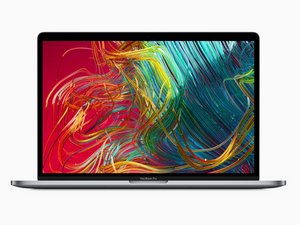
Here's the the needed park MacBook Pro 15" Retina (Late 2016-2019) Trackpad and here's the guide MacBook Pro 15" Touch Bar 2019 Dokunmatik Yüzey Değişimi. This is one of the easiest to replace as you don't need to remove the battery.

Replace a damaged or malfunctioning trackpad compatible with a Late 2016 to 2019 model MacBook Pro 15" with Retina Display and Touch Bar. Görseli

Ürün

MacBook Pro 15" Retina (Late 2016-2019) Trackpad

$54.99

Bu yanıt yardımcı oldu mu?

Puan 0
Yorum Ekle

Yanıtını ekle

Ryzobyte sonsuza kadar minnettar olacak.
İstatistikleri Görüntüle:

Son 24 Saat: 0

Son 7 gün: 2

Son 30 gün: 20

Her zaman: 197
