
Ana içeriğe geç
Onarım Topluluğuna Katılın - Hesap Oluşturun

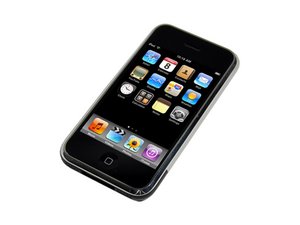
iPhone'un ilk modeli. A1203 modeli, 4GB, 8GB, 16GB kapasiteye ve alüminyum arkaya sahiptir. Tamir, kayda değer miktarda kanırtıp açmaya ihtiyaç duyar ve lehimleme gerektirebilir.

How to replace/fix home button?

After falling on the floor (1 meter high drop), my 8GB iPhone operates properly except for the home button which does not work anymore. I can "click" with it but it has no effect. The USB connector works well as i can recharge the iPhone without any problem.

i have not found any tutorial/guide for changing a broken home button, or any connector that may be connected to it.

On your photos, i have not seen the Home Button... :-(((

Any ideas, or should I try to sell it for parts?

many thanks for your feedback,

Best Regards

Jean-Baptiste

Bu soruyu yanıtla Ben de bu sorunu yaşıyorum

Bu iyi bir soru mu?

Puan 1
Yorum Ekle

1 Cevap

Filtre ölçütü:
En Yararlı Yanıt

No need to get rid of the iPhone due to "Home" button malfunction. Search Google for "iPhone home button repair" you will find the part(s) you need. Make sure you get the correct button (2g, 3g, 3gs).

Update

No need to vote down. I didn't post links because I wasn't sure if it was allowed. You didn't say if you had a 3G or 3Gs, I will assume you have a 3G. Easiest way to change the home button and circuit is to get a complete top (digitizer, glass, home button, etc). Just use ifixit's tear down guide to disassemble and reassemble.

Here is a Ebay link to the unit: http://tinyurl.com/yzhnfe5

It may not be the cheapest solution ($67.99 USD), but it will be the easiest.

*Please vote up if I've helped

Bu yanıt yardımcı oldu mu?

Puan 4

1 Yorum:

That's not real helpful- can you link to a button and a guide?

tarafından

Yorum Ekle

Yanıtını ekle

JeanBaptiste sonsuza kadar minnettar olacak.
İstatistikleri Görüntüle:

Son 24 Saat: 0

Son 7 gün: 0

Son 30 gün: 11

Her zaman: 21,441