
Ana içeriğe geç

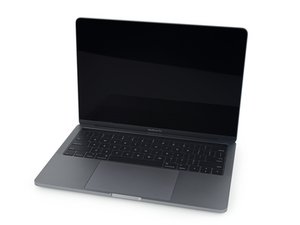
{A1989 / EMC3214}—Released in July 2018, the 13" MacBook Pro features quad-core i5 and i7 processors and Intel Iris Plus integrated graphics.

My laptop doesn’t turn on after battery repair

I recently attempted and thought I had completed a battery repair on my MacBook. But when I flip it around and try to turn it on nothing happens. Then I connect it to power and the Apple logo comes on. Stays on for awhile then goes away and it hasn’t tried to do anything sense. I have gone through and made sure every connection is there and all the screws are in the right place I just don’t know what to do any help is much appreciated

Bu soruyu yanıtla Ben de bu sorunu yaşıyorum

Bu iyi bir soru mu?

Puan 0

4 Yorum:

Why did you replace the battery in the first place symptoms wise? Is it possible there was a deeper issue than the battery?

tarafından

I wanted more battery capacity at the battery that I had was at 950 cycles

tarafından

@axdog - Do be clear the system was working without any obvious problem, correct? Was the system conking out quickly half as long as what it should be.

tarafından

The system worked completely fine and powered on and stayed on, I just wasn’t getting the powered on time that I wanted out of it

tarafından

Yorum Ekle

2 Cevap

Filtre ölçütü:

It sounds like the new battery may be faulty or not properly communicating with the system—try an SMC reset, double-check the battery connector, and if that fails, test with the old battery or a known-good one.

Bu yanıt yardımcı oldu mu?

Puan 0

1 Yorum:

I reset the smc and tried turning it on still no life. I attempted to use the old battery which i knew worked while plugged in still no life is there some kinds of plug I might be missing that would cause no life at all

tarafından

Yorum Ekle

At this point you'll need to carefully review the connectors for damage on both the logic board and the ribbon cables. Often times the MacBook Pro 13" Retina (Touch Bar, Mid 2018) Battery Daughter Board Cable gets damaged and needs replacing. Sometimes the ZIF connector latch is not correctly set or is missing. Review Step 11 in both images within this guide MacBook Pro 13" Touch Bar 2018 Battery Replacement making sure it was opened where you inserted cable and carefully folded back down once the cable is in place.

Replace the small flex cable that connects the battery daughter board to the logic board. Görseli

Ürün

MacBook Pro 13" Retina (Touch Bar, Mid 2018) Battery Daughter Board Cable

$14.99

Bu yanıt yardımcı oldu mu?

Puan 0
Yorum Ekle

Yanıtını ekle

Axdog sonsuza kadar minnettar olacak.
İstatistikleri Görüntüle:

Son 24 Saat: 0

Son 7 gün: 2

Son 30 gün: 5

Her zaman: 59
